EasyManua.ls Logo

Teac CD-P1440 - User Manual

Teac CD-P1440
54 pages
Print Icon
To Next Page IconTo Next Page
Loading...
ENGLISHFRANÇAISDEUTSCHITALIANOESPAÑOL
NEDERLANDS
CD
-
P1440
9A06929700
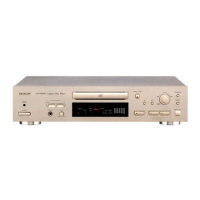
Compact Disc Player
OWNER’S MANUAL . . . . . . . . 6
MANUEL DU PROPRIETAIRE . . 14
BEDIENUNGSANLEITUNG . . . . 22
MANUALE DI ISTRUZIONI . . . . 30
MANUAL DEL USUARIO . . . . . 38
GEBRUIKSAANWIJZING . . . . . 46
CD-P1440 COMPACT DISC PLAYER
˛
Thanks for buying a TEAC. Read this manual carefully to get the best performance from this unit.
Nous vous remercions pour l’achat d’un appareil TEAC.
Lire ce manuel avec attention pour obtenir les meilleures performances possibles de cet appareil.
Vielen Dank für den Kauf dieses TEAC-Geräts.
Bitte lesen Sie diese Anleitung sorgfältig durch, um die Leistungs-fähigkeit dieses Geräts optimal nutzen zu können.
Grazie per aver acquistato un prodotto TEAC.
Leggere attentamente questo manuale per ottenere le migliori prestazioni da questo apparecchio.
Enhorabuena por la adquisición de un TEAC.
Lea detenidamente este manual a fin de obtener el mejor rendimiento de esta unidad.
Dank u voor de aanschaf van een TEAC.
Lees deze gebruiksaanwijzing aandachtig door teneinde de beste prestaties van dit toestel te verkrijgen.SAANWIJZING

Question and Answer IconNeed help?

Do you have a question about the Teac CD-P1440 and is the answer not in the manual?

Overview

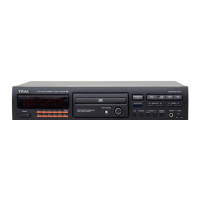
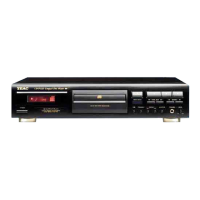
The TEAC CD-P1440 is a compact disc player designed for high-quality audio playback. It features a 3-beam tracking system for precise disc reading and a 16-bit linear encoding system for accurate sound reproduction.

Function Description

The CD-P1440 allows users to play standard audio compact discs. Key functions include:

  • Playback: Standard play, pause, stop, fast forward, and fast reverse.
  • Track Selection: Direct track access using 10-key buttons, music skip (forward/backward), and search functions.
  • Program Playback: Users can program up to 32 tracks in any desired order for customized listening.
  • Repeat Playback: Options for repeating a single track (ONE REPEAT), all tracks on the disc (ALL REPEAT), or a programmed sequence of tracks (A-B REPEAT).
  • Shuffle Playback (RANDOM): Plays tracks in a random order.
  • Intro Check: Plays the first 10 seconds of each track on the disc or within a programmed sequence.
  • Auto Cue: Automatically cues the disc to the start of the first track or a programmed track, ready for immediate playback.
  • Pitch Control: Allows for adjustment of the playback speed (pitch) within a range of approximately ±6%.
  • Time Counter Display: Displays elapsed time of the current track, total disc playback time, remaining time of the current track, and total remaining time of the disc.
  • Headphone Output: A dedicated headphone jack with volume control for private listening.
  • Remote Control: Full functionality via an infrared remote control unit (RC-681).

Important Technical Specifications

  • Pickup: 3-beam tracking system
  • Encoding: 16 bits linear
  • Frequency Response: 40 Hz - 20 kHz ±1.5dB
  • Total Harmonic Distortion: <0.02 % (1kHz, 0dB)
  • Signal-to-Noise Ratio (S/N): >85dB (1kHz, 0dB)
  • Channel Separation: 40 dB (1kHz, 0dB)
  • Wow & Flutter: Below measurable limit
  • Power Requirements:
    • 120 V AC, 60 Hz (USA/Canada Model)
    • 120/230 V AC, 50/60 Hz (General Export Model)
    • 230 V AC, 50 Hz (Europe/UK Model)
    • 240 V AC, 50 Hz (Australia Model)
  • Power Consumption: 12 W
  • Dimensions (W x H x D): 435 x 94 x 290 mm (17-1/8" x 4" x 11-7/16")
  • Weight (Net): 3.6 kg (7-15/16 lbs)
  • Standard Accessories: Wireless Remote Control Unit (RC-681), Battery (SUM-3, "AA", "R6") x 2
  • Laser Diode Properties:
    • Material: Ga-Al-As
    • Wavelength: 765-815 nm (25°C)
    • Laser output: Continuous Wave max. 0.7mW

Usage Features

The CD-P1440 is designed for user-friendly operation.

  • Disc Loading: Discs are loaded into a front-loading tray that opens and closes via a dedicated button. The disc should be placed label-side up in the center of the tray.
  • Connections:
    • Audio Output: Analog LINE OUT terminals (RCA pin plugs) connect to a stereo amplifier.
    • Power Cord: Connects to an AC outlet, ensuring correct voltage as indicated by the selector.
    • Headphones: A 1/4-inch stereo headphone jack is provided for private listening.
  • Remote Control: The included remote control provides comprehensive control over all player functions, including power, playback, track selection, programming, repeat modes, shuffle, intro check, and pitch control. It requires two "AA" batteries.
  • Display: The front panel features a clear display showing track number, index, time information (elapsed, remaining, total), and indicators for various playback modes (MEMORY, TRACK, STEP, RANDOM, REPEAT, OVER).
  • Safety Precautions:
    • Always read and follow the instructions in the manual.
    • Do not remove the protective housing or attempt to service the unit yourself, as it contains a laser.
    • Avoid exposure to direct sunlight, high humidity, or extreme temperatures.
    • Ensure proper ventilation around the unit.
    • Use only specified power sources.
    • Do not use liquid cleaners or aerosol sprays on the unit.
    • Handle discs by the edges to avoid scratching the playing surface.
    • Do not use damaged, warped, or irregularly shaped discs.

Maintenance Features

Proper maintenance ensures optimal performance and longevity of the CD-P1440.

  • Disc Care:
    • Always handle discs by their edges.
    • Wipe discs gently with a soft, dry cloth from the center outwards to remove dust or fingerprints.
    • Do not use chemical cleaners, record sprays, antistatic sprays, or benzene/thinner, as these can damage the disc surface.
    • Avoid writing on the label side of the disc with a ballpoint pen or hard-tipped marker.
    • Do not attach labels or stickers to discs.
    • Store discs in their cases after use to prevent scratches and dust accumulation.
  • Unit Cleaning:
    • Wipe the exterior of the unit with a soft, dry cloth.
    • For stubborn dirt, use a soft cloth lightly dampened with a mild detergent solution, then wipe dry.
    • Do not use volatile liquids like benzene or thinner.
  • Condensation: If the unit is moved from a cold to a warm place, or if there is sudden temperature change, condensation may occur. If condensation occurs, the disc player may not function correctly. In such cases, remove the disc and leave the unit powered on for 1 or 2 hours to allow the moisture to evaporate before attempting to play a disc.
  • Battery Replacement (Remote Control): Replace the batteries in the remote control unit when they are exhausted. Always use the specified battery type ("AA" or SUM-3) and ensure correct polarity. Remove batteries if the remote control will not be used for a long period to prevent leakage.

Teac CD-P1440 Specifications

General IconGeneral
BrandTeac
ModelCD-P1440
CategoryCD Player
LanguageEnglish

Related product manuals