ENGLISH FRANÇAIS
Repeat Playback 2
1
Fonction de répétition 2
32
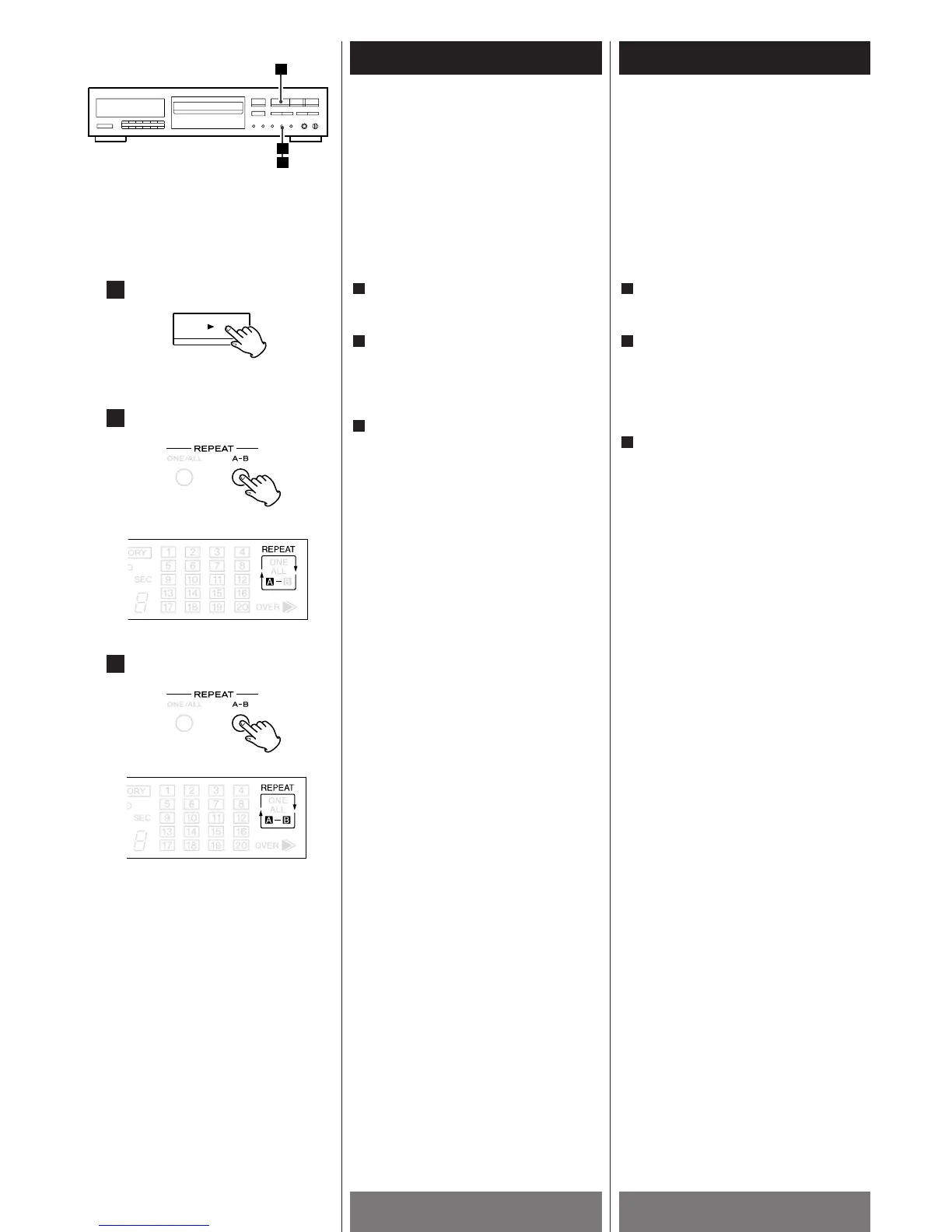
Press the PLAY button (y ) to start
playback.
Designate the point at which playback
should start (point A) by pressing the A-B
button.
The REPEAT and "A -" indicators light.
Press the A-B button again (REPEAT and
A-B light.) at the ending point (B).
<
The portion (A-B) will be played
repeatedly.
<
To cancel Repeat playback and resume
normal playback, press the A-B button.
<
When you specify an A-B section during
programmed playback, pressing the
.
// buttons to change the track
erases the A-B section.
<
This function does not work together with
Intro Check and Random functions.
3
2
1
Appuyer sur PLAY (y) pour commencer
la lecture.
Spécifier le point où la lecture doit
commencer (point A) en pressant la
touche A-B.
Les indicateurs REPEAT et "A-"
s'allument.
Appuyer de nouveau sur la touche A-B
(REPEAT et A-B s'allument) au point de
fin (B).
<
La partie (A-B) sera lue de façon répétée.
<
Pour annuler la lecture répétée et
reprendre la lecture normale, appuyer
sur la touche A-B
<
Lorsque vous spécifiez une section A-B
pendant la lecture programmée, une
pression sur les touches .
// pour
changer de plage efface la section A-B.
<
Cette fonction ne marche pas en même
temps avec les fonctions de vérification
et de lecture aléatoire.
3
2
1
To repeat a designated section
(A-B repeat mode)
Pour la lecture répétée d'une
section définie
(mode de répétition A-B)


 To Next Page