14
Programmed Playback
When the selection of track numbers has been finished,
press the PLAY button (y
) to start program playback.
3
Up to 32 tracks can be programmed in the desired order.
<
Insert a disc before beginning programming.
<
Shuffle playback does not work during programmed
playback.
<
Programmed playback works with finalized discs only.
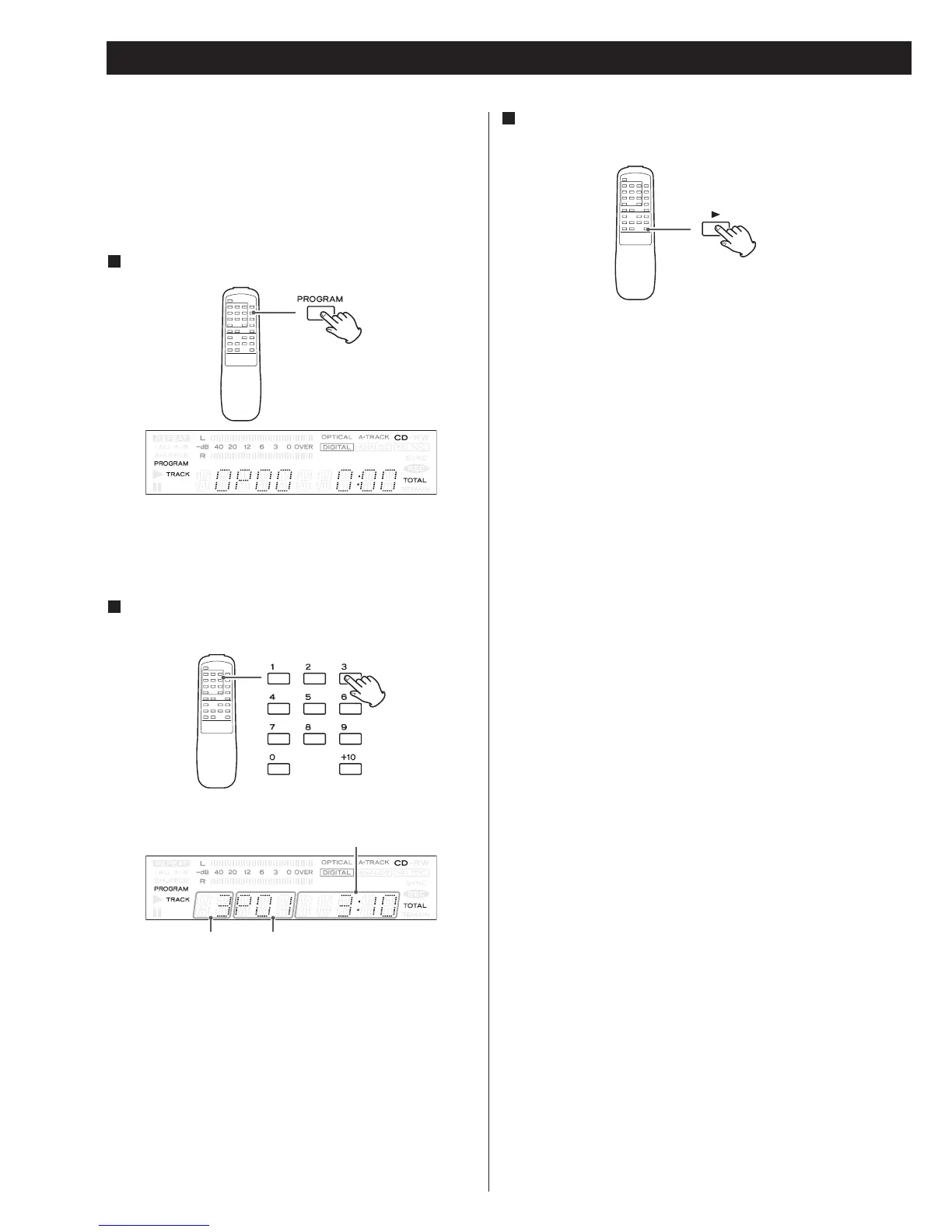
Press the PROGRAM button in the stop mode.
1
“PROGRAM” indicator blinks, and “0P00” appears on the
display.
Press the numeric button to select a track.
2
track number program number
You can also use the MUSIC SKIP button and the PROGRAM
button to program tracks. Select a track using the MUSIC
SKIP button, and press the PROGRAM button.
Repeat this step to program more.
<
If you made a mistake, press the CLEAR button. The last
programmed number will be deleted.
< To exit the program mode, press the STOP button.
total time of the programmed tracks



 To Next Page