Need help?
Do you have a question about the Teac CS-X8 and is the answer not in the manual?
Covers essential safety warnings and precautions for operating the Hi-Fi system.
Guidelines on placement, moving the unit, and preventing condensation.
Instructions on cleaning the unit's exterior surface.
Details output power, sensitivity, frequency response for amplifier and tuner sections.
Lists specifications for the CD player, speaker type, and impedance.
Covers power requirements, dimensions, weight, and included standard accessories.
Information on commercial audio CDs and CD-R discs that can be played.
Guidelines for loading, cleaning, and storing discs to prevent damage.
Instructions and precautions for mounting the main unit and speakers on a wall.
Steps for installing and replacing the battery in the remote control unit.
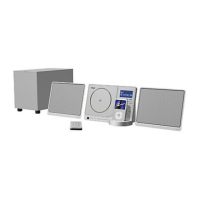
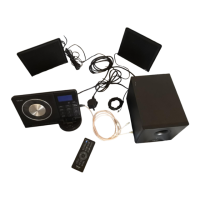
Diagram and instructions for connecting the main unit, speakers, and subwoofer.
Guidance on connecting AM loop and FM antennas for optimal reception.
Instructions for connecting Subwoofer, AUX IN, Speakers, and AC Power Cord.
Detailed explanation of each button and indicator on the main unit.
Detailed explanation of each button and function on the remote control.
How to mute sound temporarily and use headphones for private listening.
Steps to select CD source, open/close door, and start playback.
How to pause, stop, skip tracks, and search within a track during CD playback.
Guide on how to select and program up to 64 tracks in a desired order.
Instructions for reviewing, modifying, or clearing programmed track sequences.
How to enable and use random playback for tracks.
How to repeat a single track or all tracks in a playlist.
Guide to tuning stations via auto or manual selection and improving signal reception.
Instructions for choosing between Stereo and Mono modes for FM broadcasts.
Instructions for saving favorite FM/AM stations to preset channels.
How to recall and play stored preset radio stations.
Guide on setting the current time and choosing between 12/24 hour formats.
Step-by-step guide to setting the timer for automatic power on/off.
How to configure the sleep timer for automatic unit shutdown after a set period.
Solutions for no power, no sound from speakers, or noisy sound.
Troubleshooting steps for remote control malfunctions and CD playback errors.
Solutions for poor radio reception and recovering from system errors.
 General
| Brand | Teac |
|---|---|
| Model | CS-X8 |
| Category | Stereo System |
| Language | English |


 To Next Page