ENGLISH FRANÇAIS
30
Playing MP3 (2) Lecture des MP3 (2)
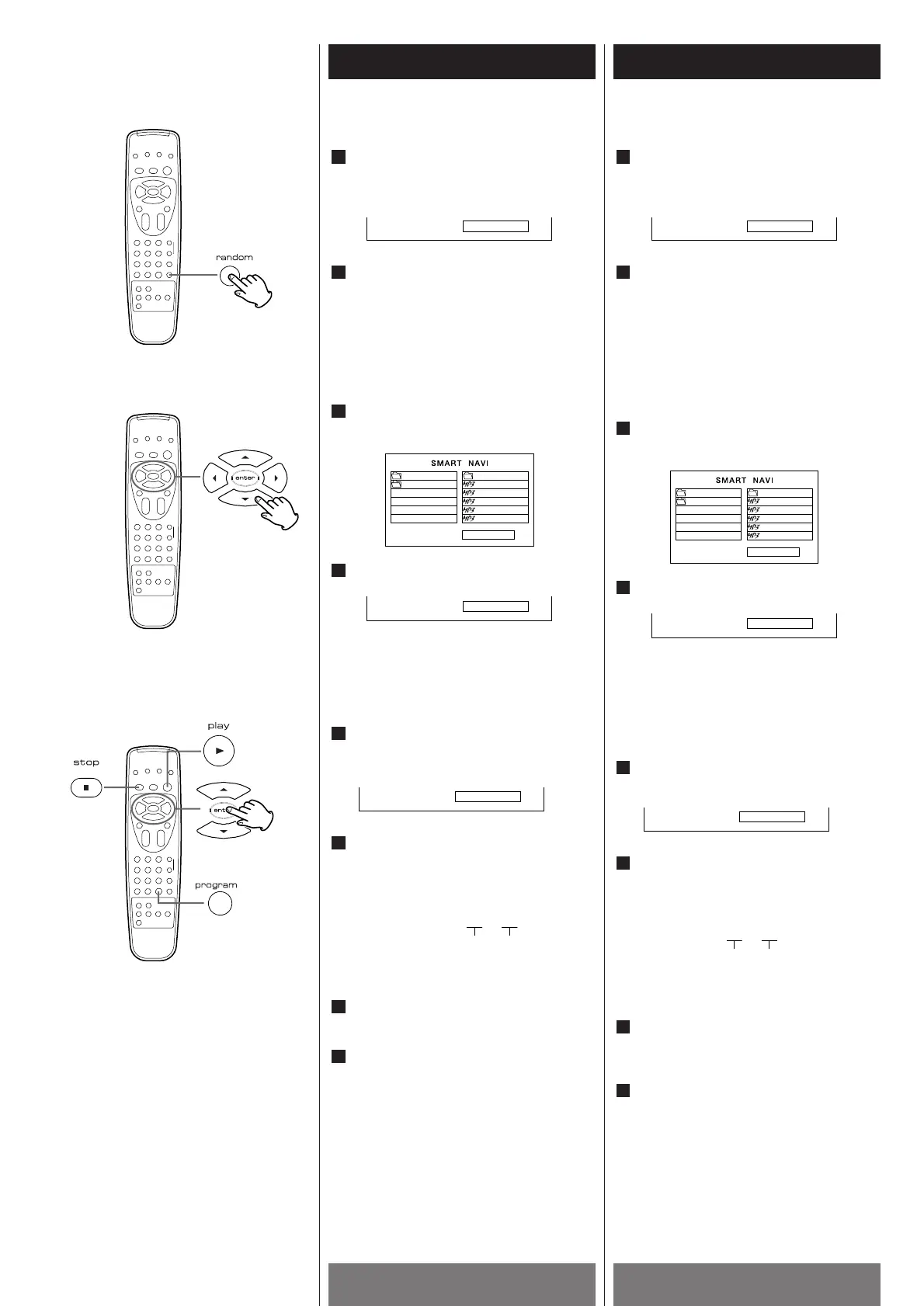
To random play MP3 files
Press RANDOM button once during
play mode or stop mode.
The value of the PLAY MODE on the TV
screen changes to RANDOM.
To resume normal playback.
Press RANDOM during random playback.
The display in the PLAY MODE on the TV
screen will change to FOLDER.
To random repeat play on the
MP3 file
Move the cursor to PLAY MODE with
the arrowhead buttons (g/t)in stop
mode.
Select the RANDOM RP mode with the
arrowhead button (
5/b).
Program Play (MP3)
You can program this player to play up to 99
files in your desired order.
Press the PROGRAM button in the
STOP mode, then the value of the PLAY
MODE on the TV screen changes
"PROGRAM".
Select the desired MP3 file by
pressing the arrowhead button (
5/b)
and the ENTER or the PLAY button.
The display on the TV Screen is .
Repeat step 2 to program other MP3 files.
If you finish the program, press the
STOP button.
To get a programed play started, Press
the PLAY button.
You cannot program MP3 files across
folders.
4
3
1
Pour lire des fichiers MP3 au hazard
Appuyer sur la touche RANDOM une
fois pendant la lecture ou à l’arrêt.
“RANDOM” sera affiché du côté droit du
PLAY MODE à l’écran TV.
Pour revenir en mode lecture normale
Appuyer sur la touche RANDOM pendant
la lecture aléatoire.
L’indication RANDOM à l’écran changera
en FOLDER.
Pour répéter des fichiers MP3
au hazard
Positionner le curseur au PLAYMODE
à l’aide des touches fléchées (g/t)
en mode d’arrêt.
Choisir RANDOM RP à l’aides des
touches fléchées (
5/b).
Lecture programmée (MP3)
On peut programmer cet appareil pour qu’il
lise un maximum de 99 fichiers MP3 dans
l’ordre désiré.
Appuyer sur la touche PROGRAM et
« PROGRAM » sera affiché du côté
droit de l’indication PLAY MODE.
Choisir un fichier MP3 à l’aide des
touches fléchées (
5 /b ) et de la
touche ENTER ou PLAY.
L’écran TV lira celui-ci :
Répéter l’étape 2 pour programmer des
autres fichiers MP3.
Quand la programmation des fichiers
MP3 est finie, appuyer sur la touche
STOP.
Pour mettre les fichiers MP3
programmés en lecture, appuyer sur la
touche PLAY.
On ne peut que programmer des fichiers
MP3 contenus dans un seul dossier.
4
3



 To Next Page