ENGLISH FRANÇAIS
16
Basic Playback (1) Lecture de base (1)
1
2
3
4
5
Playing DVDs, CDs
< Turn the TV’s power on and set its input to
a position for DVD viewing.
<
When this unit is connected to a stereo,
turn the power of the stereo components
on.
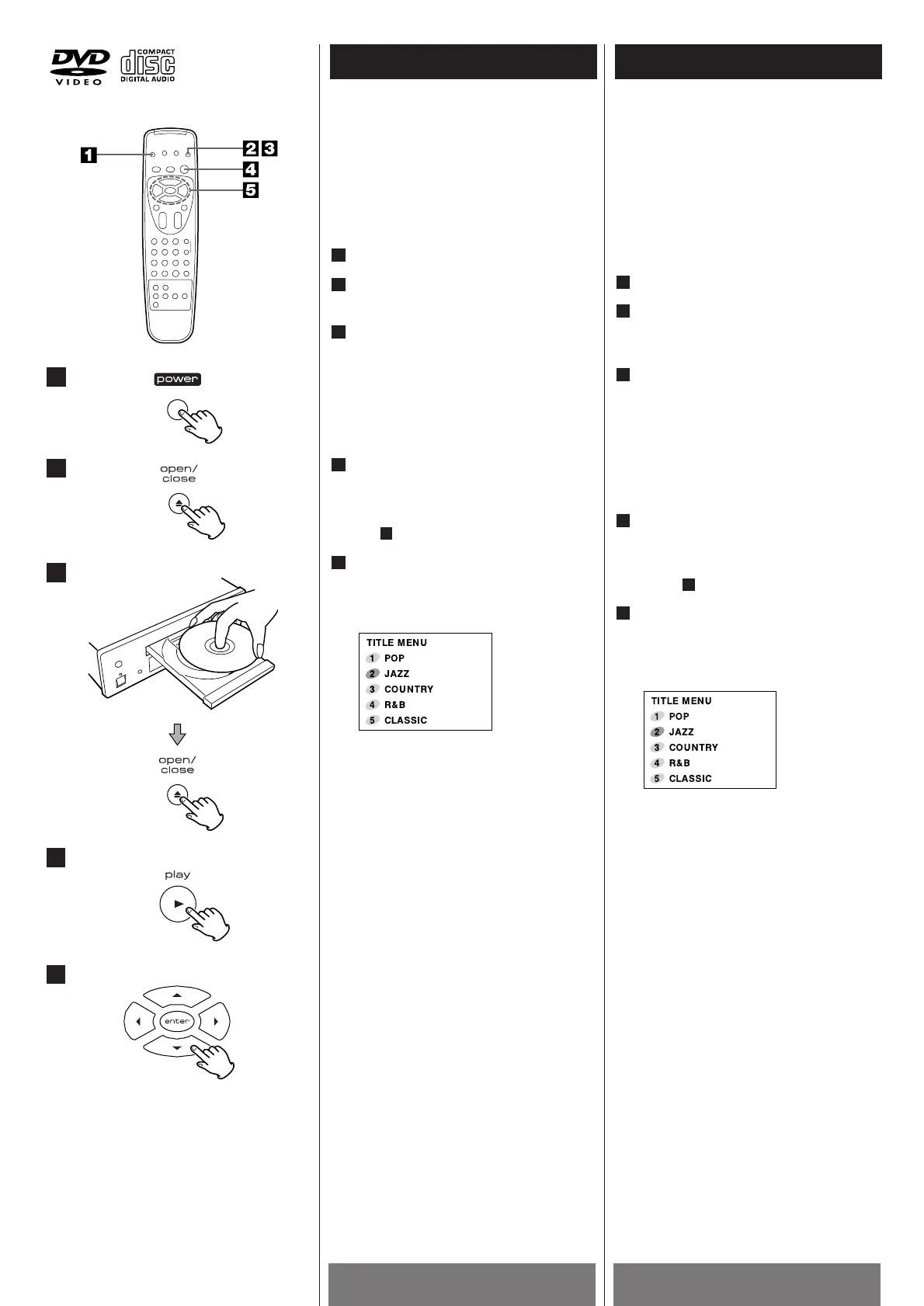
Press the POWER switch.
Press the OPEN/CLOSE button (L
).
The disc table comes out.
Load a disc and press the OPEN/CLOSE
button (L).
Load a disc with the label side facing up,
using the disc table guide to align the
disc.
<
Depending on the disc, playback begins
automatically.
Press the PLAY button (G).
Playback will begin.
<
Depending on the disc, a menu is
displayed. If a menu is displayed, refer to
step .
Select the item you want to view. (DVD
only)
Select the item with the g /5 /t /b
buttons, then press the ENTER button.
Ex:When a DVD that has menu
screens is loaded
To return to the menu screen
< Although this differs depending on the
disc, pressing the MENU button during
DVD playback will return the screen to
the menu screen.
Note:
The Track No. always begin with NO.1
even if Track of disc does not start with
NO.1.
5
5
4
3
2
1
Lecture de disques DVD, CD
audio
< Mettez votre téléviseur sous tension et
programmez son entrée sur une position
permettant de voir des disques DVD.
<
Lorsque cet appareil est relié à un
système stéréo, mettez en circuit les
composants stéréo.
Appuyez sur le contacteur POWER.
Appuyez sur le bouton OPEN/CLOSE
(L
).
Le plateau à disque sort.
Introduisez un disque puis appuyez sur
le bouton OPEN/CLOSE (L).
Introduisez un disque. Le côté étiquette
doit être dirigé vers le haut. Utilisez le
guide du plateau à disque pour aligner ce
disque.
<
En fonction du disque, l'écoute
commence automatiquement.
Appuyez sur le bouton PLAY (G).
L'écoute du disque commence.
<
En fonction du disque, un menu apparaît
à l'écran. Si c'est le cas, consultez
l'alinéa .
Sélectionnez le sujet que vous
souhaitez voir. (DVD uniquement)
Choisissez l'option à l'aide des touches
g
/5/t/b puis appuyez sur le bouton
ENTER.
Exemple : lorsqu'un disque DVD
comportant des écrans
de menus est chargé
Pour revenir à l'écran Menu
< Bien que cela puisse différer en fonction
du disque, une pression sur le bouton
MENU pendant l'écoute d'un disque DVD
permet de revenir à l'écran Menu.
Remarques
Le numéro de morceau toujours
s'afficher commence par un 1, même si le
morceau ou le disque ne commence pas
par le n° 1.
5
5
4
3
2
1



 To Next Page