EasyManua.ls Logo

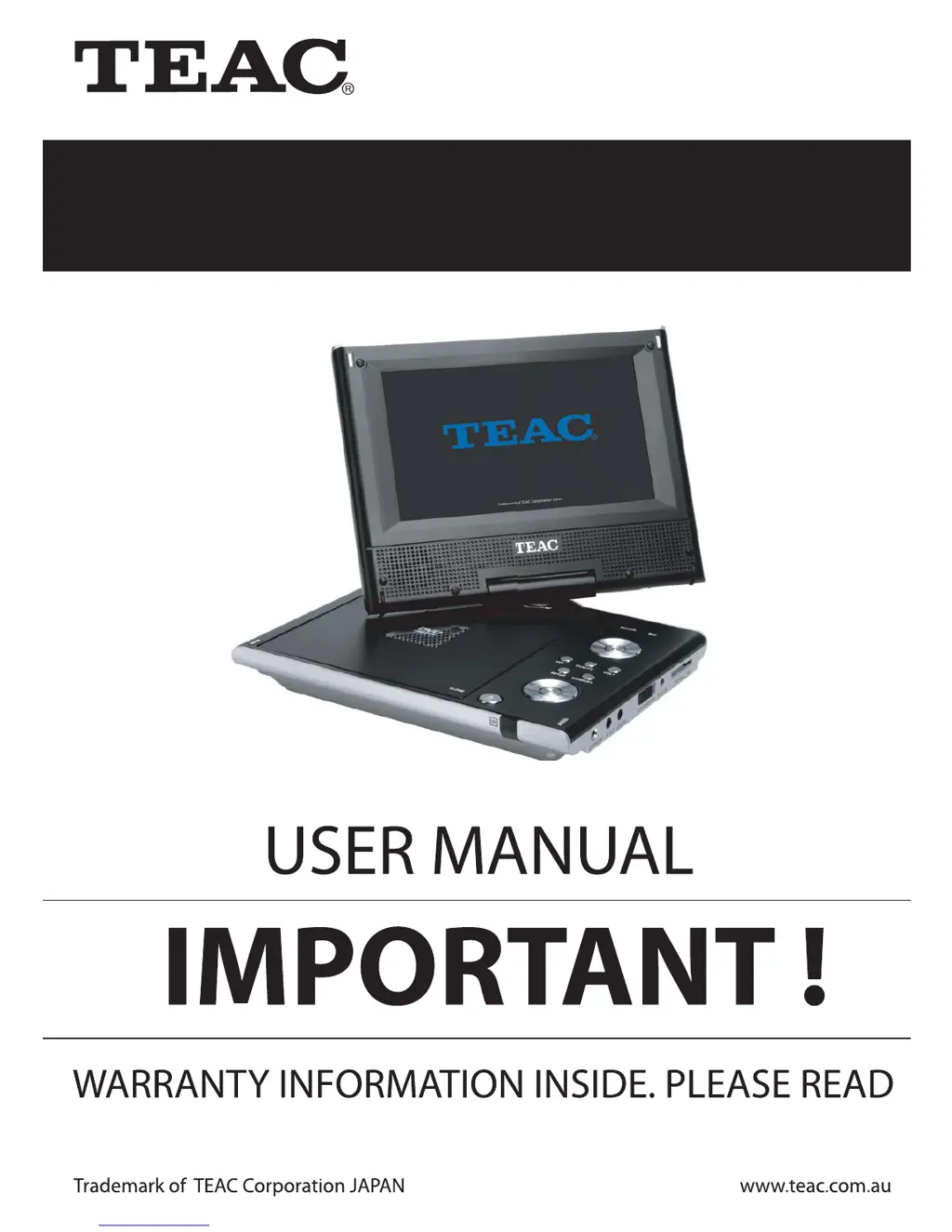
Teac DVP705 - User Manual

Teac DVP705
23 pages
Print Icon
To Next Page IconTo Next Page
Loading...
Portable DVD Player
DVP705

Questions and Answers

Summary

Warranty Information

Warranty Terms and Conditions

Terms and conditions for TEAC product warranty, including service details and limitations.

Warranty Procedures

Foreword

Product Features

Lists key features of the TEAC DVP705 portable DVD player.

Included Accessories

Lists the accessories included with the TEAC DVP705 portable DVD player.

Safety Precautions

Placement Guidelines

Guidelines for safely placing the portable DVD player to avoid hazards.

Installation Instructions

Instructions for proper installation of the portable DVD player.

General Handling Safety

General safety precautions for using and handling the portable DVD player.

No Disassembling Warning

Warning against attempting to disassemble the unit and advising professional service.

Unit Overview

Remote Control Overview

Battery Installation

Step-by-step instructions for installing the battery in the remote control.

Key Function Introduction

Remote Control Function Keys

Explains the functions of various buttons on the remote control.

Front Panel Function Keys

Details the functions of buttons located on the front panel of the unit.

Charging the Unit

Battery Usage and Maintenance

Provides guidelines for the proper usage and maintenance of the rechargeable battery.

Connections

Connecting to a TV

Instructions on how to connect the DVD player to a television for viewing.

Connecting to a Power Amplifier

Instructions on connecting the DVD player to a power amplifier for audio output.

System Setup

Menu Operation

Explains how to navigate and use the system setup menu.

TV Display Settings

Allows selection of the TV screen format for optimal viewing.

Angle Mark Settings

Controls the display of camera angle marks during playback.

OSD Language Settings

Sets the language for on-screen display elements.

Captions Settings

Enables or disables closed captions display for discs.

Screen Saver Settings

Activates or deactivates the screen saver function to prevent screen burn-in.

Last Memory Function

Enables or disables the feature that remembers the last playback position.

Audio Setup Options

Configuration for speaker output, SPDIF, and Dolby Digital audio.

Equalizer Setup

Allows selection of music styles to adjust audio equalization.

Video Settings

Adjusts picture quality settings like sharpness, brightness, contrast, hue, saturation.

TV Type and PBC Settings

Configures TV signal type and PBC function.

Language, Default, and Password

Sets language, restores defaults, and configures password protection.

Playback Operations

Loading and Playing a Disc

Step-by-step guide on inserting a disc and starting playback.

MP3;AVI File Playback

Instructions for playing MP3 and AVI files from discs, USB, or cards.

JPEG Image Viewing

Guide on viewing JPEG images from discs, USB, or cards.

Playback Details

AVI Playback Capabilities

Details AVI disc playback capabilities and compatibility for enhanced viewing.

Troubleshooting

Specifications

Summary

Warranty Information

Warranty Terms and Conditions

Terms and conditions for TEAC product warranty, including service details and limitations.

Warranty Procedures

Foreword

Product Features

Lists key features of the TEAC DVP705 portable DVD player.

Included Accessories

Lists the accessories included with the TEAC DVP705 portable DVD player.

Safety Precautions

Placement Guidelines

Guidelines for safely placing the portable DVD player to avoid hazards.

Installation Instructions

Instructions for proper installation of the portable DVD player.

General Handling Safety

General safety precautions for using and handling the portable DVD player.

No Disassembling Warning

Warning against attempting to disassemble the unit and advising professional service.

Unit Overview

Remote Control Overview

Battery Installation

Step-by-step instructions for installing the battery in the remote control.

Key Function Introduction

Remote Control Function Keys

Explains the functions of various buttons on the remote control.

Front Panel Function Keys

Details the functions of buttons located on the front panel of the unit.

Charging the Unit

Battery Usage and Maintenance

Provides guidelines for the proper usage and maintenance of the rechargeable battery.

Connections

Connecting to a TV

Instructions on how to connect the DVD player to a television for viewing.

Connecting to a Power Amplifier

Instructions on connecting the DVD player to a power amplifier for audio output.

System Setup

Menu Operation

Explains how to navigate and use the system setup menu.

TV Display Settings

Allows selection of the TV screen format for optimal viewing.

Angle Mark Settings

Controls the display of camera angle marks during playback.

OSD Language Settings

Sets the language for on-screen display elements.

Captions Settings

Enables or disables closed captions display for discs.

Screen Saver Settings

Activates or deactivates the screen saver function to prevent screen burn-in.

Last Memory Function

Enables or disables the feature that remembers the last playback position.

Audio Setup Options

Configuration for speaker output, SPDIF, and Dolby Digital audio.

Equalizer Setup

Allows selection of music styles to adjust audio equalization.

Video Settings

Adjusts picture quality settings like sharpness, brightness, contrast, hue, saturation.

TV Type and PBC Settings

Configures TV signal type and PBC function.

Language, Default, and Password

Sets language, restores defaults, and configures password protection.

Playback Operations

Loading and Playing a Disc

Step-by-step guide on inserting a disc and starting playback.

MP3;AVI File Playback

Instructions for playing MP3 and AVI files from discs, USB, or cards.

JPEG Image Viewing

Guide on viewing JPEG images from discs, USB, or cards.

Playback Details

AVI Playback Capabilities

Details AVI disc playback capabilities and compatibility for enhanced viewing.

Troubleshooting

Specifications

Teac DVP705 Specifications

General IconGeneral
Display Size7 inches
Resolution480 x 234 pixels
Battery LifeUp to 3 hours
Playable MediaDVD, CD
Aspect Ratio16:9, 4:3
Supported FormatsDVD, DVD-R, DVD-RW, CD, CD-R, CD-RW, MP3, JPEG
OutputsAV output, headphone jack
Power SourceAC adapter, rechargeable battery

Related product manuals