No function for this player.
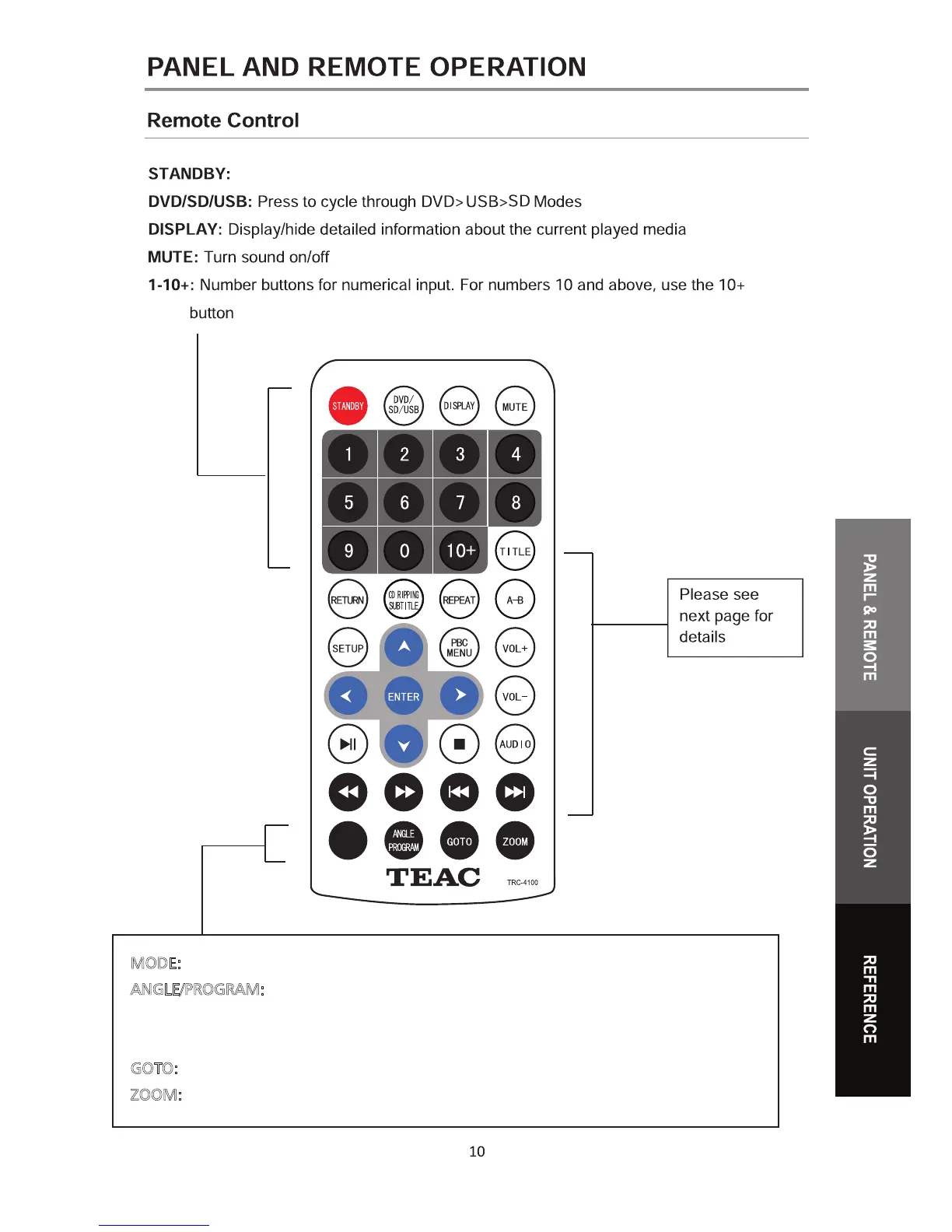
MODE
MODE: Press to select PAL/NTSC/AUTO system.
ANGLE/PROGRAM:
While playback is stopped, press to enter the PROGRAM functiom.
During DVD playback, press to select from available camera angles.(Depends on
availability on disc).
GOTO:
Press to input a specific title/chapter on the DVD to jump to.
ZOOM:
Press repeatedly to cycle through different Zoom views.


 To Next Page