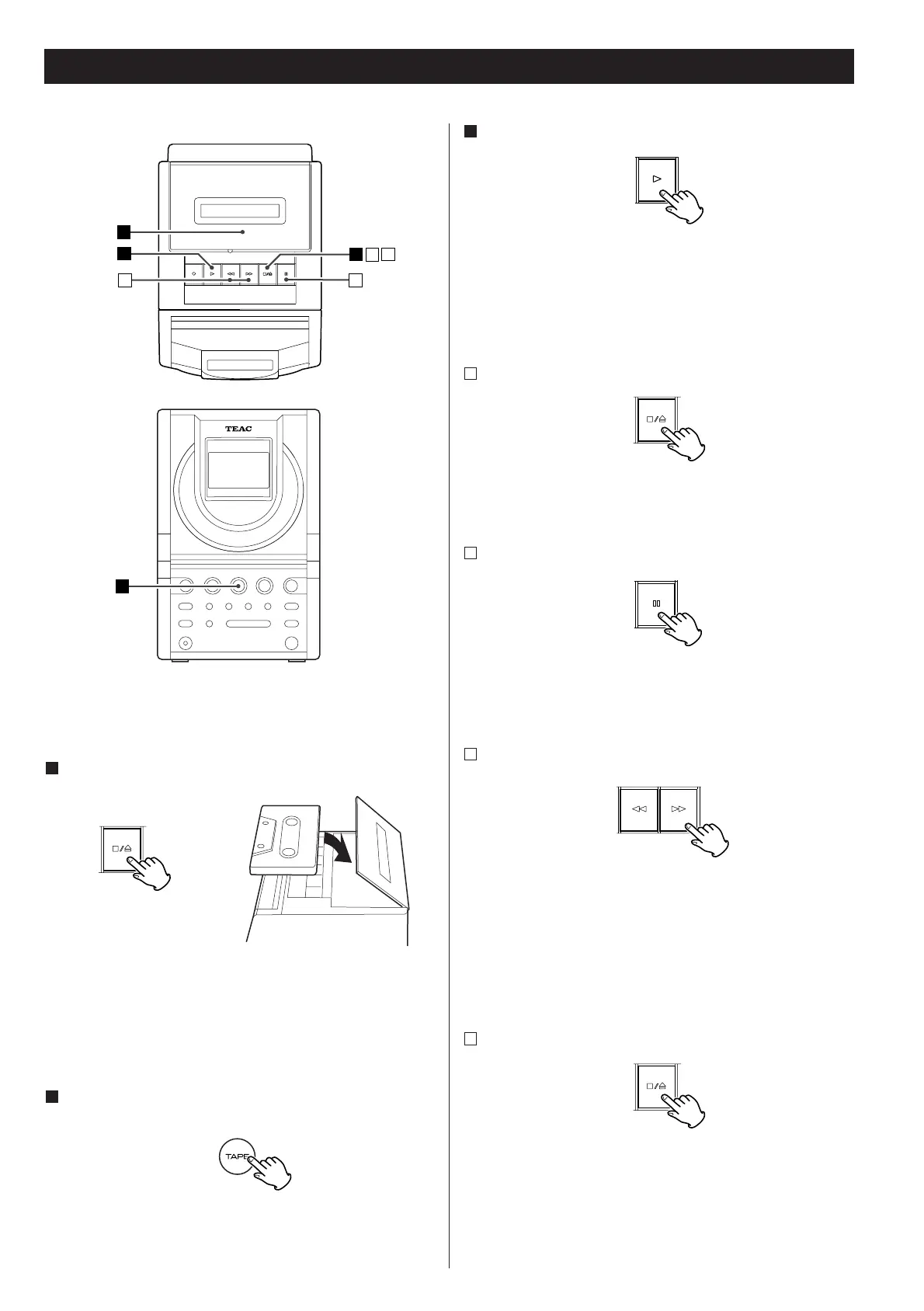
The tape transport cannot be controlled from the remote
control unit.
Insert a cassette tape.
1
e
Press the STOP/EJECT button to open the cassette holder, load
a cassette with its exposed side facing you, and close the
cassette holder by pushing it.
<
You can use only normal(Type!) tapes.
Press the TAPE button to select "TAPE".
2
Press the PLAY button(y).
3
To stop playback
A
Press the STOP/EJECT button (H/L) to stop playback.
To pause in the playback
B
Press the PAUSE button (J). To resume playback, press the
button again.
Fast forward and rewind
C
Press the F FWD (,) or the REW (m) button.
Press the STOP/EJECT button (H
/L) to stop the fast forward or
rewind operation.
<
When the tape is wound up to the end, be sure to press the
STOP button to stop the unit.
To take out the cassette tape
D
Press the STOP/EJECT button (H/L) to stop playback, then
press the button again to open the cassette holder.



 To Next Page