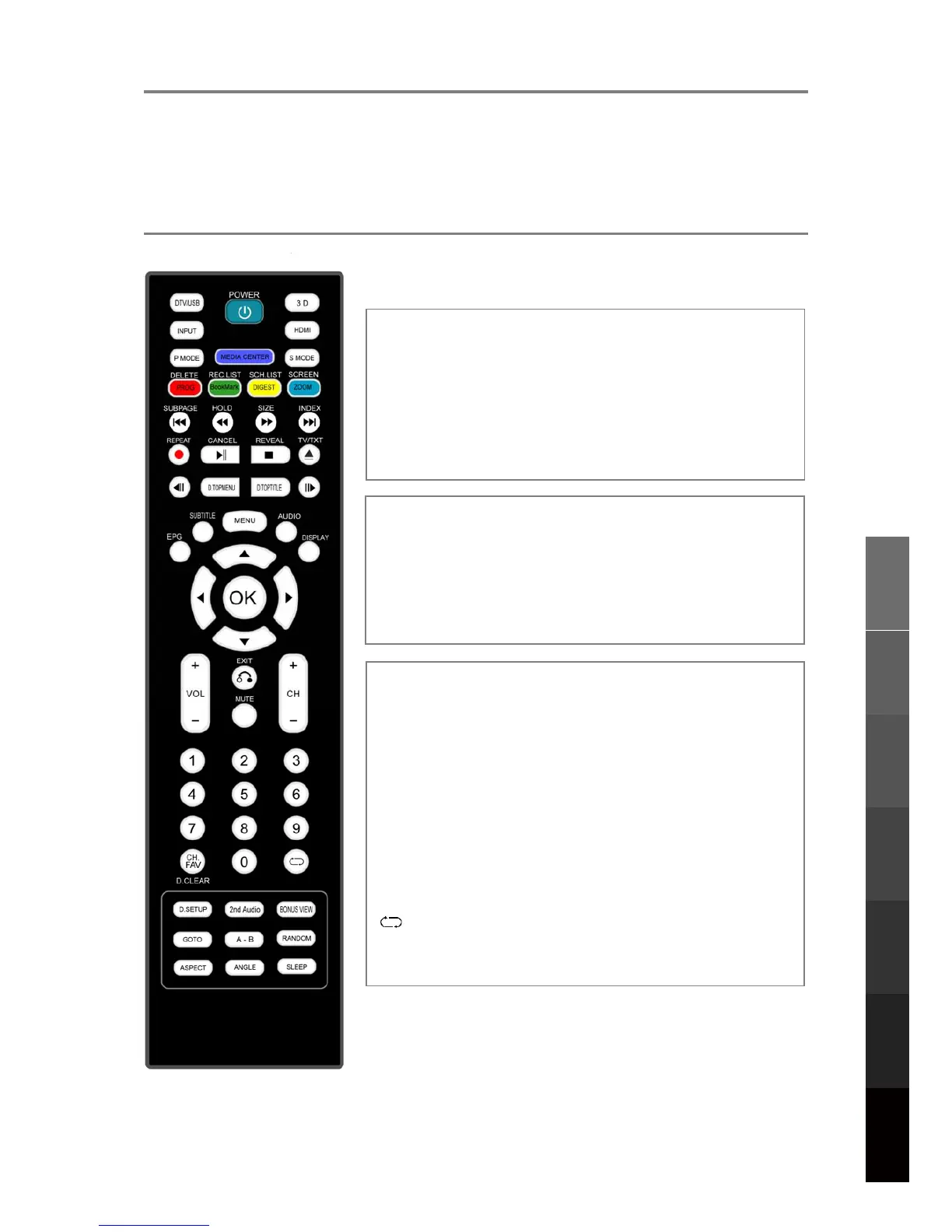
5(027(&21752/
7KHUHPRWHFRQWUROXVHV,QIUDUHGVLJQDOV3RLQWLWDWWKH,QIUDUHGVHQVRUDWWKHIURQWRIWKH79
L127(7KHUHPRWHFRQWUROPD\QRWZRUNFRUUHFWO\LILWLVRSHUDWHGRXWRIUDQJHRUDQJOH
RILIWKHUHDUHREMHFWVEORFNLQJWKHVLJQDO
5HPRWH&RQWURO%XWWRQVDQG)XQFWLRQV
POWER: Switch the TV on or off Standby mode.
DTV/USB: Switch to DTV/USB Mode.
3D: Access the 3D Setup Menu.
INPUT: Access the Input Source Menu.
HDMI: Cycle through HDMI Modes 1-3.
P MODE: Cycle through preset picture profiles.
S MODE: Cycle through preset sound profiles.
MEDIA CENTER: Function not available.
MENU: Switch the TV on or off Standby mode.
SUBTITLE: Choose from available subtitles.
AUDIO: Choose from available audio tracks.
EPG: Access the Electronic Programme Guide.
DISPLAY: Display detailed information or controls.
: Directional navigation buttons.
OK: Confirm a setting.
CH+/-: Browse next/previous channel.
VOL+/-: Adjust volume level.
EXIT: Exit menu or return to last level.
MUTE: Toggle audio output muting.
Number Buttons: Key in numbers to view channels or
other option inputs.
: Return to the most recently viewed TV channel.
CH.FAV: Show Channel List, then Favourite Channels
List.
DELETE: Delete files from the Recorded File List.
REC. LIST: Display the Recorded File List.
SCH.LIST: Display the Schedule List.
SCREEN: 1. While playing music, turn off the screen.
2. In HDMI Mode, change between Video and
PC Modes.
3. In VGA Mode, auto-align the screen.
3D Video Playback
USB Multimedia
Playback
Remote Control
On-Screen DisplayTV & Electronic
Programme Guide
Digital Video
Recording (DVR)
(OSD) Menu
Reference
11



 To Next Page