',*,7$/9,'(25(&25',1*'95
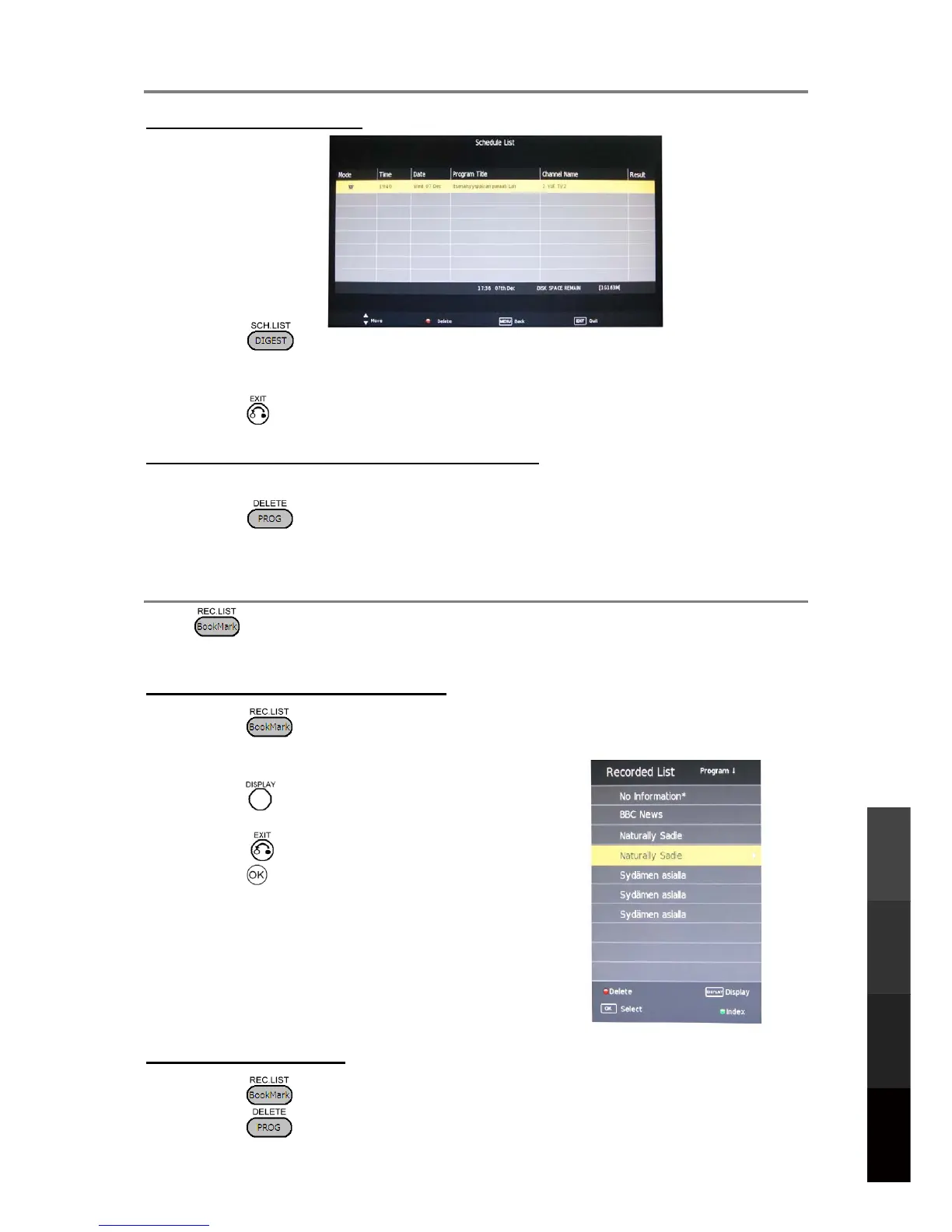
9LHZLQJWKH6FKHGXOH/LVW
3UHVV WRGLVSOD\WKH6FKHGXOH/LVW
3UHVVWRVFUROOXSDQGGRZQWKHOLVW6FKHGXOHGUHFRUGLQJVZLOOEHPDUNHGZLWKD
FDPHUDLFRQDQGYLHZLQJUHPLQGHUVZLWKDFORFNLFRQ
3UHVV WRUHWXUQWR79YLHZLQJ
'HOHWLQJD6FKHGXOHG5HFRUGLQJ9LHZLQJ(YHQW
:KLOHYLHZLQJWKH6FKHGXOH/LVWXVHWRVHOHFWWKHHYHQWWREHGHOHWHG
3UHVV WRGHOHWHWKHKLJKOLJKWHGHYHQW
3UHVVWRFRQILUPRUWRFDQFHOWKHGHOHWLRQ
3D Video Playback
USB Multimedia
Playback
Digital Video
Recording (DVR)
Reference
8VLQJWKH5HFRUGHG)LOH/LVW
Press to access the Recorded File List. Any recorded TV programmes will belisted if
a USB storage device is connected and powered on.
Viewing and Playing Recorded Files
1. Press to view the Recorded File List. Press repeatedly to sort the filesby
Programme, Channel and Time.
2. Use to browsethelist and select a file.
3. Press to display detailed information on the
highlighted file.
4. Press to show anon-screen control bar.
5. Press to start playing the selected file.
L NOTE:
If the recorded programme is locked becauseof
parentalcontrolsettings, key in the correct password
to view it.
Deleting Recorded Files
1. Press to view the Recorded File List, then use to select a file.
2. Press to delete a file.
25



 To Next Page