External Connection
Connecting DVD Player/Set-Top Box
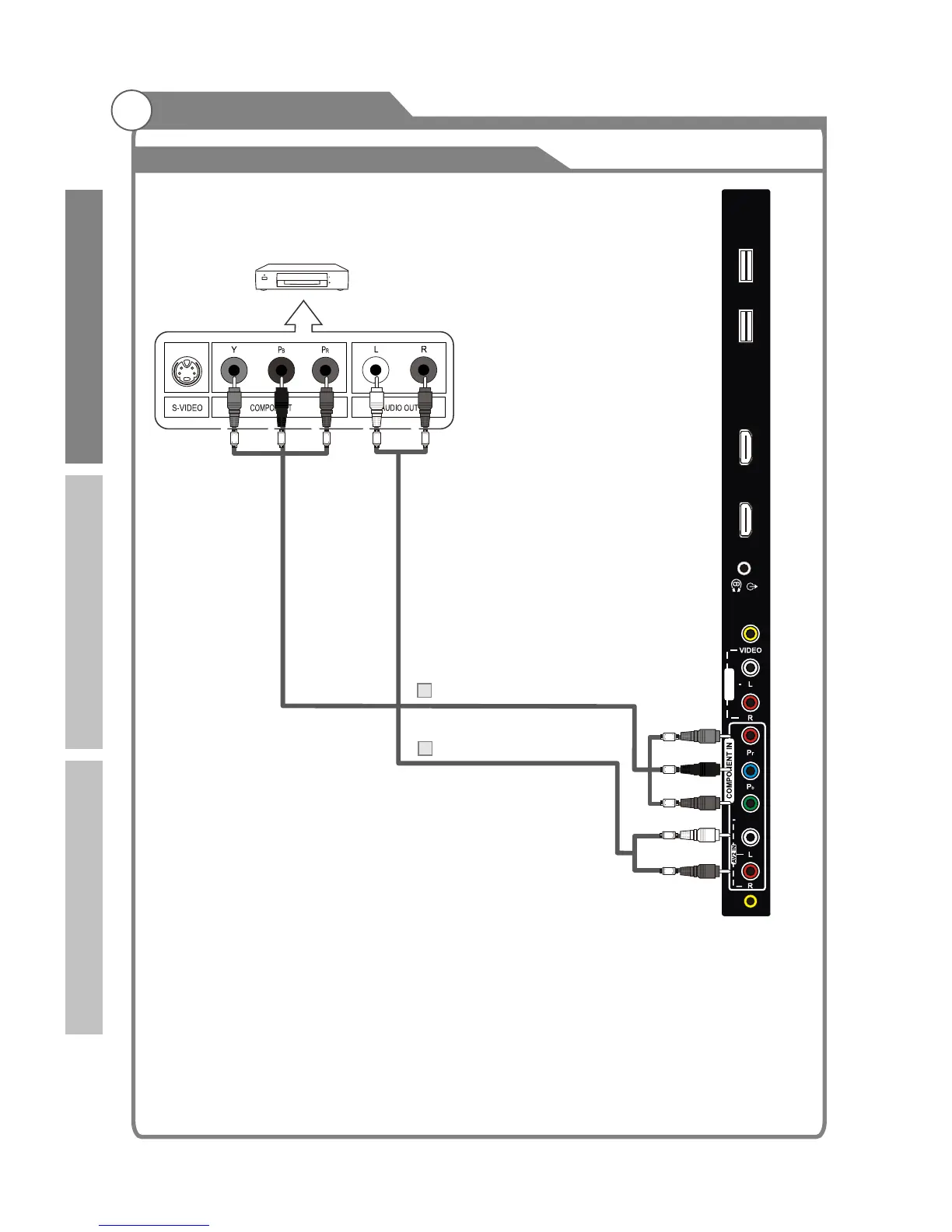
The rear panel jacks on your TV make it easy to connect a DVD to your TV.
Component video separates the video into Y (Luminance
(brightness)), Pb (Blue) and Pr (Red) for enhanced video quality.
Be sure to match the component video and audio connections.
For example, if connecting the video cable to COMPONENT IN,
connect the audio cable to COMPONENT IN also.
Each DVD player/STB has a different back panel configuration.
When connecting a DVD player/STB, match the color of the connection terminal to the cable.
1. Connect a Component Cable between the COMPONENT IN [Y, PB, PR] jacks on the TV
and the COMPONENT [Y, PB, PR] jacks on the DVD player.
2. Connect Audio Cables between the COMPONENT IN [R- AUDIO-L] jacks on the TV and
the AUDIO OUT jacks on the DVD player.
Note: 1.Whenever you connect an external device to your TV, make sure that power on the
unit is turned off.
2.When connecting an external device, match the color of the connection terminal to
the cable.
TV Rear Panel
Audio Cable (Not supplied)
2
Component Cable (Not supplied)
1
DVD Player/Set-Top Box
18
USB 1
HDMI 4
USB 2
HDMI 3
AV1 IN
AV3 IN
Red
White
Green
Blue
Red
Y/VIDEO
White
Red
Red
Blue
Green
Introduction
Basic operation
Reference



 To Next Page