External Connection
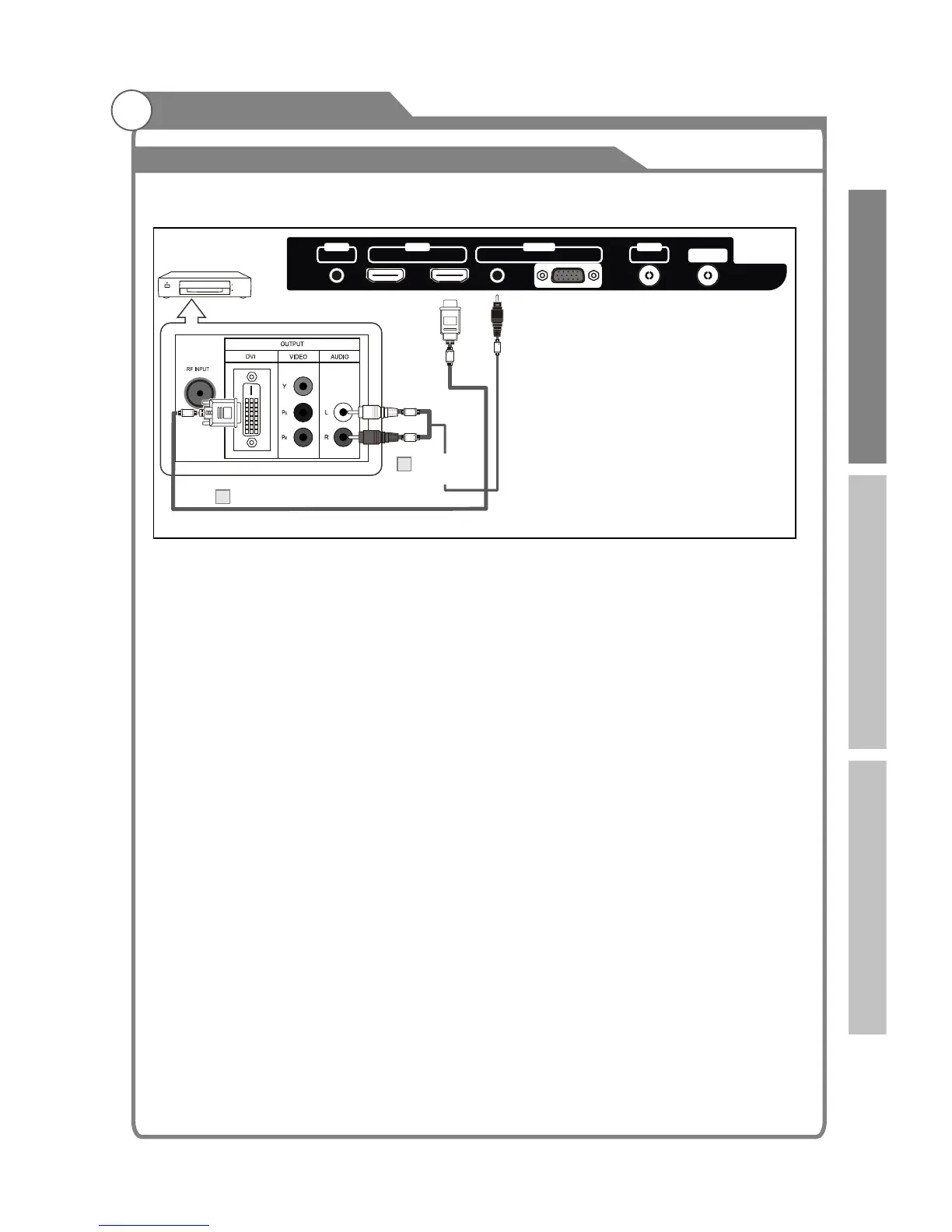
Connecting DVD Player/Set-Top Box via DVI
This connection can only be made if there is a DVI Output connector on the external device.
Each DVD player/STB has a different back panel configuration.
When connecting a DVD player/STB, match the color of the connection terminal to the
cable.
1. Connect a DVI to HDMI Cable or DVI-HDMI Adapter between the HDMI 1, HDMI 2, HDMI 3
or HDMI 4 connector on the TV and the DVI connector on the DVD player/Set-Top Box.
2. Connect Audio Cables between the PC AUDIO IN jack on the TV and the AUDIO OUT
jacks on the DVD player/Set-Top Box.
Note:
1.Whenever you connect an external device to your TV, make sure that power on the unit is
turned off.
2.When connecting an external device, match the color of the connection terminal to the
cable.
TV Rear Panel
DVI to HDMI Cable (Not supplied)
1
Audio Cable
(Not supplied)
2
DVD Player/
Set-Top Box
White
Red
19
HDMI 2
HDMI 1
AV
OUT OUTIN
SPDIF
ANT
AUDIO
VGA
IN
Introduction Basic operation Reference



 To Next Page