Introduction
This TV is embedded with one USB port digital media player. It can find devices that
support USB1.1/2.0,including flash disk, USB hard disk and digital camera. It supports
functions as: Display pictures, Play music files, Play video files, Display text files.
Note: please do not remove the cable during the data transfer. It may cause problems for
the system.
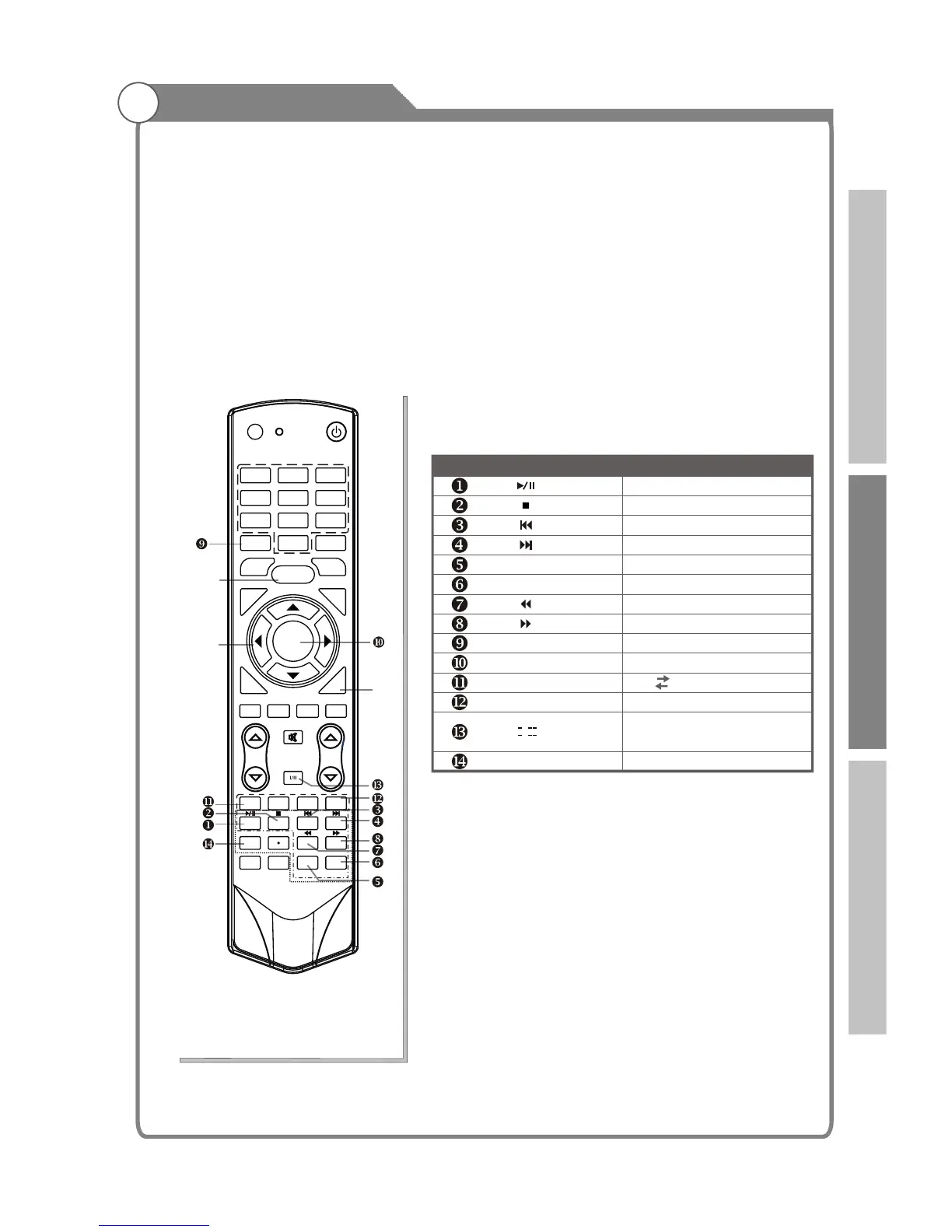
Remote Control Button
Description of Playback Buttons:
Digital Media Player
NAVIGATION
BUTTONS
pqtu
MENU
EXIT
39
INFO
OK
RED
BLUE
PgUp
PgDn
A B Play repeatedly
Time selected
Pause/Play
Stop
Previous file
Next file
Page up/Zoom in
Page down/Zoom out
Backward
Forward
Display the information
Display the short cut key
Buttons Function
I/ II
SUBTITLE
Language soundtrack
switch(video)
Subtitile switch(video)
SOUND
AUDIO LANG
VOL PROG
MENU
1 2 3
4 5
6
7
8
9
0
INFO
RECALL
FREEZE
SLEEP
EX
I
T
HOLD
SIZE
REVEAL CANCEL
PICTURE
MUTE
INPUT
POWER
TEXT
SUBTITLE
TIME
SUBCODE
F
A
V
C
H.L
IS
T
GU
I
D
E
DTV HDMI
USB
INDEX
PgUp PgDn
RED GREEN
YELLOW
BLUE
OK/
REC LIST
ASPECT
REC
Introduction Basic operation Reference



 To Next Page