2. TV PLAC
EMENT SETUP
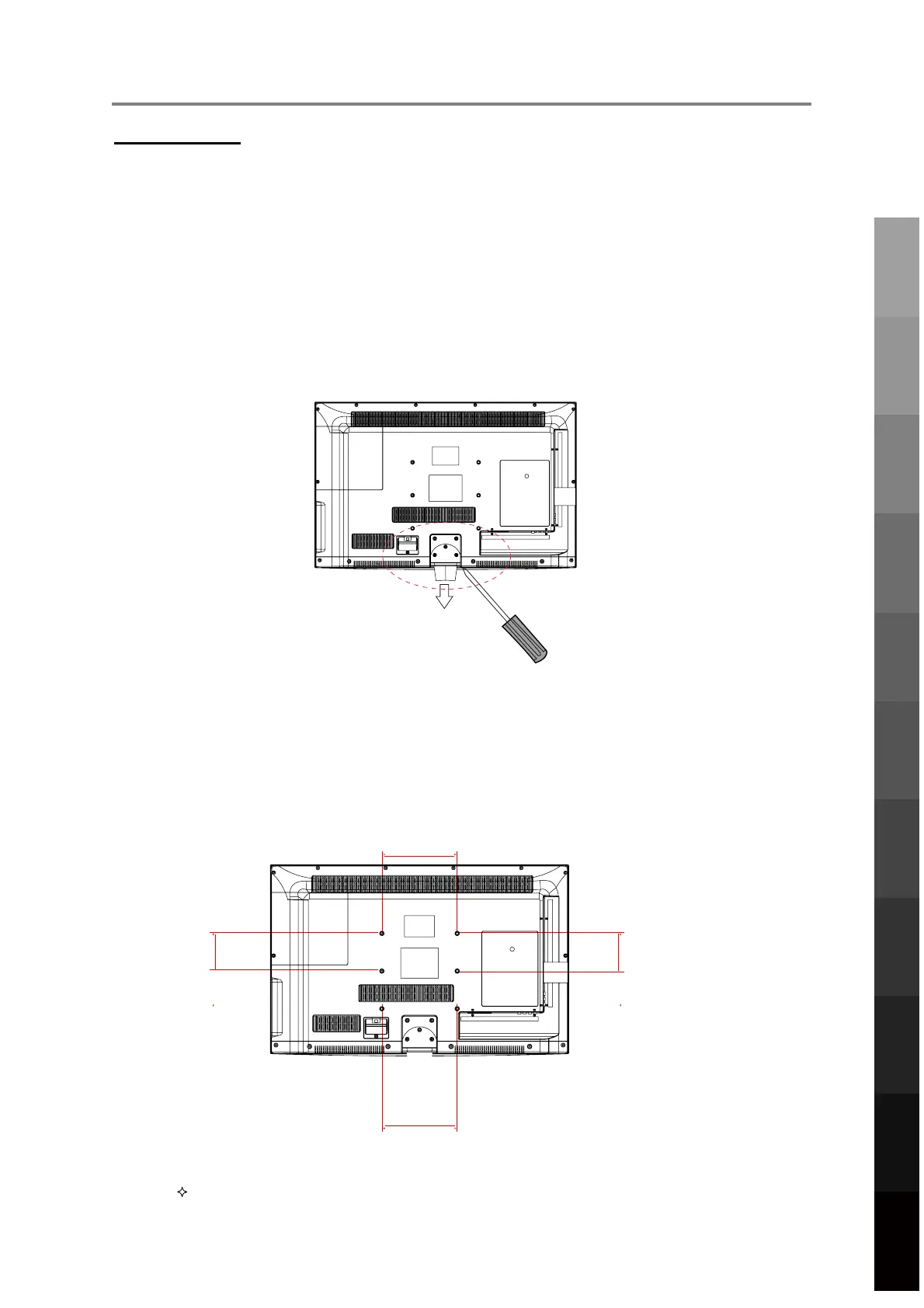
100mm
200mm
100mm
200mm
Thre
ad hole size M6 x 12 depth (TV Mounting Screw Size) on the TV.
Wall M
o
u
nting
1.
Ens
ure that the selected wall is made of appropriate material and can support the
weight of the TV. Make sure there are no pipes or cables inside the wall on your
chosen position.
2.
Obtain
a suitable wall mounting bracket and mounting eyebolts (thread size M6x12)
and screws from your local hardware store.
3. Pla
ce the unit face down on a soft surface.
4.
Rem
ove the attached leg at the bottom of the TV by removing the 5 screws on the
leg cover.
5.
Ref
it the cover securely by replacing the 5 screws into their original positions.
6.
Faste
n 4 eyebolts into the four screw holes on the TV’s rear panel according to the
diagram.
7.
Fasten
the wall mounting bracket using screws onto the wall.
8.
Conn
ect the eyebolts and the wall bracket securely with strong rope
9.
Caref
ully check that all fastenings are secure before releasing the TV.
7
Parts & Connections
3D Video Playback
USB Multimedia
Blu-Ray Disc Player
Playback
TV Placement
Setup
Initial Setup &
Input Sources
Remote Control
On-Screen DisplayTV & Electronic
Programme Guide
Digital Video
Recording (DVR)
(OSD) Menu
Reference



 To Next Page