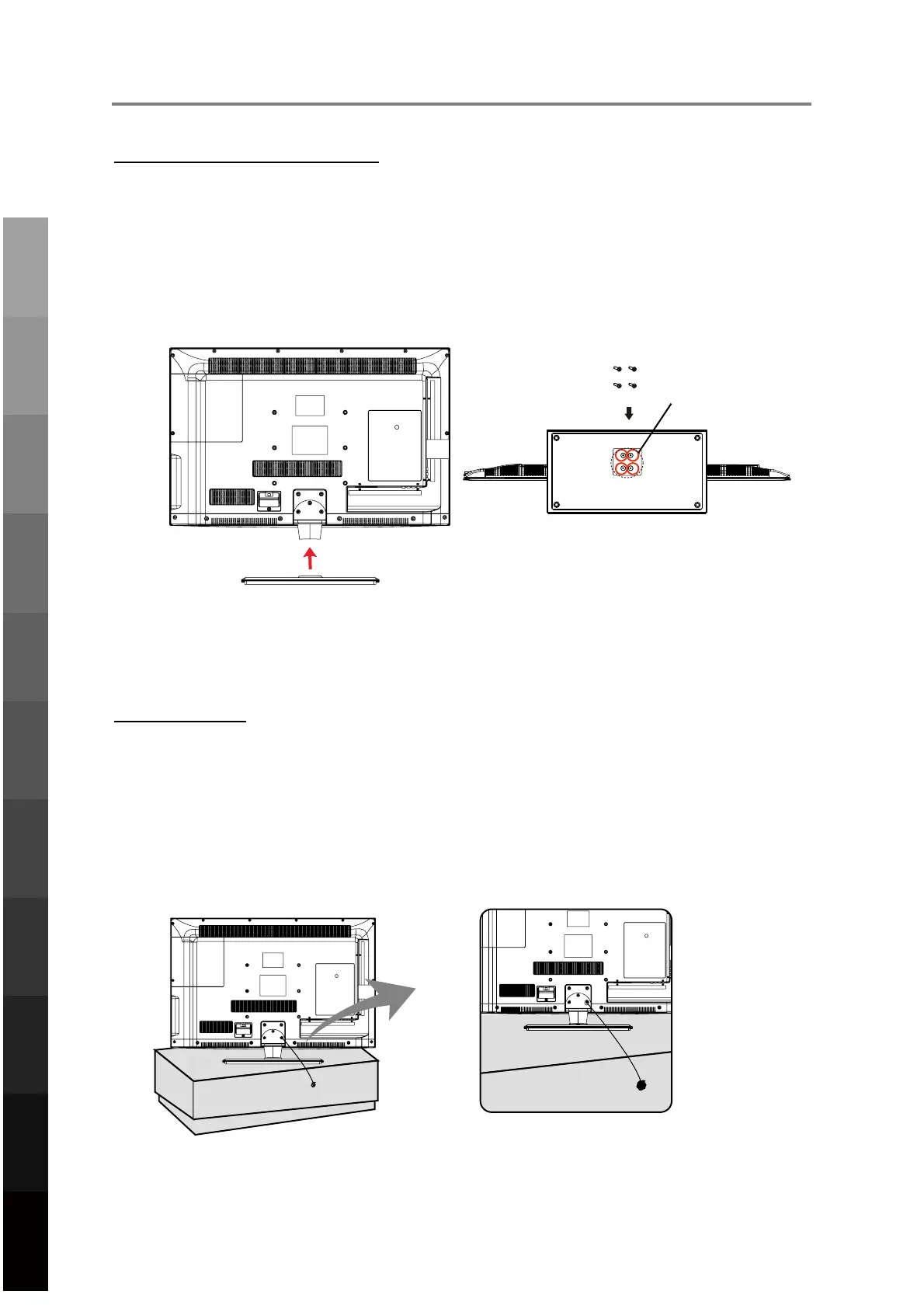
Fasten t
he 4 provided screws (screw size B4x14F) to secure the stand to the TV
Screws (4x14F)
2TV PLACEM
ENT SETUP
TV Stan
d Installation/Removal
1.
Place
the unit face down on a soft surface.
2.
Gent
ly position the glass base to the leg at the bottom of the TV.
3.
acc
ordingtothediagram.
4.
To r
emove the stand, reverse the steps above.
Fall P
revention
To pr
event the TV from tilting forward and falling over to cause damage or injury, please
secure the TV to your table or wall using screws or eyebolts and strong cord (not provided).
An example on fixing the TV to a table is shown below
1.
Inst
all a wood screw or eyebolt into the table that is supporting the TV.
2.
Fix a
machine screw into a screw hole near the base in the back of the TV.
Alternatively, secure the TV to the wall directly behind it by fixing eyebolts to the wall and
tying them to screws fixed on the centre of the TV back panel.
3.
Tie t
he wood screw or eyebolt to the machine screw with a strong cord.
Screw holes
6
Parts & Connections
3D Video Playback
USB Multimedia
Blu-Ray Disc Player
Playback
TV Placement
Setup
Initial Setup &
Input Sources
Remote Control
On-Screen DisplayTV & Electronic
Programme Guide
Digital Video
Recording (DVR)
(OSD) Menu
Reference



 To Next Page