7.Adjustment
Instruction manual for 306 factory menu
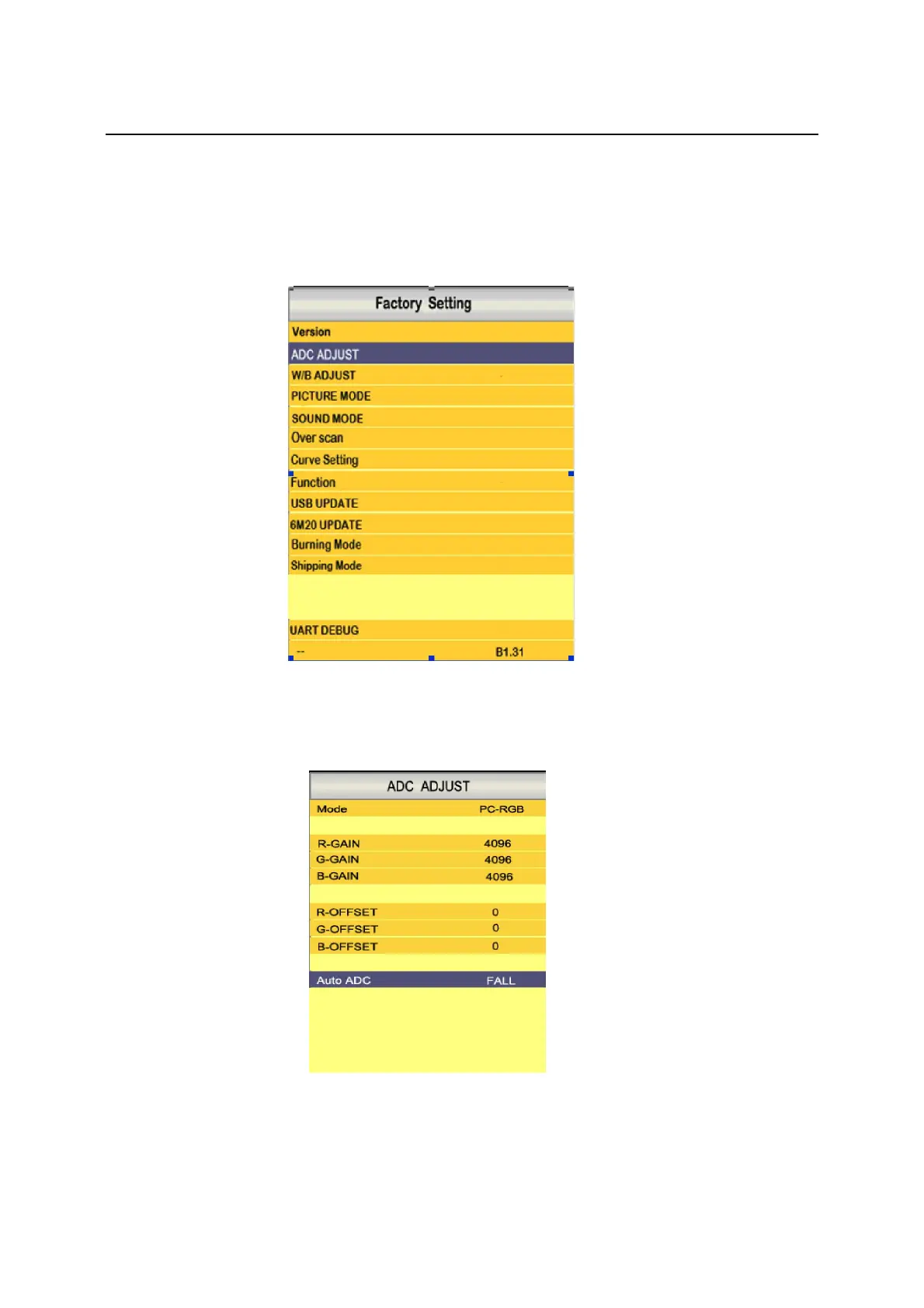
1、Entering method of factory menu: Press INPUT key on remote control to open Input Source
menu, then press 2,5,8,0 in correct order on remote control to enter factory menu(INPUT+2580).
2、PCADC adjust: enter ADC ADJUST in factory menu, you can use “Checker Board pattern”
signal or “Gray Scale pattern” from you PC, use remote control, select AUTO ADC, then use right
key to execute ADJUST function.
PC ADC ADJUST
3、White Balance Adjust: enter W/B ADJUST in factory menu, you can change current mode's
picture quality by adjusting the values of R/G/B GAIN and R/G/B OFFSET.



 To Next Page