10
First installation
1.Press the menu button
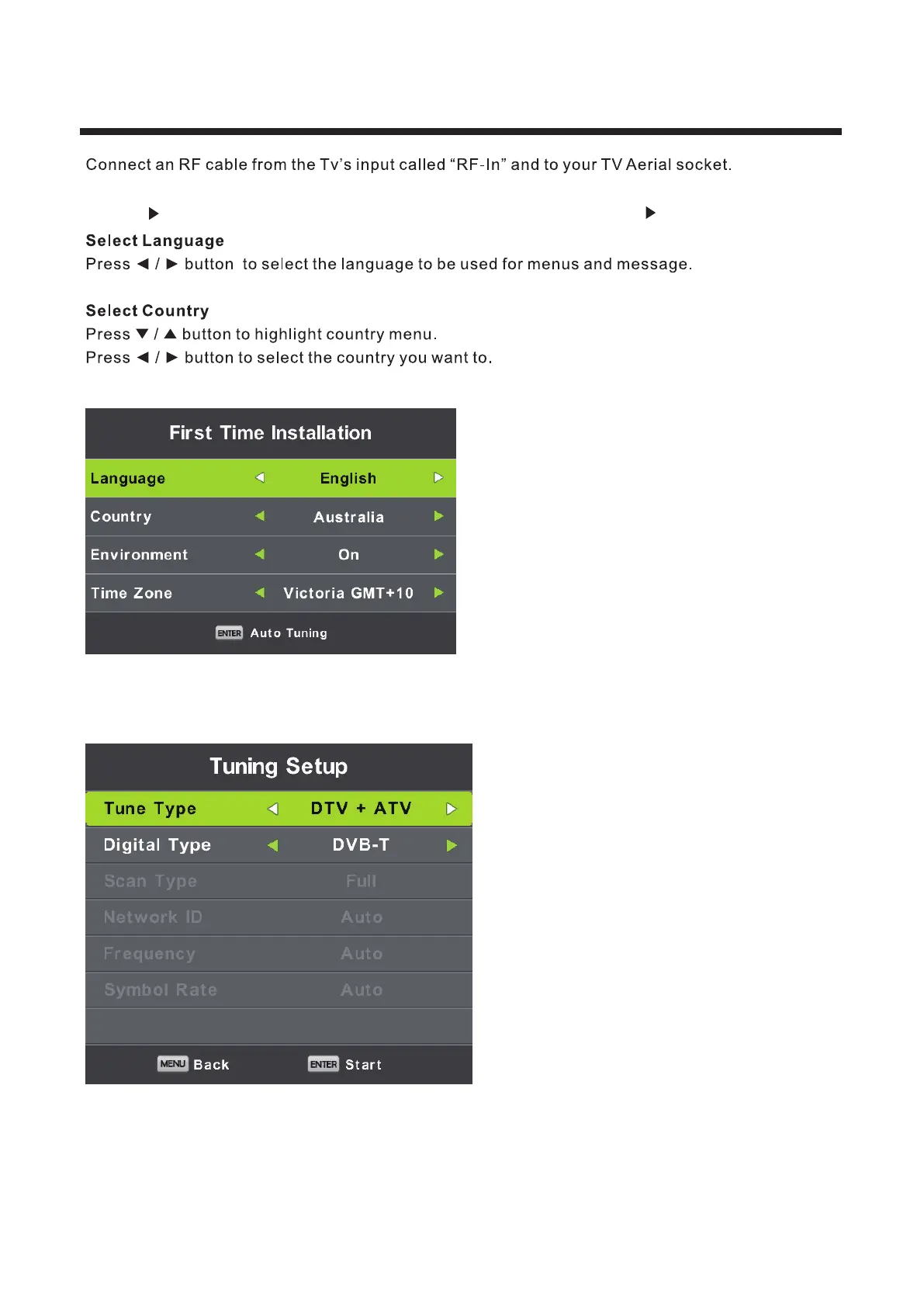
2.Press button,enter “SETUP” page,choose First Time Installation by pressing button.
Press OK for Auto Tuning.
Tune Type :Select Tune Type as DTV+ATV or DTV, you can choose Air(DVB-T), Cable(DVB-C), in “Digital Type”.
Air(DVB-T) Auto Tune:
Select DTV+ATV in “Tune Type”, and DVB-T in Digital Type, then press OK to start tuning.



 To Next Page