14
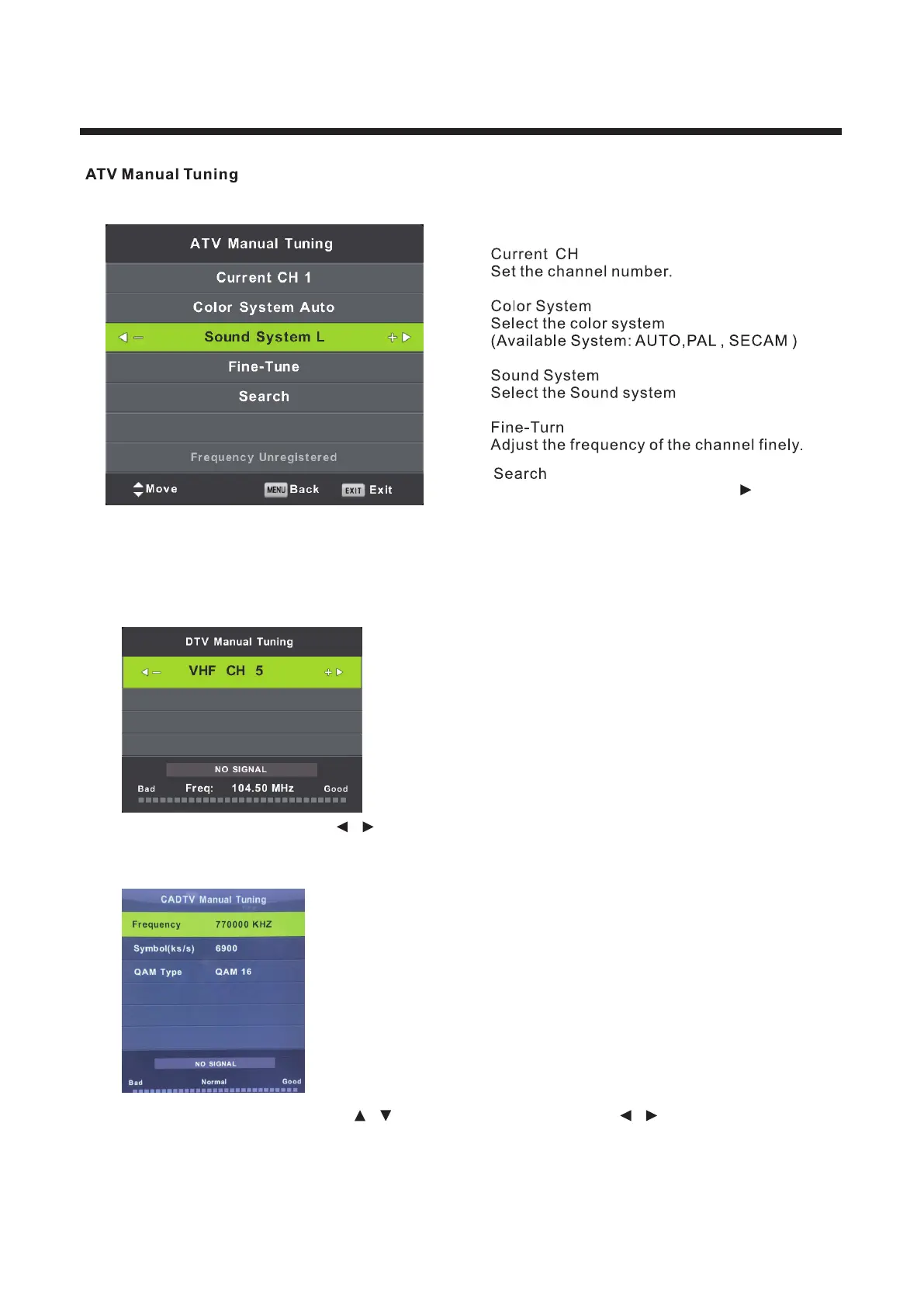
Press MENU,then choose ATV Manual Tuning.
Start searching channel by presing button.
Once a channel is found,it will automatically stored.
Repeat the step by changing the channel number.
DTV Manual Tuning
DVB-T Manual Tuning:
Enter the DTV Manual Tuning. Press / button to adjust the channel and press OK button to manual tune.
DVB-C Manual Tuning:
Enter the CADTV Manual Tuning. Press / button to select the item and press / button to adjust the
“Frequency”, “Symbol”, “QAM Type” and press OK button to manual tune.



 To Next Page