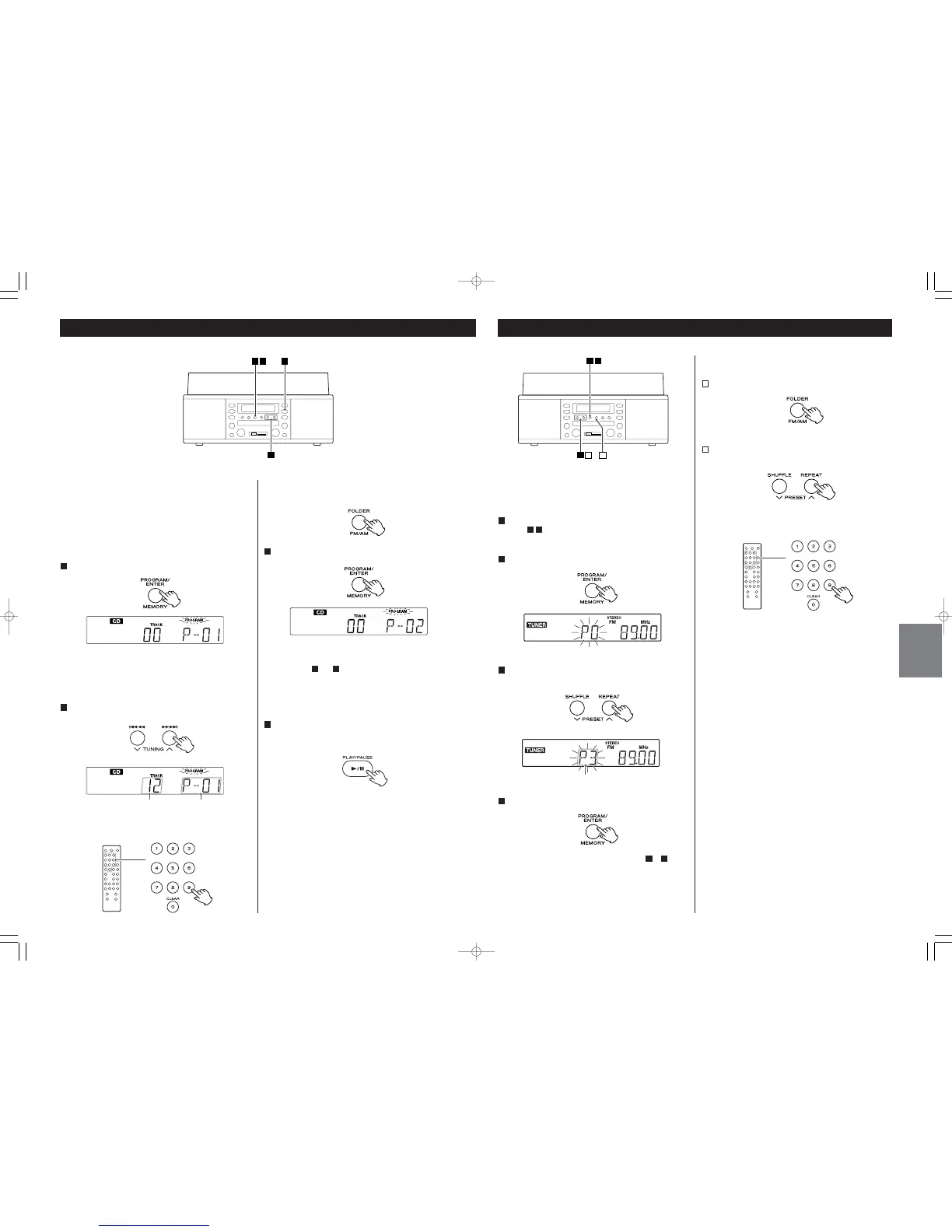
Seleccione un canal preajustado para guardar la emisora
utilizando el botón PRESET(‡ o °).
3
Cómo seleccionar emisoras preajustadas
Pulse el botón AM/FM para seleccionar una banda.
1
Pulse el botón PRESET (‡ o °) repetidamente hasta
encontrar la emisora preajustada que desea.
2
Puede guardar emisoras de FM y AM en los canales preajustados
1 a 9, respectivamente.
Sintonice la emisora que desee escuchar (véanse los
pasos - de la página 79).
Pulse el botón MEMORY.
2
31
1
< Los canales preajustados también pueden seleccionarse
mediante los botones numéricos del mando a distancia.
22
Programmed Playback
The track/file is programmed, and “P-02” is displayed.
Repeat steps and to program more tracks.
< To cancel the program mode, press the STOP button (H).
When the selection of track numbers has been finished,
press the PLAY/PAUSE button (y/J) to start program
playback.
To stop the program playback, press the STOP button.
Playback is stopped but the program is not erased.
When you press the PLAY/PAUSE button again, the program
playback starts from the beginning.
4
32
Up to 40 tracks can be programmed in the desired order.
< Use this function for program playback of CDs as well as USB
memory sticks and SD memory cards.
< Shuffle playback does not work during programmed
playback.
Press the PROGRAM/ENTER button in the stop mode.
1
“PROGRAM” indicator blinks, and “P-01” appears on the
display.
Press the . or / button to select a track or a file.
2
Press the PROGRAM/ENTER button.
3
You can also select a file using the numeric of the remote
control unit.
When you program MP3 files, you can select a folder by
pressing the FOLDER button then select a file.


 To Next Page