20
Controlling the Various DAB Functions 2
Manual tune
This option allows you to manually tune in a channel and view
a continuously updated display of the strength of the signal.
This may be useful when adjusting or positioning an antenna for
better reception.
1
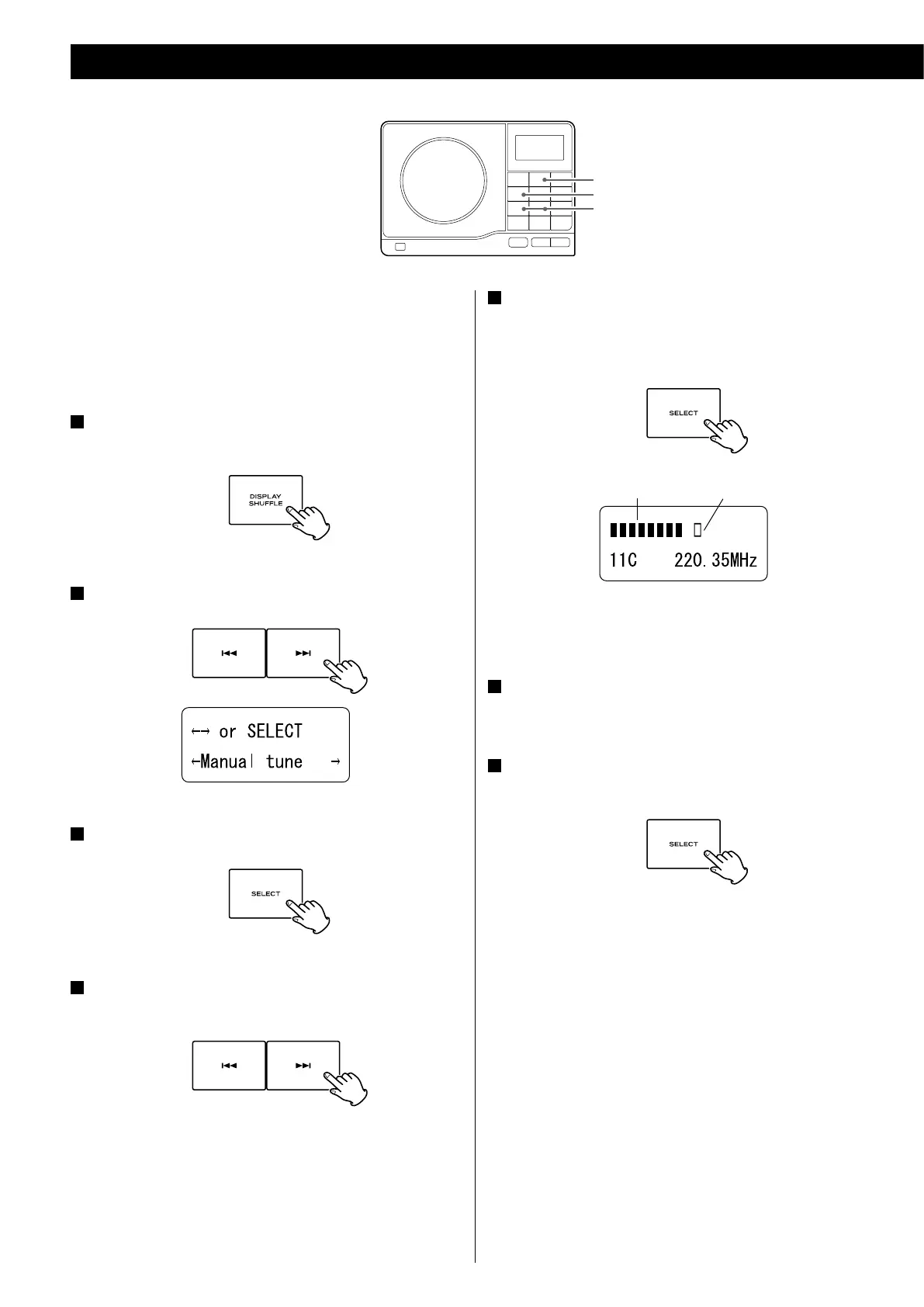
While listening to a DAB broadcast press the DISPLAY
button.
2
Select “Manual tune” using the skip button (. or /).
3
Press the SELECT button.
4
Press the skip button (. or / ) to select the station
you want to listen to.
5
Press the SELECT button when the channel you wish to
tune in is displayed in the second line of the display.
The current signal strength and the required level indicator are
displayed.
current signal strength requires level indicator
The signal strength should meet this required level indicator to
tune in the station.
6
While viewing the indicator, adjust or reposition the
antenna until the best reception is indicated.
7
Press the SELECT button to cancel Manual tune and resume
normal reception.
<



 To Next Page