12
Disc Loading & Ejecting
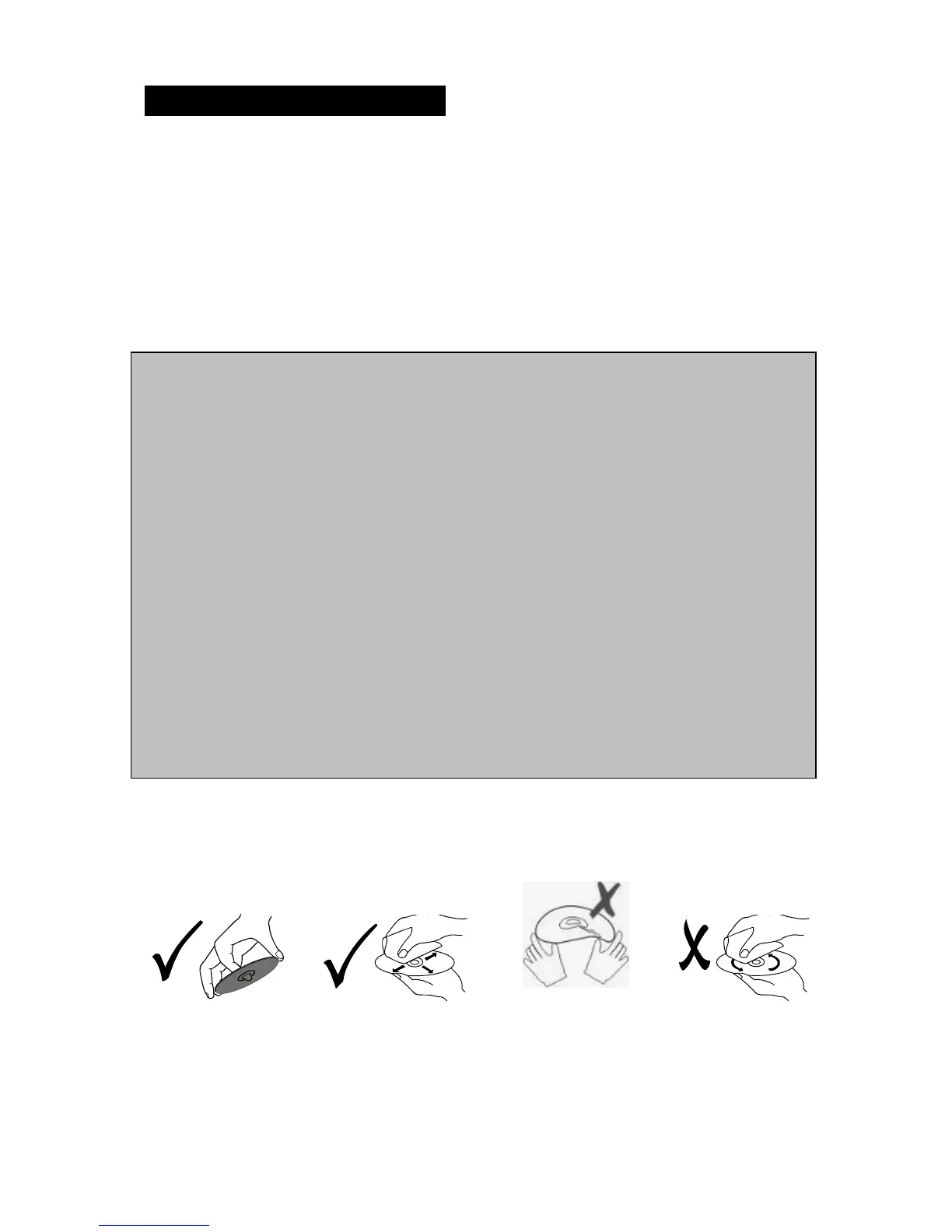
• Load one disc with the label side facing upwards and make sure you do not
touch the data side with your fingers.
• Press the [OPEN] button on the unit to open and fold down the faceplate for
loading or unloading a disc.
• Press the [EJECT] button in case there is already a disc inside the unit.
• Gently load a disc inside the unit and do not apply any force to the disc, it will
automatically be loaded. Once the disc is inside the unit, close the faceplate
again.
Note:
●
Fingerprints and dust on the disc surface can affect the sound quality. Clean the
discs regularly with a soft cotton cloth from the disc center to the outside of the disc
but do not clean in circular motions.
●
Do not use any kind of solvent, such as diluting agent, gasoline, liquid detergent,
gasoline liquid detergent antistatic aerosol used for vinyl, this may cause serious
disc damage.
●
Keep discs away from direct sunlight or any heat source.
●
Do not stick any paper or stickers on a disc.
●
Only use 12cm and round discs, do not insert any other type or size of discs.
●
If a 12cm CD/DVD is ejected but not removed within 15 seconds, it will be reloaded
automatically, but will not resume playing.
Once the disc is loaded, the unit will automatically start reading the disk and it will take
a few seconds to download the disc initial data, thereafter the unit will start playing the
disc.
Note: When the unit is on standby and a disc is loaded/ unloaded, the unit will turn ON
automatically.



 To Next Page