8
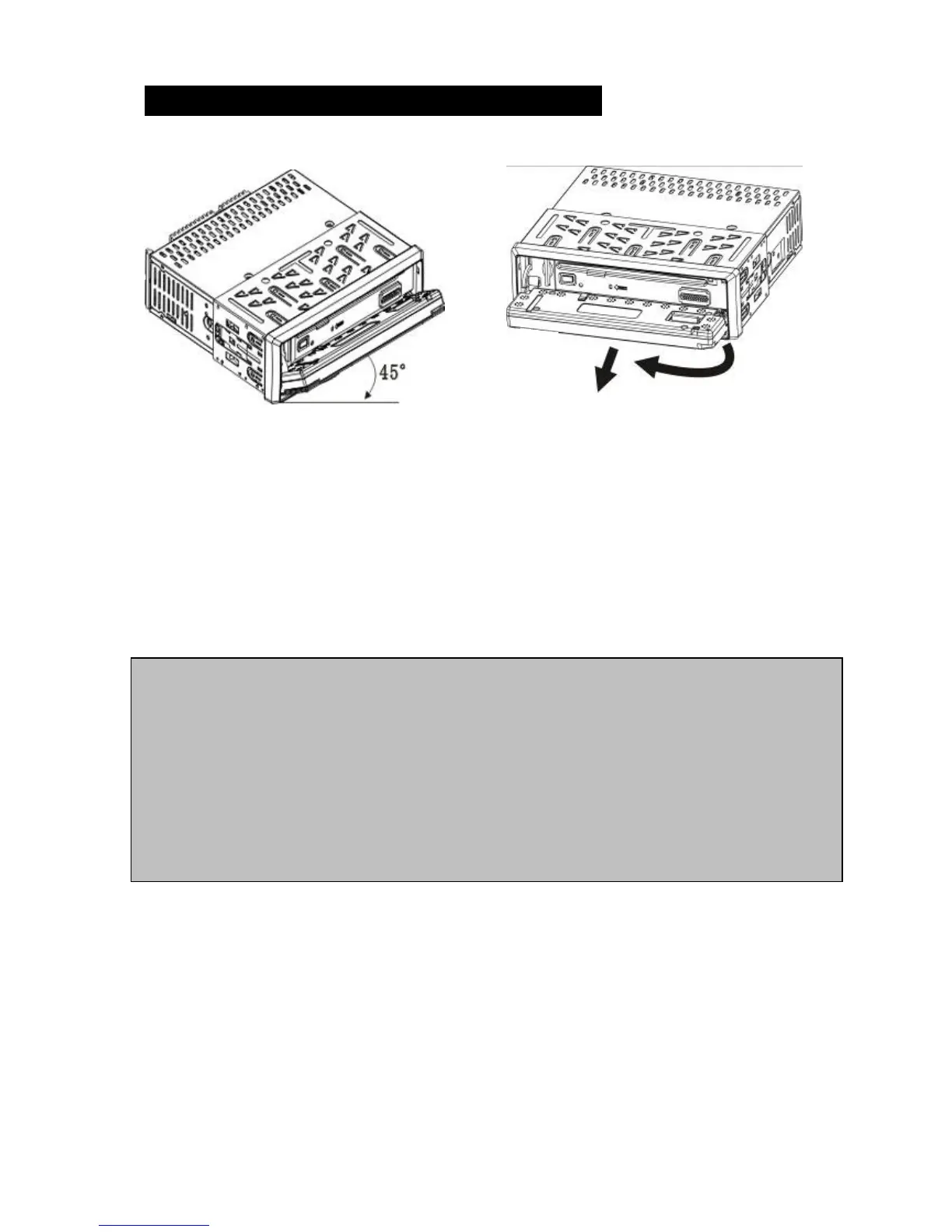
Removing & Attaching the Faceplate
Removing
Open the front to min 45 degrees or to its fold down position. Gently press the right
side towards the left and gently remove the faceplate by pulling it towards you.
Attaching
Gently place the left side of the front onto the locking pin, then gently click the right
side onto the locking pin and close the front until you hear a click.
CAUTION: DO NOT insert the control panel into the right side. It can damage the
control panel. Never use force or a tight grip onto the buttons or the information
display when removing or attaching the Control Panel. The control panel can easily be
damaged by shocks. To avoid damage or potential theft remove the Control panel,
place it into the protective case and be careful not to drop it or subject it to strong
shocks. The rear connector that connects between the main unit and the control panel
is an extremely important part. Be careful not to damage it by pressing on it with
fingernails, pens, screwdrivers, etc.



 To Next Page