ENGLISH
Functions
Audio Server
For browsing media server content and to choose tracks to play.
Note: Make sure the media server on your networking PC is up and running and
your WAP-8600 is well connected to your network.
Internet Radio
Provide vTuner service and My Favorite Stations management.
Note: Make sure your WAP-8600 is well connected to your network.
USB Storage
USB disk content browsing and tracks playback.
Note: USB input has disk insertion auto-detection. Please wait until you find the
green dot on the USB icon in the BRC main screen, before using this function.
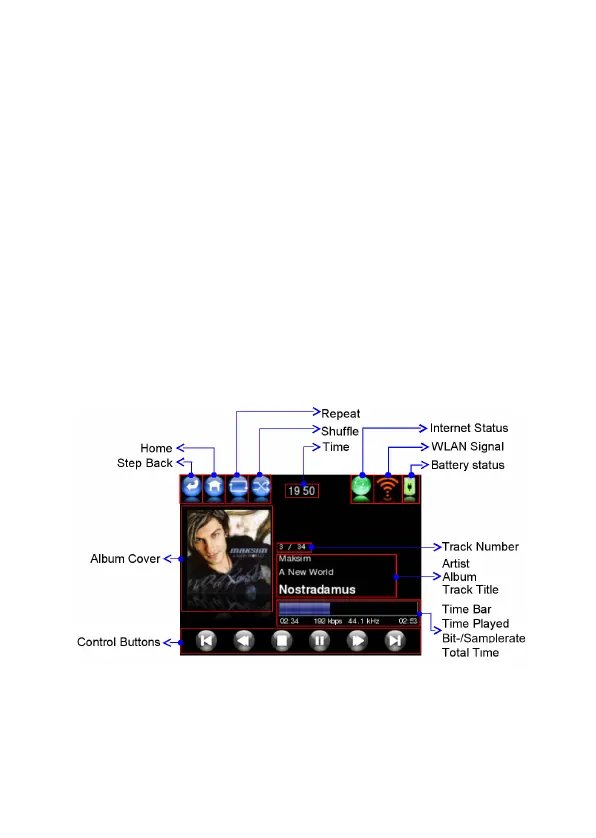
When you play a track, the Now Playing screen appears:
The “Step Back” key will go back to previous folder or screen while browsing any
contents.



 To Next Page