Sayfa 10 / 22
5.2 MAIN DISPLAY AND BUTTONS
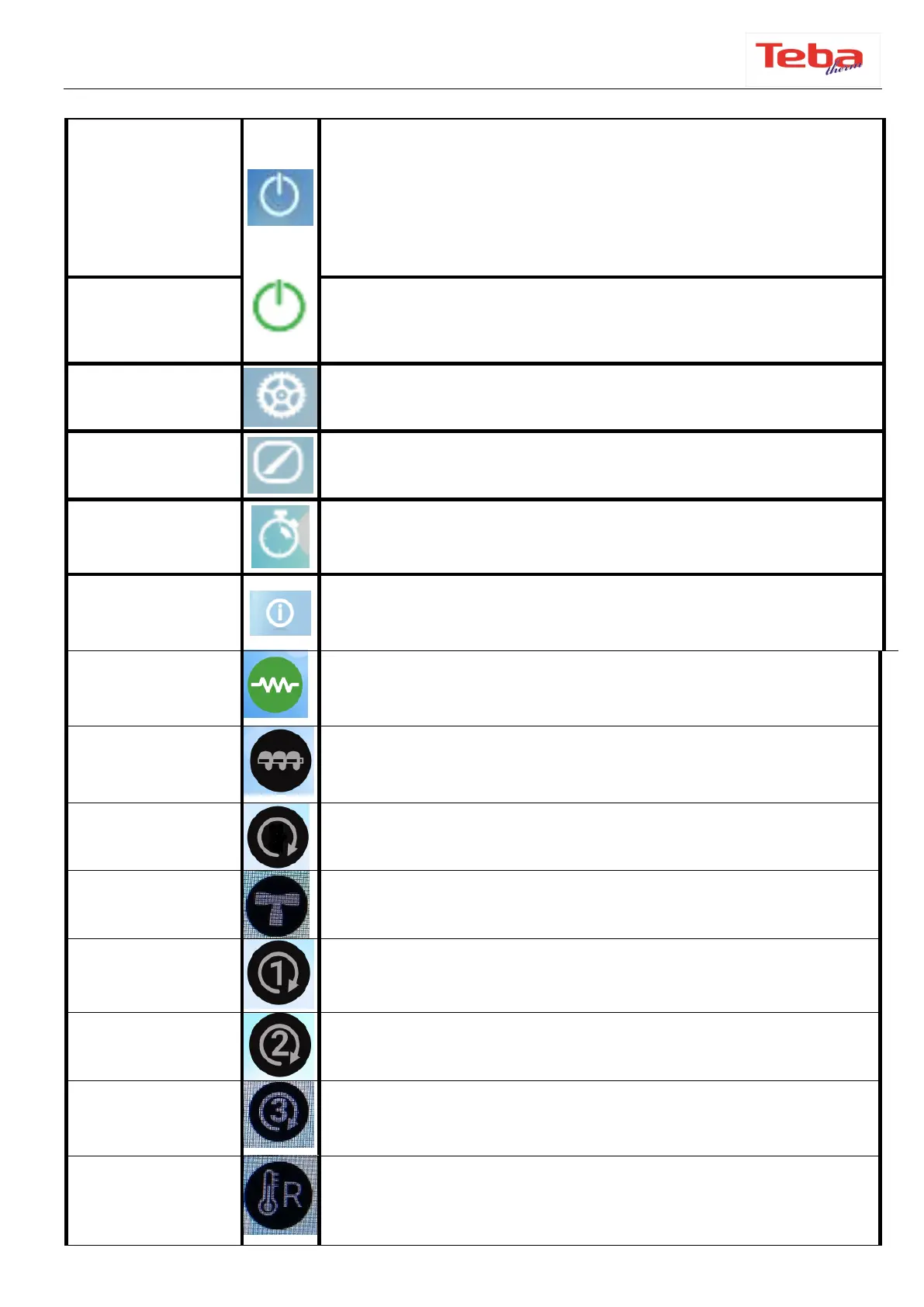
Pressing this symbol in the lower left corner of the screen
will display “Swipe to Open”, the system will start when you
swipe.
If there is an error in the system, touch this symbol again to
remove the error, then ”Swipe to unblock” will be displayed..
When the on/off button is pressed, this symbol appears on
the screen to swipe. This symbol becomes red when the
stove is off.
Used to access the Settings Menu.
This menu is used to customize the Panel Settings, Display
and system menu.
It allows to set the start and extinguishing time of the
system at the desired time on desired days.
When this symbol is touched, information such as flue outlet
temperature and water temperature is displayed.
When the symbol is green,
it indicates that the ignition resistor is active.
This symbol indicates that the auger is active when the
symbol is green.
This symbol indicates the pump is active when the symbol
is green
This symbol indicates that the valve is active when the
symbol is green (not used)
This symbol indicates that the clappes motor is active when
the symbol is green.
This symbol indicates that the AUX2 output is active when
the symbol is green (not used).
This symbol indicates that the AUX3 output is active when
the symbol is green (not used).
When the symbol is green, it indicates that the external
chrono is active (not used).



 To Next Page