Sayfa 16 / 22
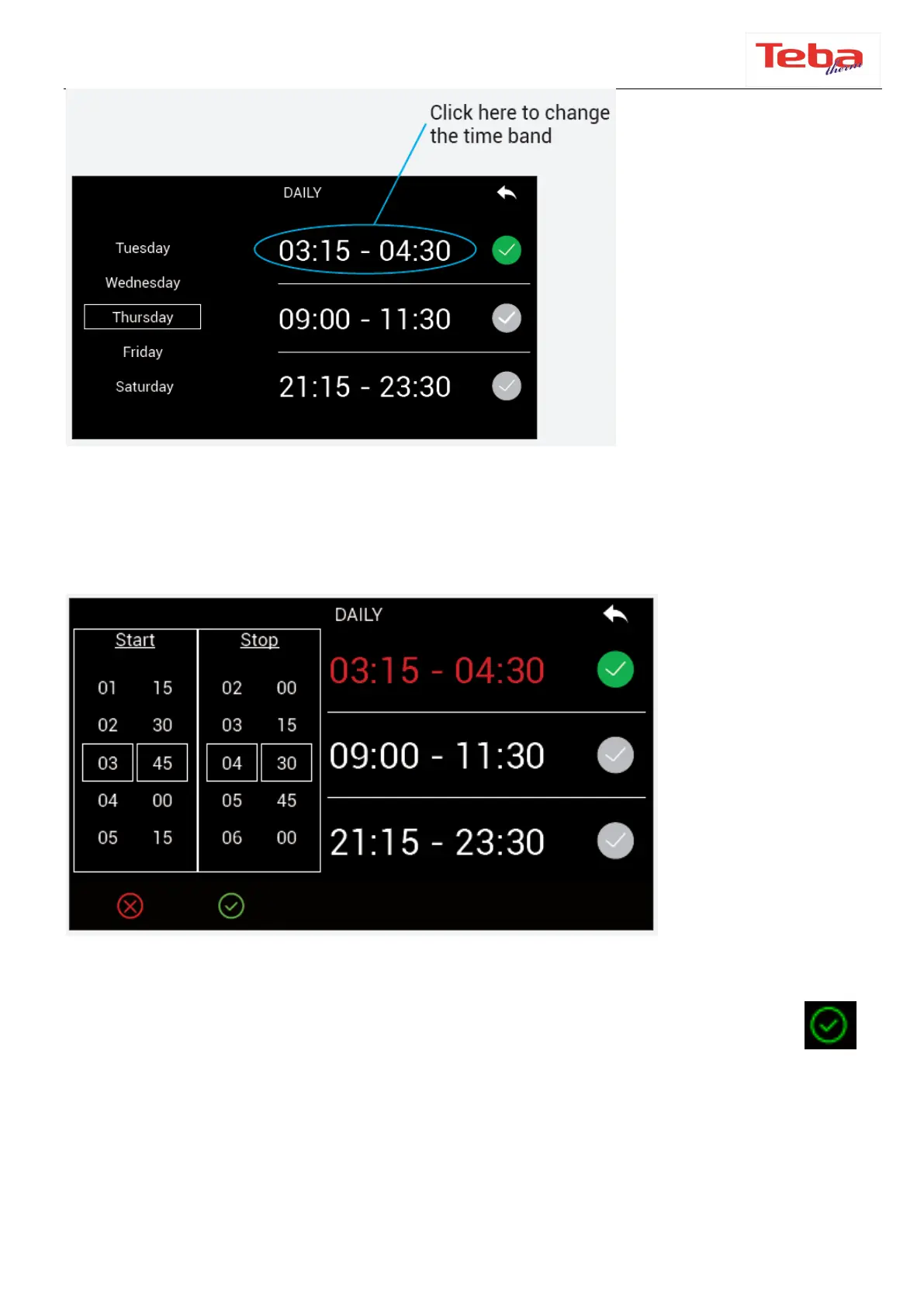
After selecting the time mode, this screen will appear (the text will change according to
the selected mode). We can select the working day we want by scrolling the screen.
When we touch the opening and closing hours, the screen will be displayed.
Set the desired hours from the Start and ”Stop“ section on the left with pressing
button. After the selected hours are displayed on the right side, the check box next to
the time zones is touched and activated.



 To Next Page