EasyManua.ls Logo

Teble TB-IH001 - User Manual

Teble TB-IH001
31 pages
Print Icon
To Next Page IconTo Next Page
Loading...
Model: TB-IH001
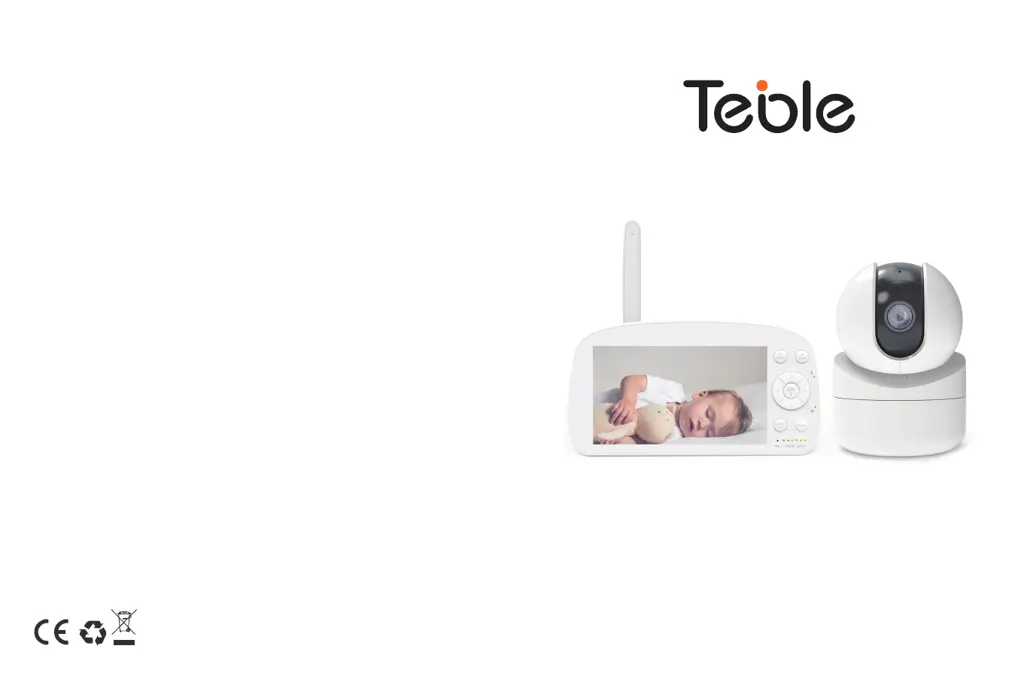
Teble Baby Monitor
User Guide
Rev_1.0_EN_DE
MADE IN CHINA
Website
www.teble.co
E-mail:
US: support@teble.co
UK: support.uk@teble.co
EU: support.de@teble.co
Manufacturer:
Manufacturer: Shenzhen NearbyExpress Technology Development Co.,Ltd.
Address: Floor 7, Building E, Galaxy World Phase II, Shenzhen, China
EU Importer: ZBT International Trading GmbH
Address: Halstenbeker Weg 98C, 25462 Rellingen, Deutschland
Hiermit erklärt NearbyExpress, dass der Funkanlagentyp TB-IH001 der
Richtlinie 2014/53/EU entspricht. Der vollständige Text der EU-Konformitätserklärung
ist unter der folgenden Internetadresse verfügbar:
https://www.teble.co/pages/user-manual

Questions and Answers

  • M
    Melanie LoveAug 6, 2025
    Why my Teble TB-IH001 Baby Monitor can’t connect with the camera?
    • J
      James Hunt Jr.Aug 6, 2025
      If your Teble Baby Monitor isn’t connecting to the camera, consider these potential reasons: - Ensure the camera is within 1.5-2m / 4.9-6.6ft of the monitor. - Check the monitor's battery level and charge if low to restore connection. - Verify the camera is properly connected to a power source. - Ensure no large metallic objects (doors, refrigerators, mirrors) are blocking radio signals between the camera and monitor. - Rule out interference from other 2.4GHz devices like WiFi routers or microwave ovens. - If none of these factors are involved, retry the pairing process.
  • S
    Shawn DeanAug 10, 2025
    What to do if my Teble Baby Monitor is not powering on?
    • D
      Donald JohnsonAug 10, 2025
      If your Teble Baby Monitor isn't powering on, try the following: - Ensure both the camera and monitor are turned on. - Verify the camera is properly connected to a power source, as it does not charge and powers off when disconnected. - Check the monitor's battery level; if the battery icon flashes red slowly, it will automatically turn off in approximately 15 minutes.
  • E
    Elaine FaulknerAug 14, 2025
    Why is nothing shown when I view a camera on my Teble Baby Monitor?
    • E
      Erika LeeAug 14, 2025
      If you're not seeing anything when viewing the camera on your Teble Baby Monitor, please check the following: - Verify all connections to the camera, including the power cable and pairing. - Ensure the monitor screen is not in sleep mode by pressing any button to wake it. - Confirm the camera is within the monitor's range. - Adjust the monitor antenna to a vertical position to improve signal transfer.
  • G
    greengloriaAug 18, 2025
    How to fix choppy videos on Teble Baby Monitor?
    • C
      Cynthia MorganAug 19, 2025
      If you're experiencing choppy videos on your Teble Baby Monitor, try these solutions: - Ensure the camera is close to the monitor and there are no obstructions between them. - Adjust the monitor antenna to a vertical position for improved signal transfer.
  • R
    reedelizabethAug 23, 2025
    How to reduce noise on Teble TB-IH001 Baby Monitor?
    • N
      Nathan RobinsonAug 23, 2025
      If you're experiencing too much noise with your Teble Baby Monitor: - The volume might be too high. Lower it by pressing the Shortcut Button, then the Left Button. - The camera and monitor may be too close. Keep them at least 1.5m / 4.9ft apart.
  • B
    breanna71Aug 27, 2025
    Why Teble TB-IH001 shows black and white pictures?
    • K
      Kathryn PriceAug 27, 2025
      If your Teble Baby Monitor is showing black and white pictures, please turn on room lights to force it out of the night mode.
  • J
    Jacqueline BennettAug 31, 2025
    Why there is no sound from Teble Baby Monitor?
    • K
      Kimberly WilsonAug 31, 2025
      If there's no sound from your Teble Baby Monitor, check if the system sound volume is set to High or Low, as it will be muted if set that way.

Summary

Safety Instructions

Cautionary Notes

Getting Started

Charging and Powering the Baby Monitor

Connect the monitor to a power outlet and turn it on.

Powering the Camera

Connect the camera to a power source using the USB cable.

Pairing the Baby Monitor and Camera

Procedure to connect the monitor and camera for initial use.

Wall Mounting the Camera

Instructions for securely mounting the camera on a wall.

Functions and Operations

Sound Detection

Configuring sound detection sensitivity and VOX mode.

Temperature Alarm

Setting high and low temperature thresholds for alerts.

Specifications

Troubleshooting

Warranty and Customer Service

Teble TB-IH001 Specifications

General IconGeneral
ModelTB-IH001
CategoryBaby Monitor
Night VisionYes
Two-Way AudioYes
Temperature SensorYes
DisplayLCD
Range300 meters