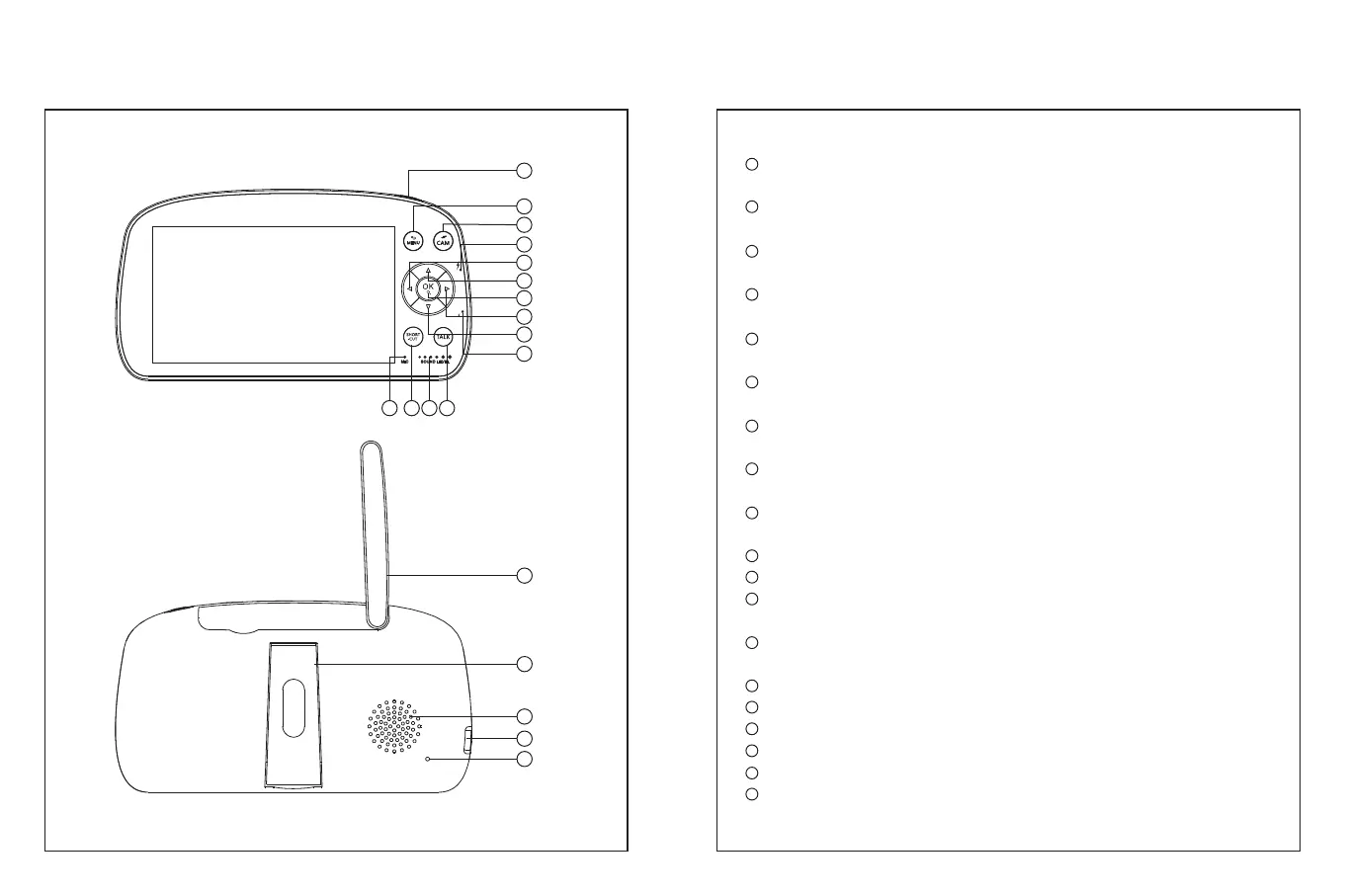
PRODUCT DIAGRAM
Baby Monitor
1
2
3
4
6
7
8
9
10
11121314
5
15
16
17
18
19
1
2
3
4
5
6
7
8
9
10
11
12
13
14
15
16
17
18
19
Power/Sleep Button: Long press to turn on/off the monitor; short
press to turn on/off the screen.
Menu/Back Button: Press to enter menu page or press as a Back
button.
Camera Switch: Switch cameras if connected with two or more
cameras.
Charging Indicator: It gives off yellow light while the monitor is
being charged.
Left Button: Press to pan the camera leftward or to change your
selection leftward.
Up Button: Press to tilt the camera upward or to change your
selection upward.
Confirm/Zoom Button: Press to Zoom in/out or to confirm your
selection.
Right Button: Press to pan the camera rightward or to change your
selection rightward.
Down Button:Press to tilt the camera downward or to change your
selection downward.
Power Indicator: The green light turns on if connected to electricity.
Talk Button: Press to talk to your baby in the monitoring image.
Sound Level LED: Low/high level shows low/high sound detected by
the camera.
Horn/Brightness Button: Press to adjust the monitor’s volume or
brightness in the monitoring image.
Microphone
Antenna
Support Stand
Speaker
Power Input
Reset Hole
03 04



 To Next Page