19
DAN
NOR
FIN
SWE
ENG
POL
RUS
ENG
Device overview
Description Steps
• If connected room thermo-
stats are in automatic oper-
ation, the Comfort programs
allow a change between day
and night operation.
• If a switching time is integrat-
ed into an existing switching
time or if the times overlap,
the existing switching time is
deleted and the new one is
activated.
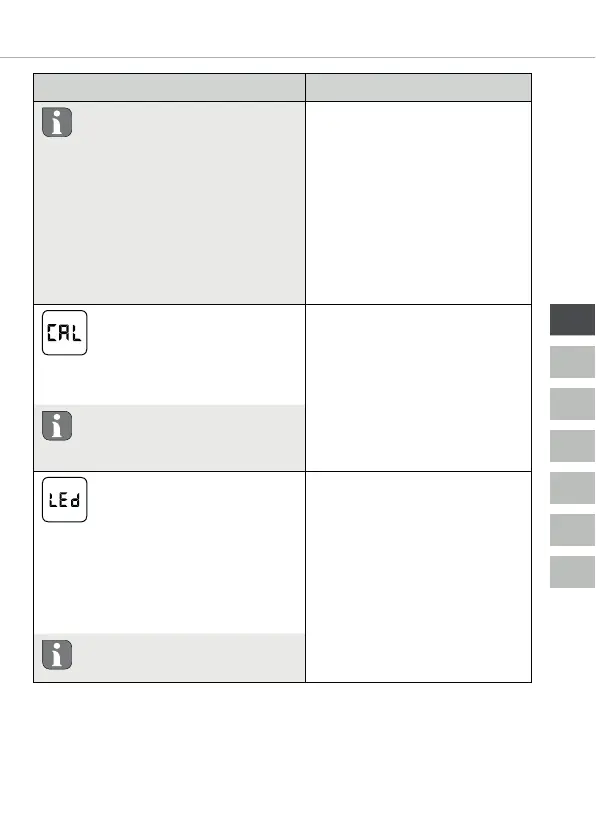
Temperature correction
Corrects a deviating measure-
ment of the actual tempera-
ture of the internal sensor by ±2°C in
0.1°C increments.
¾ Confirm the selection
by pressing.
¾ Set the correction
value.
¾ Confirm the entry.
9 This is displayed in the
Settings menu.
Do not perform any tempera-
ture correction until 2 hours af-
ter commissioning.
Display illumination
Sets the brightness of the dis-
play illumination in five levels:
0 Off
25 Level 1
50 Level 2
75 Level 3
100 Level 4
¾ Confirm the selection
by pressing.
¾ Set the brightness of
the display illumina-
tion.
¾ Confirm the entry.
9 The Settings menu is
displayed.
The display of the setting is sig-
nalled by the time scale.


 To Next Page