12
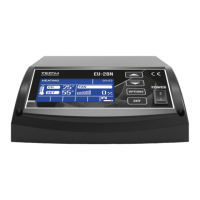
This screen displays the current and setpoint C.H. temperatures. By turning the
knob, you can change the setpoint temperature. After setting the appropriate value,
confirm it by pressing the encoder knob.
➢ H.C.W. SCREEN
This screen displays the current and setpoint H.C.W. temperatures. By turning the knob,
you can change the setpoint H.C.W. temperature. After setting the appropriate value,
confirm it by pressing the encoder knob.
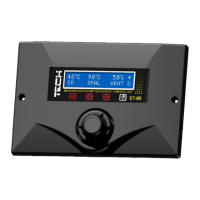
➢ FLUE GASES SCREEN
The following items are displayed, starting from the left: current C.H.
temperature, current flue gases temperature and blow power in percentages. This view
is used for monitoring current boiler parameters.
.10. Language
With this function, you can select the language of your controller.
.11. Factory Settings
The regulator has been pre-configured. However, it should be adjusted to your
individual needs. It is possible to return to the factory settings at any time. By enabling
the Factory Settings, all existing boiler settings will be replaced by settings made by
the manufacturer. From then on, you can again set your own operating parameters for
the boiler.
.12. Fitting parameters
Access to fitting parameters is disabled for the user. This special view contains advanced
parameters accessible only by the manufacturer.
III. Protections
In order to ensure a safe and faultless operation, the regulator has been provided with


 To Next Page