General Opera on
It is important to understand and learn full func
ons on the TI52
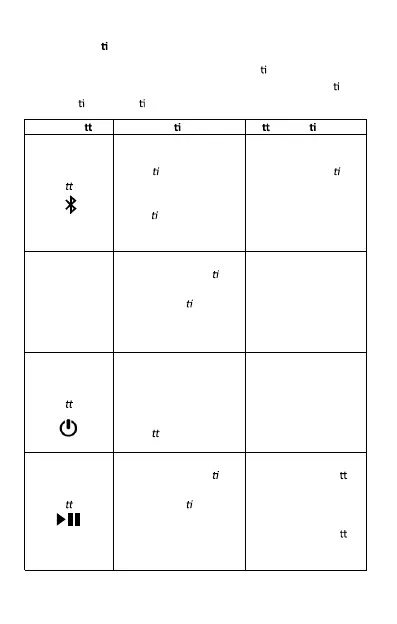
Bluetooth speaker; Please refer to the below table for full func
on
and indica
on informa on.
Phyiscal Bu
on Light Indica on Bu on Func on
Bluetooth
Bu
on
Solid Blue: Stable
Bluetooth /AUX
Connec
on
Fast Flashing Blue:
Search for Bluetooth
connec
on
Slow Flashing Blue:
Charge output
Long Press: Cancel or
reset a current
Bluetooth connec
on
Short Press: Switch
source
Volume
Up/Down
+ / -
Solid Blue: Speaker is on
(Without any opera
on
in 1 minute, the light will
be off automa
cally)
Short or Long Press to
increase or decrease
the volume
Power ON/OFF
bu
on
Solid Blue: Speaker is on
No light: Speaker is Off
Slow Flashing RED:
Charging
Fast Flashing Red:
Low ba
ery
Long press to turn ON
and OFF the speaker
Play/Pause
Bu
on
Solid Blue: Speaker is on
(Without any opera
on
in 1 minute, the light will
be off automa
cally)
Bluetooth mode:
Short press this bu
on
will PLAY/PAUSE media
on connected device
AUX m ode:
Short press this bu
on
will MUTE/UNMUTE
the speaker



 To Next Page