EasyManua.ls Logo

Tech Works CI-MSI-22 - Page 28

Default Icon
42 pages
Print Icon
To Next Page IconTo Next Page
To Previous Page IconTo Previous Page
Loading...
10/29/2019 Tech Works CI-Series Systems Planning & Installation Manual Page 28 of 42
CI-ODC-1
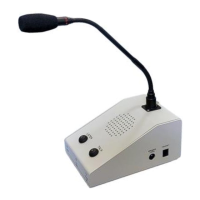
The Tech Works CI-ODC-1 Operator Desk Console is part of the Collaborative Intercom product
group. The Console includes a professional cardioid, condenser, gooseneck microphone, and a speaker.
Buttons and indicators provide control to allow the operator to just listen to the CI-Buss communication or
to talk, and collaborate hands free. A headset jack on the side of the console allows connection of a local
operator headset such as the CS-540 wireless unit.
VOX
GATE
ANTI-VOX
VOX
VOX TRIPPED
CONSOLE MIC PRE OUT
MASTER INPUT
OR
VOX INHIBIT
HEADSET ON
PTT SWITCH
BUFFER
HEADSET
DETECTOR
MASTER INPUT
CI-BUSS MASTER
AUDIO INPUT
HEADSET
EARPHONE
HEADSET ON
PRE-AMP
PRE-AMP
BUFFER
OR
OR
AND
SELECT
MUX
“LISTEN
LEVEL”
DUCK
MUX
SUM
AND
BUFFER
CALL
TONE
GEN
ALWAYS
VOX TRIPPED
CONSOLE
MICROPHONE
HEADSET
MICROPHONE
HEADSET ON
MICROPHONE ENABLED
MASTER INPUT
CANCEL CALL TONE
CI-BUSS MASTER
CALL SWITCH
SELECT
MUX
CONSOLE MIC PRE OUT
ALC
CI-BUSS MASTER
AUDIO OUTPUT
CI-BUSS MASTER
ALERT OUTPUT
MICROPHONE ON
CONSOLE
SPEAKER
LISTEN
\HEADSET ON
MICRPHONE ENABLED
LISTEN
OR
PTT SWITCH
TOGGLE
FLIP-FLOP
OR
AND
TOGGLE
FLIP-FLOP
OFF
ON
MIKE SWITCH
LISTEN SWITCH
PTT SWITCH
LISTEN
MICROPHONE ENABLED
AND
OR
HEADSET ON
LISTEN
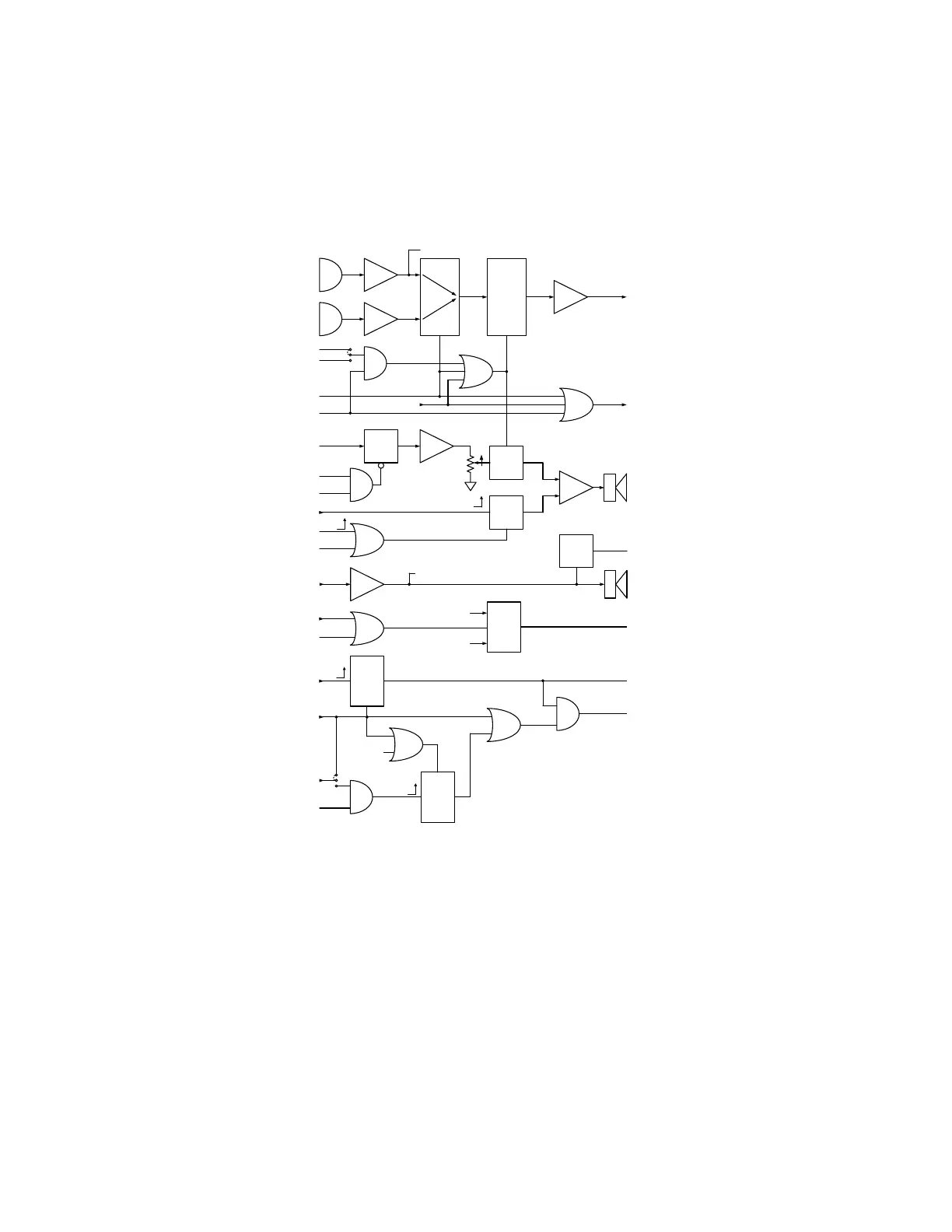
Basic Operator Console Block Diagram
Isolation Transformers not shown for simplicity
The CI-BUSS interface allows connection of additional units. The Microphones are processed with ALC to
be of constant level and passed to other Units
The ALC has an indicator for displaying the Microphone level.

Other manuals for Tech Works CI-MSI-22

Related product manuals