EN © 2019 techBite. All rights reserved. ARC 11.6
38
11. Basic support for Windows 10
Your device has Microsoft Windows 10 installed.
To work with Microsoft Windows 10, you must have or create a Microsoft account
and log-in when you first boot up your operating system.
11.1 Turning on the device
Briefly press switch (9) to turn the device on.
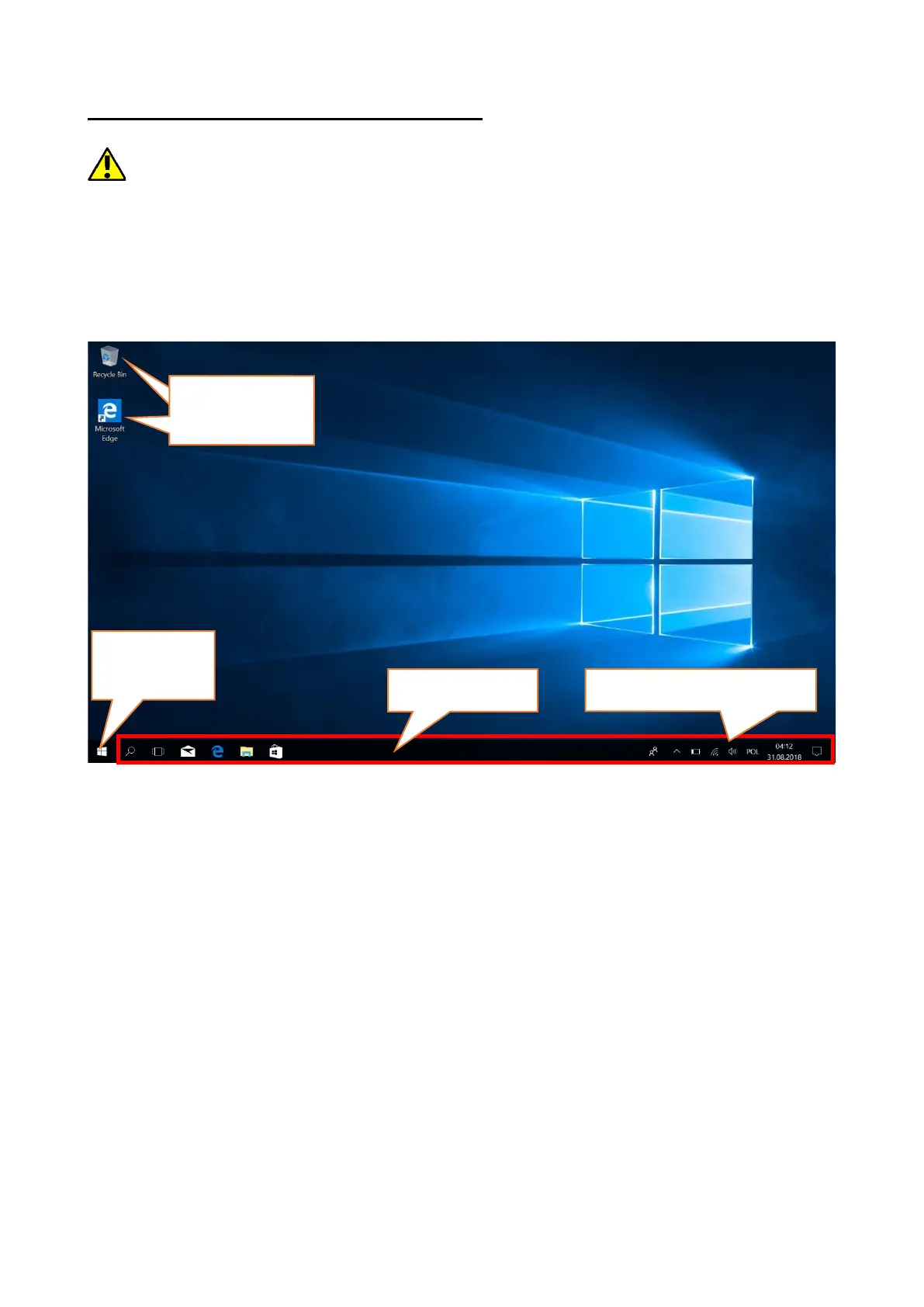
11.2 Start screen - desktop
The start screen contains the application icons, the START button (the lower left
corner of the screen) and the taskbar (the bottom right of the screen, next to
START button). You can place application icons, shortcuts to applications or
documents, links to websites, widgets, etc. on your screen. You can also place
shortcuts to applications and web pages in the taskbar, but also icons that
symbolize open and active applications. START button activates the start menu.


 To Next Page