Need help?
Do you have a question about the techBite ARC 11.6 64GB HD and is the answer not in the manual?
Explains how to use the manual effectively and notes potential discrepancies.
Provides detailed specifications like display, processor, RAM, and storage.
Lists the items included in the laptop's packaging.
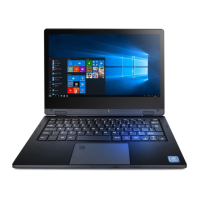
Details the laptop's screen and desktop elements with numbered labels.
Identifies power button, microSD slot, USB port 2.0, and audio socket.
Identifies supply socket, USB port 3.0, and MiniHDMI socket.
Highlights rubber pads, memory slot cover, and speakers.
Instructions for charging the battery before initial device operation.
Explains the basic touch action to select options or open menus.
Describes swiping actions for scrolling lists or screens.
Details how to use touch-and-hold for element manipulation.
Explains using two fingers to zoom in or out.
Instructions for powering on the laptop using the switch.
Overview of the Windows 10 desktop, including icons and taskbar.
Describes the Windows 10 Start menu with tiles and program lists.
Explains the function and layout of the Windows taskbar.
Details the icons and information displayed in the notification area.
Explains the Action Center for system messages and quick settings.
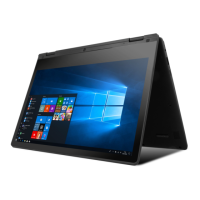
Describes switching to and using tablet mode for touch interaction.
Instructions for shutting down, sleeping, or restarting the device.
Guide on mounting an M.2 2280 memory module into the device.
Introduces Windows Hello for faster and safer fingerprint login.
Guides on enabling and configuring the fingerprint reader for login.
Provides advice for common device problems and solutions.
Offers guidance on handling memory cards and portable storage.
Recommends data backups and secure handling of personal information.
Provides guidelines for optimal battery lifespan and charging.
Advises turning off the device in areas where it may cause interference or danger.
Instructions for disposing of used electronic equipment responsibly.
Guidelines for disposing of used batteries according to regulations.
States compliance with relevant European Union Directives.


 To Next Page
 General