EN © 2020 techBite. All rights reserved. ARC 11.6 64GB HD
43
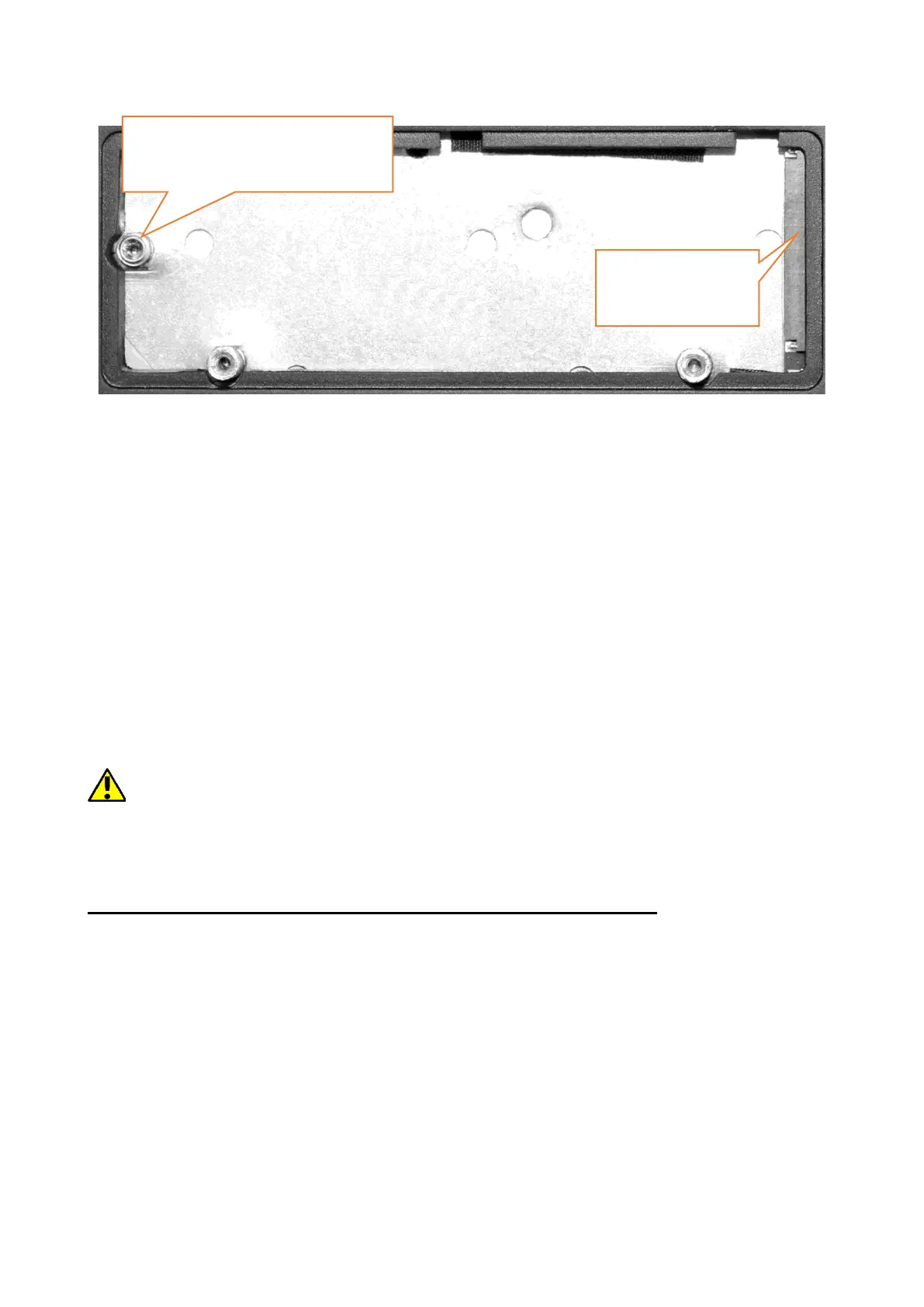
Unscrew the retaining screw and remove it. Slide the M.2 2280 gently into the
connector until the cut-out in the module fits into the socket. Secure the module
by gently screwing it to the housing. Replace the compartment cover and tighten
the screws that secure it.
With the help of the tool located in:
Control panel \ All elements of the control panel \ Administrative tools \ Computer
management \ Disk management
You can create and delete partitions on the new disc. Once you have set up your
operating system partition, find the new disc and format it according to your
preferences.
We strongly advise against any manipulation of the parameters of "Disc 0", which
is a system disc, as any problems caused by interference in its structure may result in
voiding the warranty.
13. Hello function and use of a fingerprint reader
13.1 Hello function
When Windows Hello is enabled, you can log in using fingerprint recognition.
This allows for faster and safer logging in to the operating system, as well as to
selected applications or websites. To enable and configure this function, run the
following Start > Settings > Accounts > Sign-in options.


 To Next Page