EN © 2019 techBite. All rights reserved. ARC 11.6
42
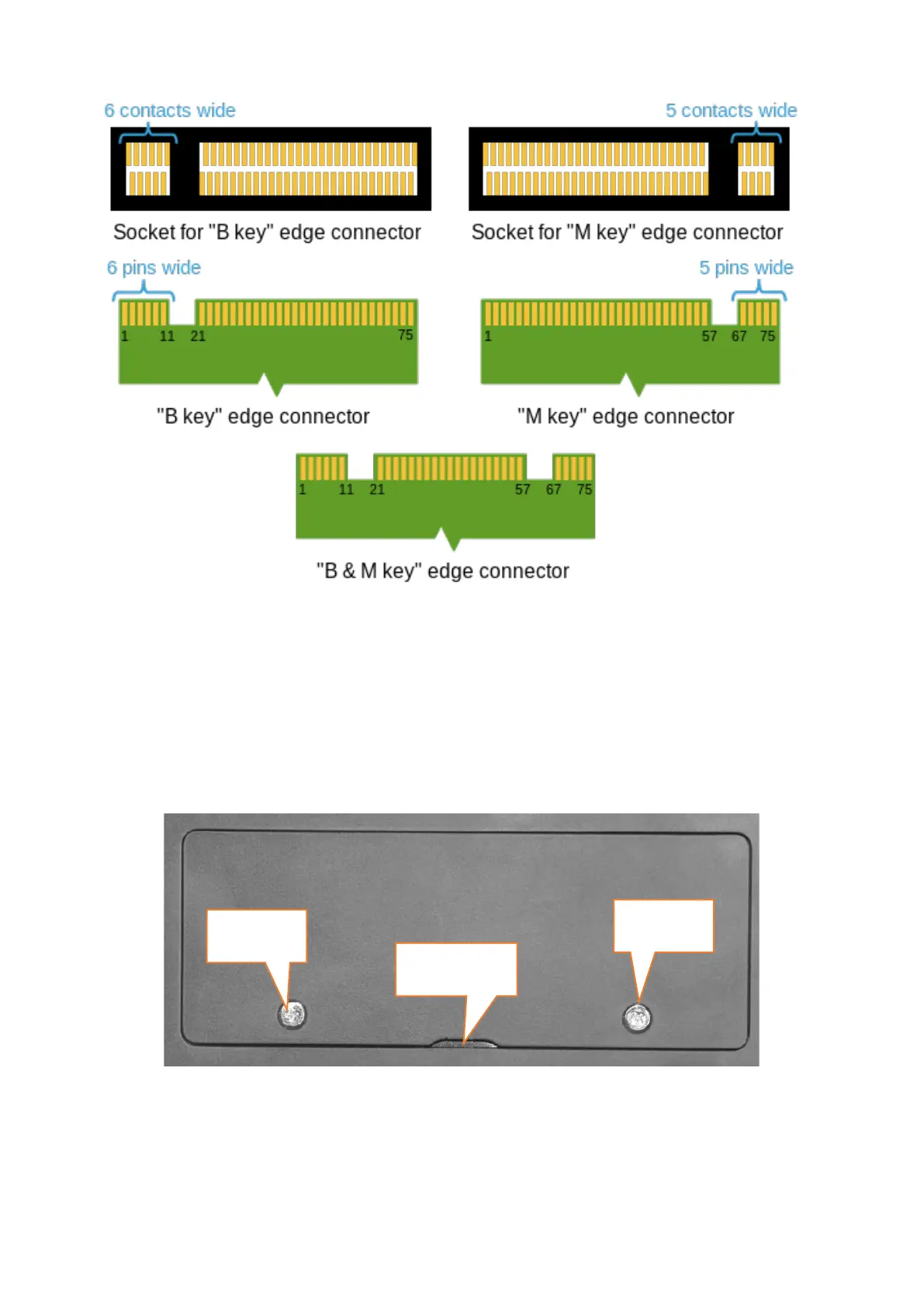
Differences between sockets and connectors B and M. Source: Wikipedia.org
To mount the memory in the device, close the flap and place the memory on it.
This is best done on a soft, stable and flat surface (e.g. a dry towel on a table top
or desk) so that the housing is not scratched.
Locate the memory cover. It has two screws.
Unscrew both screws with a small crosshead screwdriver. Gently raise the cover
at the cut-out location and lift it off.


 To Next Page