6
6.3 Cycle Counter
The cycle counter records the numbers of dispense cycle being activated. Up
to 65,535 cycles can be recorded. This number is shown at the lower right
hand corner of the LCD. Press the Counter Reset button (3) to clear the
counter.
7 TROUBLESHOOTING
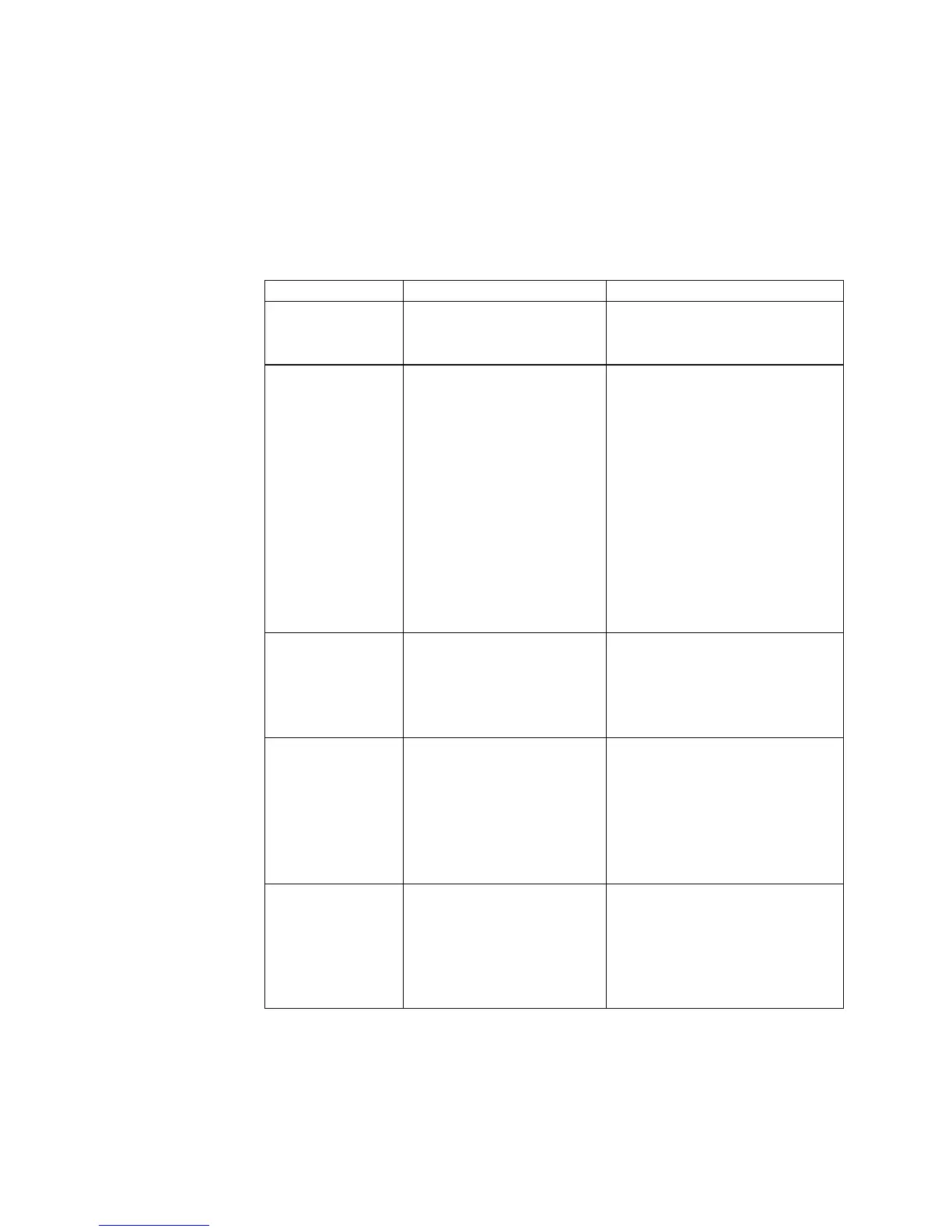
PROBLEM POSSIBLE CAUSE CORRECTION
LCD does not
light
No power input
Check power cord
connections
• Turn on power
System will not
actuate
Foot switch not
plugged in or
improperly plugged
in
• Defective foot
switch
• Broken wire or loose
connection inside
unit
• Defective solenoid
• Defective PC board
Check foot switch
connection
• Foot switch needs to be
repaired or replaced
• Unplug power cord and
disconnect air supply.
Remove cover and check
for broken wires or loose
connections
• Replace solenoid
• Replace PC board
System will not
pressurize
Insufficient air
pressure
• Air hoses not
plugged in
• Regulator defective
Increase air supply
pressure
• Check connection
• Replace regulator
System will not
pull vacuum
Vacuum setting is
too low
• Defective solenoid
• Defective vacuum
venturi
• Defective vacuum
needle valve
Increase vacuum setting
• Replace solenoid valve
• Replace venture
• Replace needle valve
Inconsistent
dispensing
Air bubbles in
adhesive
• Dispense time is too
low
• Dispense needle
started to clog
Reduce vacuum setting
• Increase dispensing time
• Replace needle


 To Next Page