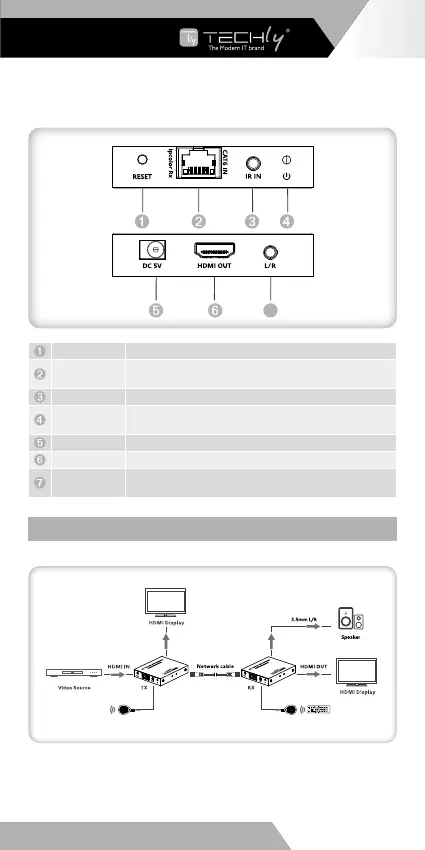
Receiver (RX)
7
Reset button Press to restart the device
RJ45 signal
input
Connect with network cable
IR in Connect with IR receiver extension cable
Power indicator
When there is power and no HDMI signal, the indicator will flash,
when there is HDMI signal, the indicator will light solid
DC5V power Connect with DC5V/1A power adapter
HDMI output Connect with HDMI display device with HDMI cable
3.5 mm stereo
output
Connect with earphone or speaker
INSTALLATION PROCEDURES
Connection diagram
EN - 5
WWW.TECHLY.COM
HDMI EXTENDER
4K@60HZ













 To Next Page