10
mini HDmi EXTEnDER
EN
INSTALLATION PROCEDURES
CAT6 network cable
FollowthestandardofEIA/TIA-568B:
1-Orange/white
2-Orange
3-Green/white
4-Blue
5-Blue/white
6-Green
7-Brown/white
8-Brown
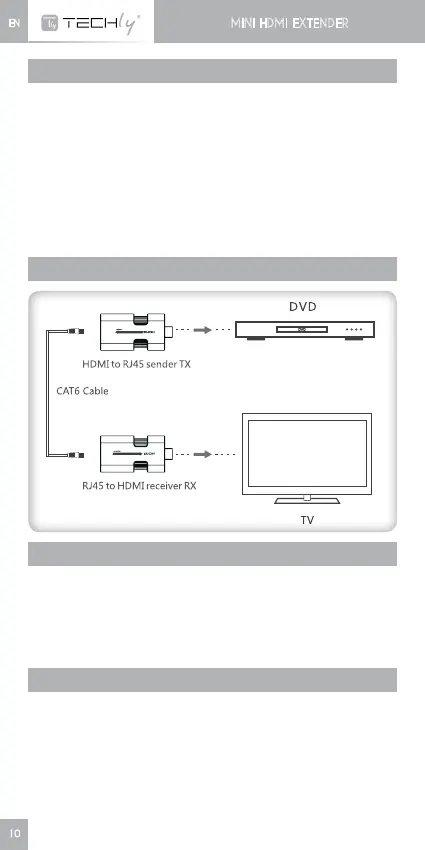
CONNECTIONS
CONNECTION INSTRUCTION:
1) ConnectTXHDMIinputtosourcedeviceHDMIoutput.
2) ConnectTXRJ45toRXRJ45withCAT6cable.
3) Connect RX HDMI output with HDTV HDMI input and set TV
sourceinputsignaltobetherightHDMIchannel.
4) Poweronthedeviceanditworks.
RFQ
Q: No image output or audio and video display is not normal?
A: 1)PressRX"RESET"buttontoresetthedevice.
2)Tryshorternetworkcabletoreconnect.
Q: RX indicator led is flashing all the time?
A: 1)MakesurenetworkcableconnectionfollowsthestandardEIA/
TIA-568B.
2)CheckwhetherTXhasHDMIsignalinput.
3)ResetTX&RXandreconnect.














 To Next Page