tion, or oscillation
•Donotmodifyandaltertheproductandanyacces-
sories! Do not use any damaged parts.
•Keepenoughspacearoundalldevicesforagood
ventilation and free motion and to avoid damages.
•Donotunplugthedevicewhenitisinusing,keep
distance from ammable and explosive devices.
•Powersupply:DC5V,usageonlythesuppliedpo-
wer unit, do not use the power supply if it is da-
maged.
2. INTRODUCTION:
TheHDMI4K2KLPCMExtractorallowsyoutoextract
audio signals from your HDMI source. When connec-
ting to a TV or display you don’t always get the best
audio,orinthecaseofaPCmonitor,noaudioatall.
WiththisAudioExtractoryoucantakeyouroriginal
HDMI audio signal and convert it to digital optical
or analog multi-channel audio. This means that you
can output your audio signal to external speakers or
extend your audio signal pathway. Meanwhile, when
connecting a 4Kx2K display a true video will be per-
formed without down grading the resolution.
3. APPLICATIONS:
• Gameentertainmentonmonitor
• Extendyouraudiosignal
• Audioextractionfornon-HDMIAVreceiversorwi-
der audio systems
4. PACKAGE CONTENTS:
• HDMI4Kx2KLPCM7.1Extractor
• 5VPowerAdaptor
• UserManual
5. SYSTEM REQUIREMENTS:
Input source equipment such as Blu-ray/PS3 player
and output display (TV/monitor) and amplifier/acti-
ve speakers with connection cables.
6. FEATURES:
• CompliantwithHDMI,HDCP1.2andDVI1.0
• SupportsHDMIaudiosamplingrateupto192kHz
• SupportsOpticalS/PDIFaudiosamplingrateupto
192kHz
• HDMIsupportshigh-bit-rate(HBR)audio
• NoHDMIoutputconnectionisrequiredtoreceive
audio at the analog and optical outputs
• Supports4x3.5mmphonejackforanalogmulti-
channel audio outputs
•
Supports built-in audio EDID switching among
LPCM7.1CH,TV(external)EDID,andBitstreamaudio
• SupportsCECbypass
• Supports4Kx2Kresolutionand3Dsignal
Note: When displaying HDMI 4Kx2K signal, equiva-
lent source signal, output display and HDMI cables
are required in order to secure the best image di-
splay.
7. OPERATION CONTROLS AND FUNCTIONS:
FRONT PANEL:
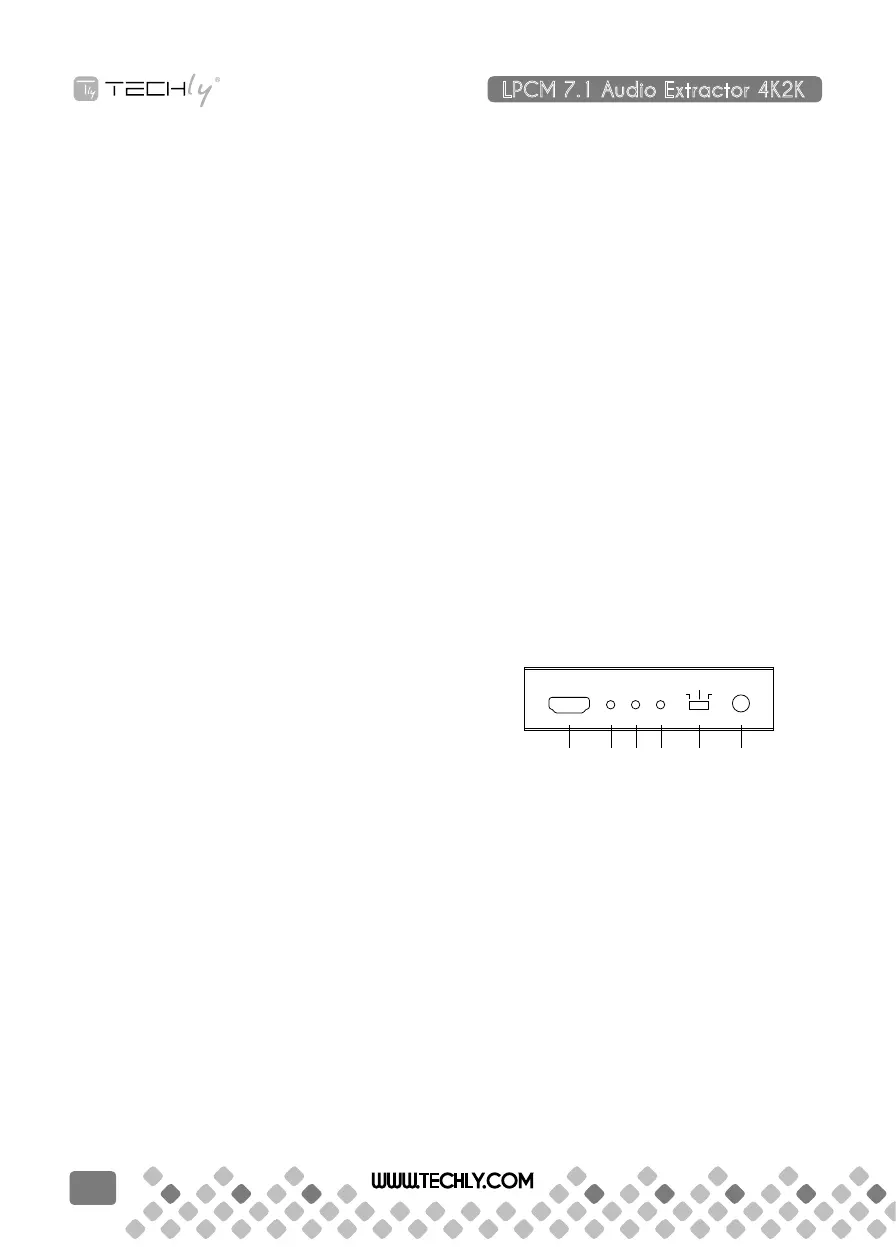
1 2 3 4 5 6
HDMI In
LPCM Link Power
Power
Bitstream
LPCM
7.1CH
TV
1. HDMI IN:
This slot is to connect with source equipment such
as Blu-ray/PS3 player with HDMI signal sending.
2. LPCM:
This LED will illuminate when the output audio
EDIDisswitchtoLPCM7.1CH.
3. LINK:
ThisLEDwillilluminatewheninputsourceiscon-
nected with HDMI signal.
4. POWER:
ThisLEDwillilluminatewhentheunitisconnected
with power supply.
5. TV/BITSTREAM/LPCM 7.1CH:
This switch allows users to select the source’s audio
EDID.
• TVMode:SwitchtoTVmodetousetheHDMIou-
LPCM 7.1 Audio Extractor 4K2K
QUICK INSTALL GUIDE
WWW.TECHLY.COM
6


 To Next Page
 Loading...