POWER
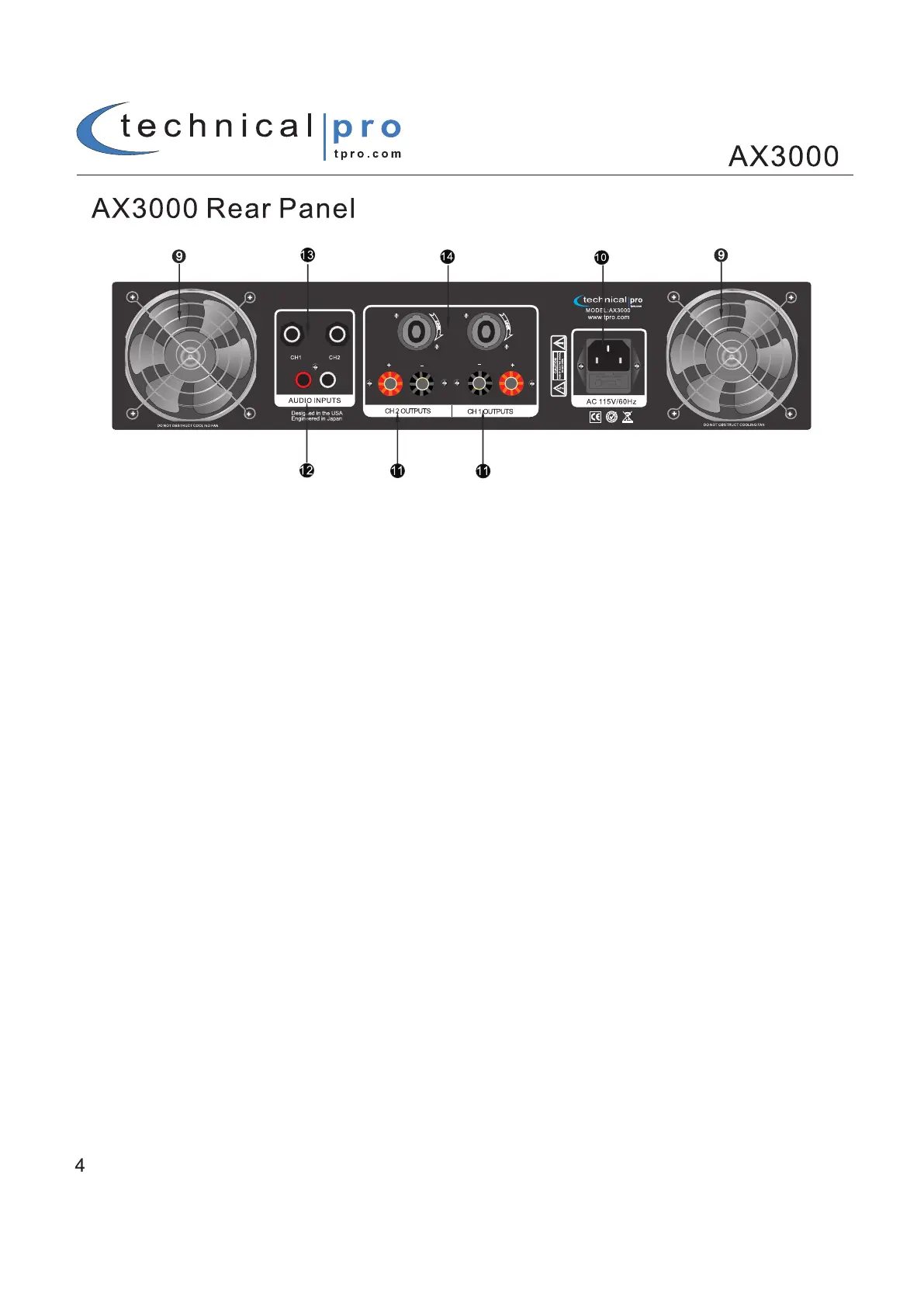
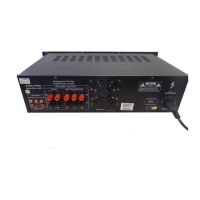
Two cooling fans supply cool air to the amplifier. The fans switch to high speed automatically when the
Temperature of the unit reaches a certain degree.
2. POWER SUPPLY
This is a standard IEC power connector.
3. BANANA BINDING POST OUTPUTS
There are two banana binding post outputs on the rear of the AX3000. Make sure the banana binding posts are
Tightly screwed in place before connecting a cable with a banana connector. When using a speaker wire with the
Banana binding post follow the instructions on page 5 to installation instructions.
4. RCA INPUTS
Connect the RCA connectors from your signal source to the RCA inputs.
5. 1/4” INPUTS
Connect the 1/4” inputs from your signal sources to these inputs.
6. SPEAKON OUTPUTS
The AX3000 comes equipped with two speakon connectors. When connecting the speakon cable, insert the
Speakon connector and turn it to the right to lock it into place.
NOTE: Use the banana binding post or speakon outputs. The banana binding post and speakon outputs should
Not be used at the same time.



 To Next Page