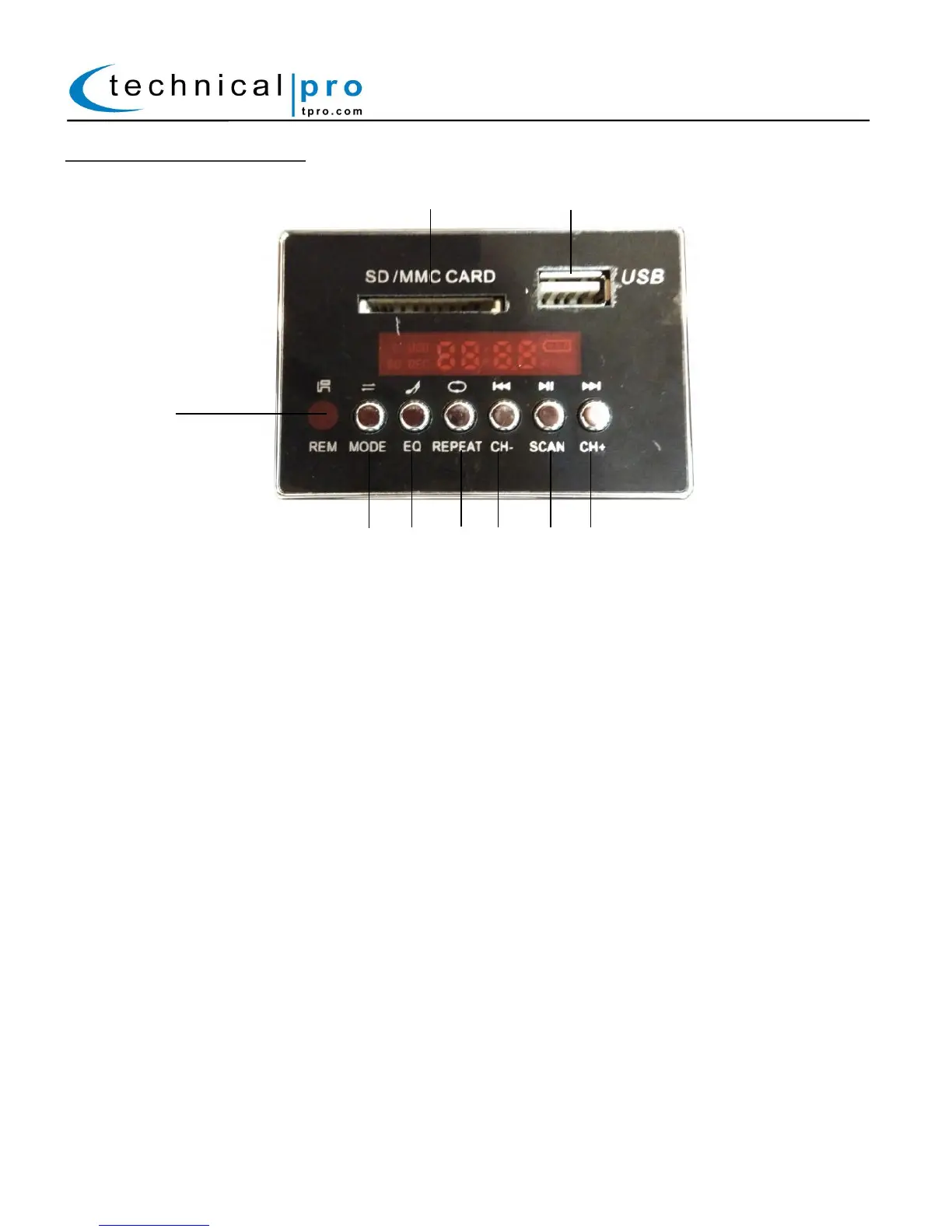
USB/SD Control Module:
18. SD Input: Insert your SD Card into this slot. The unit will only read .mp3 & .wma files from the SD Card.
The maximum storage size of the SD Card cannot exceed 16GB.
19. USB Flash Drive Input: Insert your USB flash drive into this slot. The unit will only read .mp3 & .wma
files from the USB flash drive. The maximum storage size of the USB flash drive cannot exceed 16GB. Do
not attempt to connect a computer to the USB input as the speaker will not be able to connect to a
computer.
20. Remote Sensor: Point the remote that this sensor.
21. Input Mode Selector: Press this button to switch between the various inputs (AUX, USB, SD, Bluetooth)
22. Preset Equalization modes: Press this button to switch between the preset EQ modes.
23. Repeat Selector: Press the REPEAT Track button to switch between repeating the CURRENT track and
repeating ALL tracks.
24. Previous Track: -When in USB / SD Card & Bluetooth Mode, press this button to go to the previous track.
-When in FM Tuner Mode, press this button to go to the previously saved FM station.
25. Play/Pause: -When in USB / SD Card & Bluetooth Mode, press this button to pause the signal from the
USB flash drive, SD Card or Bluetooth Inputs.
-When in FM Tuner Mode, press and hold this button to begin an automated search for
all available FM stations. All FM stations that are found will be saved to memory. Press CH-/CH+ to move
between the stored stations.
26. Next Track: -When in USB / SD Card & Bluetooth Mode, press this button to go to the next track.
-When in FM Tuner Mode, press this button to go to the next saved FM station.



 To Next Page