Need help?
Do you have a question about the Technics EAH-F50B and is the answer not in the manual?
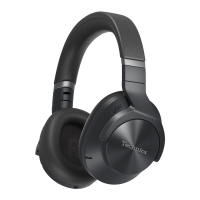
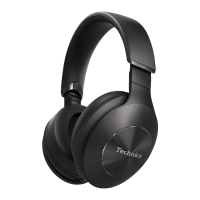
This document provides operating instructions for the Technics EAH-F50B Digital Wireless Stereo Headphones.
The Technics EAH-F50B headphones are designed for digital wireless stereo audio playback and phone calls. They utilize Bluetooth® technology, supporting "A2DP" for audio transmission and "AVRCP" for remote control of the connected device. For phone calls, the headphones support "HSP" (Headset Profile) for monaural sound and two-way communication via the built-in microphone, and "HFP" (Hands-Free Profile) which adds incoming and outgoing call functions. The headphones can be connected to a Bluetooth® device for music playback and calls, and can also establish a multi-point connection with two Bluetooth® devices simultaneously: one for music playback and another for calls.
Power On/Off: To turn the headphones on, press and hold the [/l (0)] button for approximately 3 seconds until the power/pairing LED blinks blue. A beep will sound, and the LED will blink slowly. To turn them off, press and hold the [/l (0)] button for approximately 3 seconds. An English guidance message will be heard, and the power will turn off. If not connected to a Bluetooth® device, the unit will automatically turn off after about 5 minutes of disuse.
Charging: The headphones contain a rechargeable battery that needs to be charged before initial use. Connect the supplied USB charging cord to the charging terminal (DC IN) on the right ear cup and to a computer. The power/pairing LED will light red during charging and turn off when charging is complete. A full charge from empty takes approximately 4 hours. Charging should be done at room temperatures between 10 °C and 35 °C. The headphones cannot be used or connected to Bluetooth® devices while charging.
Bluetooth® Connection (Pairing and Connecting):
Listening to Music: Once connected to a Bluetooth® device, select and play music on that device. The headphones will output the music or audio. The maximum playback time is approximately 35 hours, though this may vary with usage conditions. Be aware that sound may leak depending on the volume level, and distortion may occur at near maximum volume.
Remote Control: The Multiple functions button on the right ear cup allows control of the connected Bluetooth® device:
Making Phone Calls: With a Bluetooth® enabled phone (supporting HSP or HFP), you can use the headphones for calls:
Useful Functions:
Restoring to Factory Settings: To restore the headphones to their original factory settings (resetting volume, deleting registered devices), ensure the battery is charged. With the power off, press and hold the [/l (0)] button for at least 5 seconds until the power/pairing LED lights alternately in blue and red. While the LED is alternating, slide and hold the Multiple functions button towards "+" and simultaneously press and hold the [/l (0)] button for at least 5 seconds. The default settings will be restored after the power/pairing LED (blue) blinks fast and the unit turns off. When re-pairing, delete the "EAH-F50B" entry from your Bluetooth® device's menu first.
Cleaning: Clean the headphones with a dry and soft cloth. Avoid using solvents such as benzine, thinner, alcohol, kitchen detergent, or chemical wipers, as these can deform the exterior case or remove the coating.
Battery Performance: To maintain battery performance during long periods of disuse, fully charge the headphones once every 6 months.
Storage: For storage, the headphones can be folded to fit into the supplied carrying pouch. First, store the sliders, then rotate the housing on either side by approximately 90° towards the headband, and finally store the unit in the pouch. If the USB charging cord or detachable cord is connected, disconnect it before folding.
Battery Removal for Disposal: Instructions are provided for removing the battery for disposal, emphasizing that the unit is not restorable once disassembled. Disassemble the unit after the battery runs out. Insulate battery terminals with adhesive tape and do not disassemble the battery itself. Do not heat or expose the battery to flame or leave it in direct sunlight (e.g., in a car). If electrolyte leaks, consult your dealer and wash any affected skin thoroughly with water. Contact local authorities for proper battery disposal methods.
 General
| Type | Over-Ear |
|---|---|
| Connectivity | Bluetooth, Wired |
| Driver Size | 40 mm |
| Impedance | 32 Ohms |
| Bluetooth Version | 5.0 |
| Bluetooth Profiles | A2DP, AVRCP, HSP, HFP |
| Battery Life | Up to 35 hours |
| Charging Time | 4 hours |
| Noise Cancellation | No |
| Cable Length | 1.2 m |
| Plug | 3.5 mm |
| Supported Codecs | AAC, SBC |

 To Next Page