EasyManua.ls Logo

Technics SL-PD7A - User Manual

Technics SL-PD7A
16 pages
Print Icon
To Next Page IconTo Next Page
Loading...
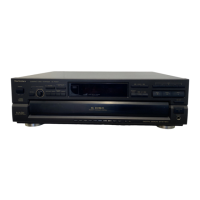
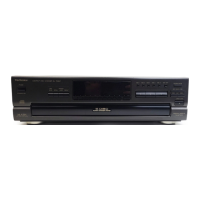
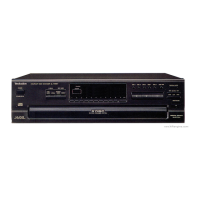
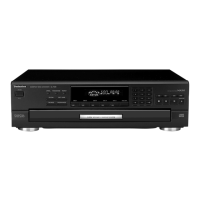
Compact Disc Changer
SL-PD9
SL-PD7A
Operating Instructions
Model No.
P PC
Before connecting, operating or adjusting this product, please read these instructions
completely. Please keep this manual for future reference.
RQT5763-2P
The photograph shows model SL-PD9.

Questions and Answers

  • C
    Christopher ShawAug 14, 2025
    How to fix Technics CD Player remote not working?
    • N
      Nancy BaileyAug 14, 2025
      If your Technics CD Player isn't responding to the remote, the batteries may have run out, so replace them with new ones. There might be an obstruction between the remote and the changer; remove it. Also, check if the batteries are inserted correctly, ensuring the (+) and (–) polarities are correct.
  • A
    Andrea ThomasAug 17, 2025
    What to do if the disc in my Technics CD Player doesn't play?
    • D
      Danielle RodriguezAug 17, 2025
      If a disc isn't playing, ensure the label is facing upward. The disc might be dirty, so wipe it with a soft cloth. If the disc is scratched, replace it with a new one.
  • B
    blackjenniferAug 21, 2025
    What does error message -E mean on my Technics SL-PD7A CD Player?
    • A
      Anita MathewsAug 21, 2025
      An error message (-E) that appears on the display and the subsequent ceasing of operation means that the mechanism of the changer has been improperly adjusted. Turn the unit off and then back on again. However, if the loading drawer is fully open, take out the compact disc(s) at the front position and then turn the unit off and then back on again.
  • N
    Nicole JacksonAug 25, 2025
    Why my Technics SL-PD7A changer does not play?
    • A
      Anna ProctorAug 26, 2025
      If the changer isn't playing, a disc or other foreign object may have fallen inside. Open the loading drawer and remove the object. Also, moisture may have collected in the changer; allow it to dry out for about one hour before using it.
  • J
    Joseph WalkerAug 28, 2025
    What to do if a music passage on my Technics SL-PD7A skips or doesn't play correctly?
    • R
      Ricardo WalterAug 28, 2025
      If a music passage isn’t playing correctly, the disc may be dirty, so wipe it with a soft cloth. Alternatively, the disc may be scratched, in which case you should replace it.
  • M
    Michelle PerezSep 1, 2025
    Why does my Technics SL-PD7A stop before changing to the next disc?
    • J
      Jonathan CookSep 2, 2025
      If play stops before changing to the next disc, the loading drawer is possibly open. Press the [ OPEN/CLOSE] button to close the loading drawer.
  • J
    Joseph WhiteSep 5, 2025
    How to reduce noise from Technics SL-PD7A on tuner or TV?
    • S
      Susan JonesSep 5, 2025
      If there is noise from the tuner or disturbance on the TV screen, it is caused by high-frequency signals from this changer. Use the changer further away from the tuner or TV. If the tuner or TV’s antenna is the indoor type, use an outdoor one.
  • N
    Natalie RoseSep 9, 2025
    What to do if error -E appears when starting program play on Technics CD Player?
    • K
      Katie BradshawSep 9, 2025
      If an error message (-E) appears on the display when program play is started, it means that play was started without a track being programmed. Program a track.

Summary

Before Use

Supplied Accessories

Lists and checks the items included with the product for proper operation.

Important Safety Instructions

Essential safety guidelines to prevent hazards during operation, installation, and maintenance.

Connections

Guides on how to connect the unit to other audio components and the power supply.

Preparing the remote control SL-PD9 only

Instructions for preparing and using the remote control transmitter for the SL-PD9 model.

Front Panel Controls

Identifies and explains the function of each button and indicator on the main unit and remote.

Operations

Basic operations

Fundamental steps for playing CDs, including loading and sequential play.

Sequential play

How to play all tracks on loaded discs in order, starting from track 1.

To directly access a desired track

Methods to select specific tracks by number using numeric buttons.

To exchange discs during play

Procedure to change discs without interrupting the current playback.

Random play

Explains one-disc random and full random playback options for varied listening.

Spiral play

Details on how the changer plays tracks sequentially across all loaded discs.

Program play

How to select and arrange tracks for custom playback sequences.

ID scan function

Feature to search for a desired track by playing short segments.

Search function

How to rapidly search forward or backward on a disc for specific sections.

Skip function

Instructions on how to skip discs or tracks during playback.

Repeat function

How to continuously play selected tracks, discs, or entire sequences.

Time mode selection

Displays different time information related to track and disc playback.

Edit guide function

Automates track selection for recording onto cassette tapes based on tape length.

Reference

Cautions concerning the moving of this unit

Steps to prepare the changer for relocation to prevent damage.

Concerning CDs

Precautions for handling CDs and storing them to maintain quality.

Troubleshooting guide

Common problems and their suggested solutions for the changer.

Maintenance

Guidance on cleaning the unit.

Product Service

Instructions on when to seek professional repair.

Specifications

Technical details and performance characteristics of the CD changer.

Technics SL-PD7A Specifications

General IconGeneral
TypeCD Player
Digital-to-Analog ConverterMASH (Multi-stage noise shaping)
Frequency Response2 Hz to 20 kHz
Channels2
Output Voltage2 V

Related product manuals