EasyManua.ls Logo

Technics SL-PJ27 - Page 5

Technics SL-PJ27
36 pages
Print Icon
To Next Page IconTo Next Page
To Previous Page IconTo Previous Page
Loading...
SL-PJ27
Tate
|
{or-}
(eo)
g-m-y=1eq
(fe)
|
@)
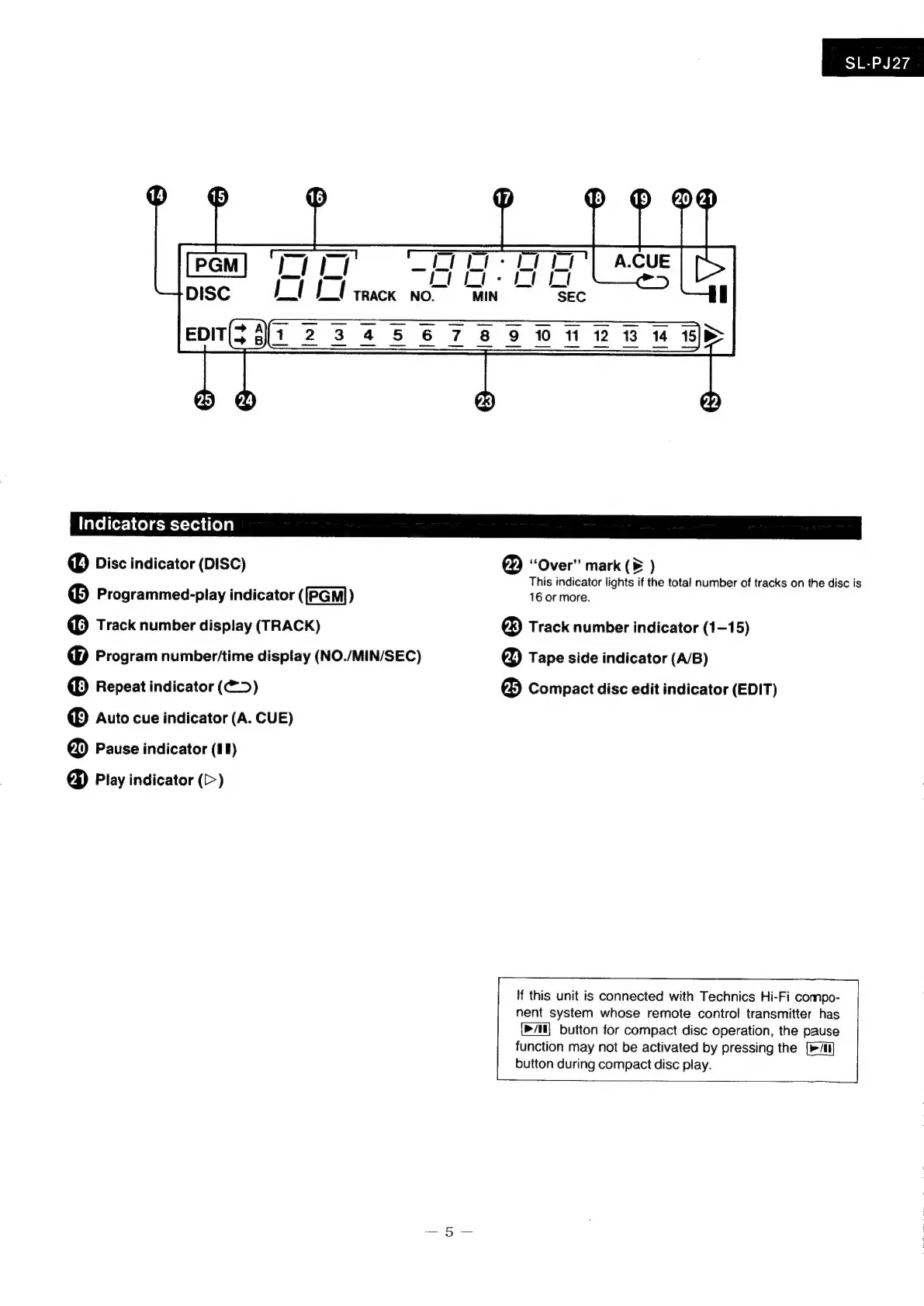
Disc
indicator
(DISC)
“Over”
mark
(6
)
This
indicator
lights
if
the
total
number
of
tracks
on
the
disc
is
©®
Programmed-play
indicator
([PGM])
16
or
more.
16)
Track
number
display
(TRACK)
®
Track
number
indicator
(1-15)
@
Program
number/time
display
(NO./MIN/SEC)
@
Tape
side
indicator
(A/B)
®
Repeat
indicator
(@>)
25)
Compact
disc
edit
indicator
(EDIT)
®
Auto
cue
indicator
(A.
CUE)
@
Pause
indicator
(11)
@&)
Play
indicator
(>)
If
this
unit
is
connected
with
Technics
Hi-Fi
compo-
nent
system
whose
remote
control
transmitter
has
button
for
compact
disc
operation,
the
pause
function
may
not
be
activated
by
pressing
the
[>All
button
during
compact
disc
play.

Related product manuals