EasyManua.ls Logo

Technics SL-PJ33 - Page 10

Technics SL-PJ33
36 pages
Print Icon
To Next Page IconTo Next Page
To Previous Page IconTo Previous Page
Loading...
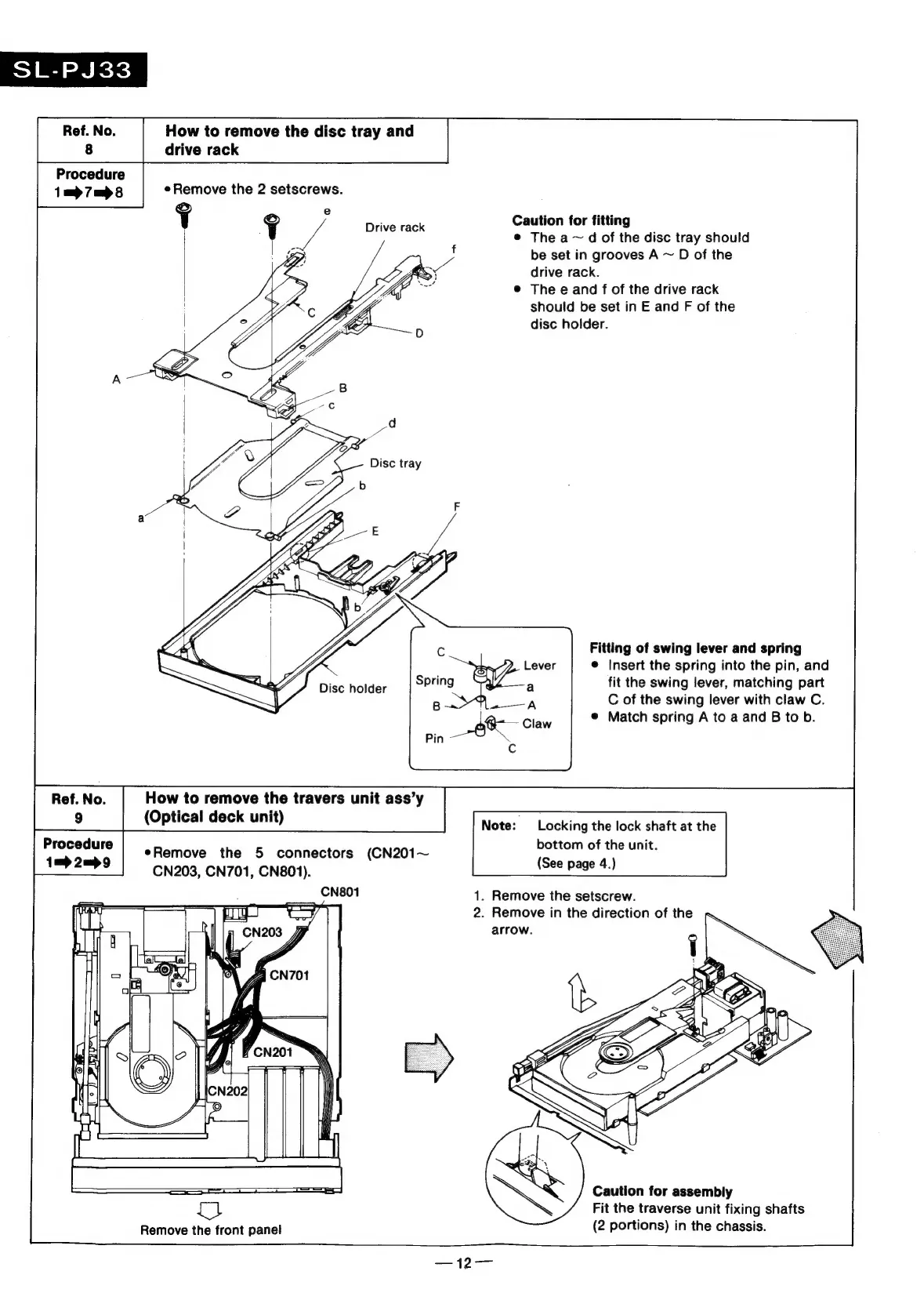
SL-PJ33
Ref.
No.
How
to
remove
the
disc
tray
and
8
drive
rack
Procedure
1=7m>8
Remove
the
2
setscrews.
Caution
for
fitting
@
The
a
~
d
of
the
disc
tray
should
be
set
in
grooves
A
~
D
of
the
drive
rack.
The
e
and
f
of
the
drive
rack
should
be
set
in
E
and
F
of
the
disc
holder.
Drive
rack
Fitting
of
swing
lever
and
spring
@
Insert
the
spring
into
the
pin,
and
fit
the
swing
lever,
matching
part
C
of
the
swing
lever
with
claw
C.
Match
spring
A
to
a
and
B
to
b.
9
(Optical
deck
unit)
Note:
Locking
the
lock
shaft
at
the
eRemove
the
5
connectors
(CN201~
ee
he
ani
CN203,
CN701,
CN801).
:
CN801
1.
Remove
the
setscrew.
2.
Remove
in
the
direction
of
the
arrow.
Caution
for
assembly
Fit
the
traverse
unit
fixing
shafts
(2
portions)
in
the
chassis.
Remove
the
front
panel

Related product manuals