EasyManua.ls Logo

Technics SL-PS670D - PCB Checking Procedures (Continued); Main, Operation, and Headphones Jack PCB Checks

Technics SL-PS670D
34 pages
Print Icon
To Next Page IconTo Next Page
To Previous Page IconTo Previous Page
Loading...
SL-PS670A
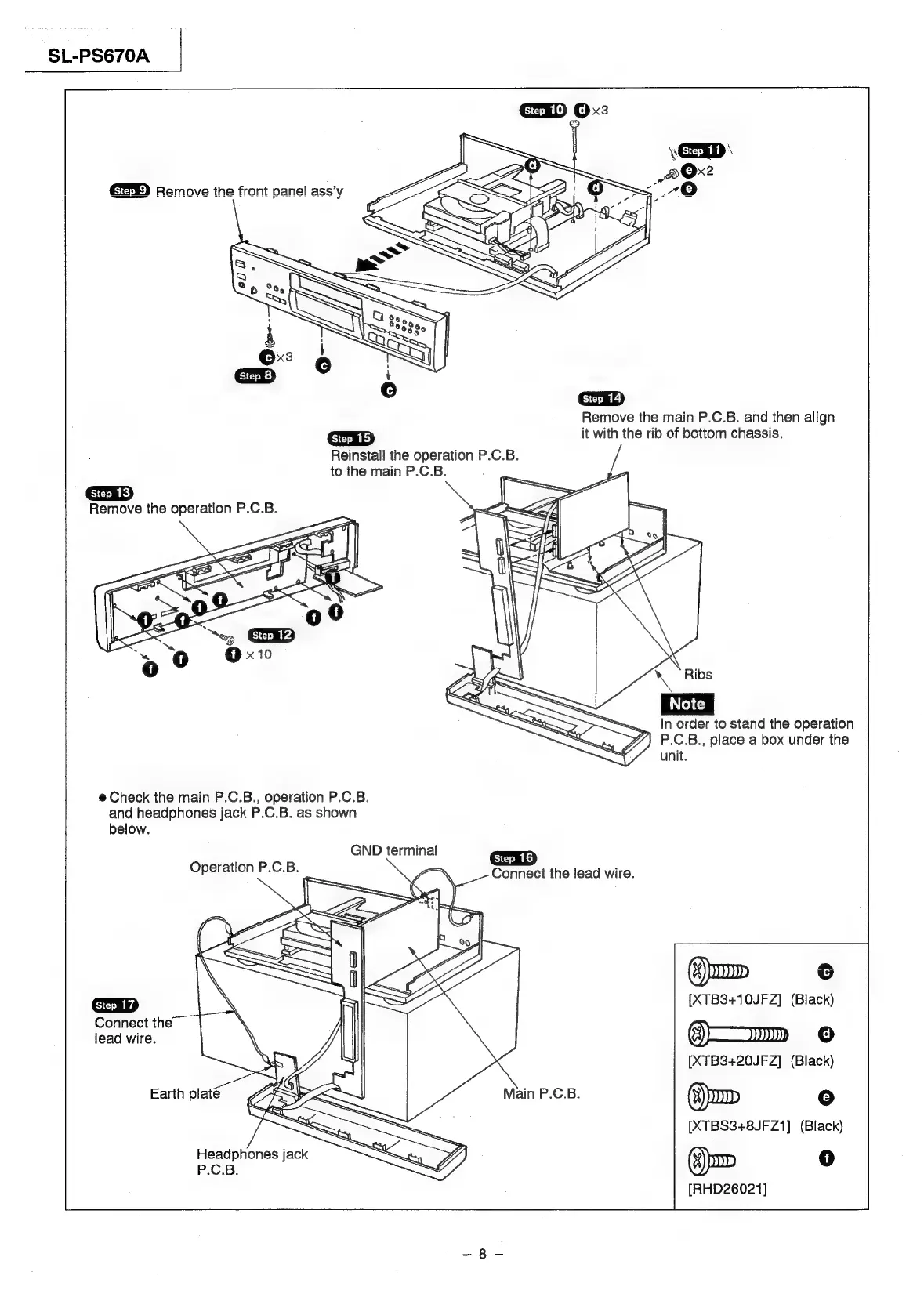
Remove
the
main
P.C.B.
and
then
align
it
with
the
rib
of
bottom
chassis.
Reinstall
the
operation
P.C.B.
to
the
main
P.C.B.
Remove
the
operation
P.C.B.
x
Ribs
In
order
to
stand
the
operation
P.C.B.,
place
a
box
under
the
unit.
@
Check
the
main
P.C.B.,
operation
P.C.B.
and
headphones
jack
P.C.B.
as
shown
below.
GND
terminal
Operation
P.C.B.
Connect
the
lead
wire.
()
oD
o
¢
>
an
Lf
gm
a
on
<=
i
i
LS
[XTB3+10JFZ]
(Black)
Connect
the
\
lead
wire.
3)»
+O
os
[XTB3+20JFZ]
(Black)
Earth
platé
I
Main
P.C.B.
(¥)
OD
re}
[XTBS3+8JFZ1]
(Black)
(:)
oD
0
[RHD26021]
Headphones
jack
P.C.B.

Related product manuals