EasyManua.ls Logo

Technics SX-G5 - Page 18

Technics SX-G5
44 pages
Print Icon
To Next Page IconTo Next Page
To Previous Page IconTo Previous Page
Loading...
@3)
Glide
Control
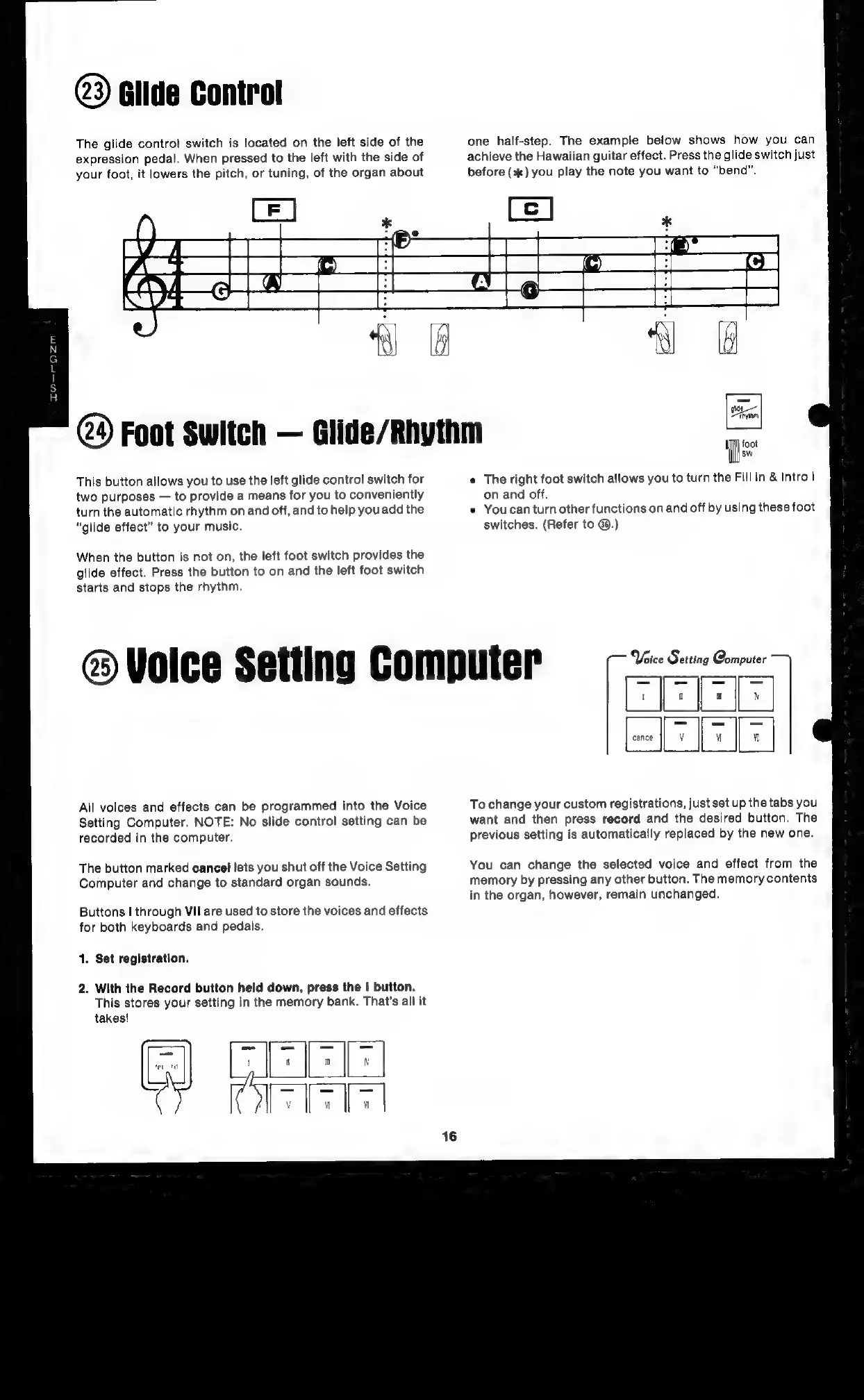
The
glide
control
switch
is
located
on
the
left
side
of
the
expression
pedal.
When
pressed
to
the
left
with
the
side
of
one
half-step.
The
example
below
shows
how
you
can
achieve
the
Hawaiian
guitar
effect.
Press
the
glide
switch
just
before
(+)
you
play
the
note
you
want
to
“bend”.
your
foot,
it
lowers
the
pitch,
or
tuning,
of
the
organ
about
2
Foot
Switch
Glide/Rhythm
=
This
button
allows
you
to
use
the
left
glide
control
switch
for
two
purposes
to
provide
a
means
for
you
to
conveniently
turn
the
automatic
rhythm
on
and
off,
and
to
help
you
add
the
“glide
effect”
to
your
music.
When
the
button
is
not
on,
the
left
foot
switch
provides
the
glide
effect.
Press
the
button
to
on
and
the
left
foot
switch
starts
and
stops
the
rhythm.
@
Volce
Setting
Computer
All
voices
and
effects
can
be
programmed
into
the
Voice
Setting
Computer.
NOTE:
No
slide
control
setting
can
be
recorded
in
the
computer.
The
button
marked
cancel
lets
you
shut
off
the
Voice
Setting
Computer
and
change
to
standard
organ
sounds.
Buttons
I
through
VII
are
used
to
store
the
voices
and
effects
for
both
keyboards
and
pedals.
1.
Set
registration.
2.
With
the
Record
button
held
down,
press
the
|
button.
This
stores
your
setting
in
the
memory
bank.
That's
all
it
takes!
recatd
sw
¢
The
right
foot
switch allows
you
to
turn
the
Fill
in
&
Intro
1
on
and
off.
e
Youcan
turn
other
functions
on
and
off
by
using
these
foot
switches.
(Refer
to
@.)
Voice
Set
ting
Computer
PT]
To
change
your
custom
registrations,
just
set
up
the
tabs
you
want
and
then
press
record
and
the
desired
button.
The
previous
setting
is
automatically
replaced
by
the
new
one.
You
can
change
the
selected
voice
and
effect
from
the
memory
by
pressing
any
other
button.
The
memory
contents
in
the
organ,
however,
remain
unchanged.

Related product manuals