EasyManua.ls Logo

Technics SX-G5 - Page 21

Technics SX-G5
44 pages
Print Icon
To Next Page IconTo Next Page
To Previous Page IconTo Previous Page
Loading...
Tempo
Set
Two
of
your
favorite
tempos,
once
they
are
stored
can
be
recalled
at
any
time
by
simply
pressing
the
appropriate
tempo
set
button.
To
store:
(Press
tempo
set
buttons
|
and
II
simultaneously
to
turn
them
off.)
1.
Adjust
the
tempo
to
your
favorite
speed
by
sliding
the
tempo
control.
2.
With
the
record
button
pressed,
press
tempo
set
button
I.
This
stores
the
tempo
in
button
I.
3)
Arrange
Percussion
Arrange
percussion
is
designed
to
change
the
patterns
and
to
add
various
percussion
instrument
sounds
to
enrich
each
of
the
23
rhythms.
lis
the
simplest
rhythm
pattern.
With
il
on,
an
enriched
bass,
for
example,
with
a
conga
is
added
for
pattern
variations.
With
III
(land
II
pressed
simultaneously),
an
enriched
treble,
for
exmaple,
with
a
tambourine,
is
added
for
greater
pattern
variations.
@)
Fill
In
&
Intro
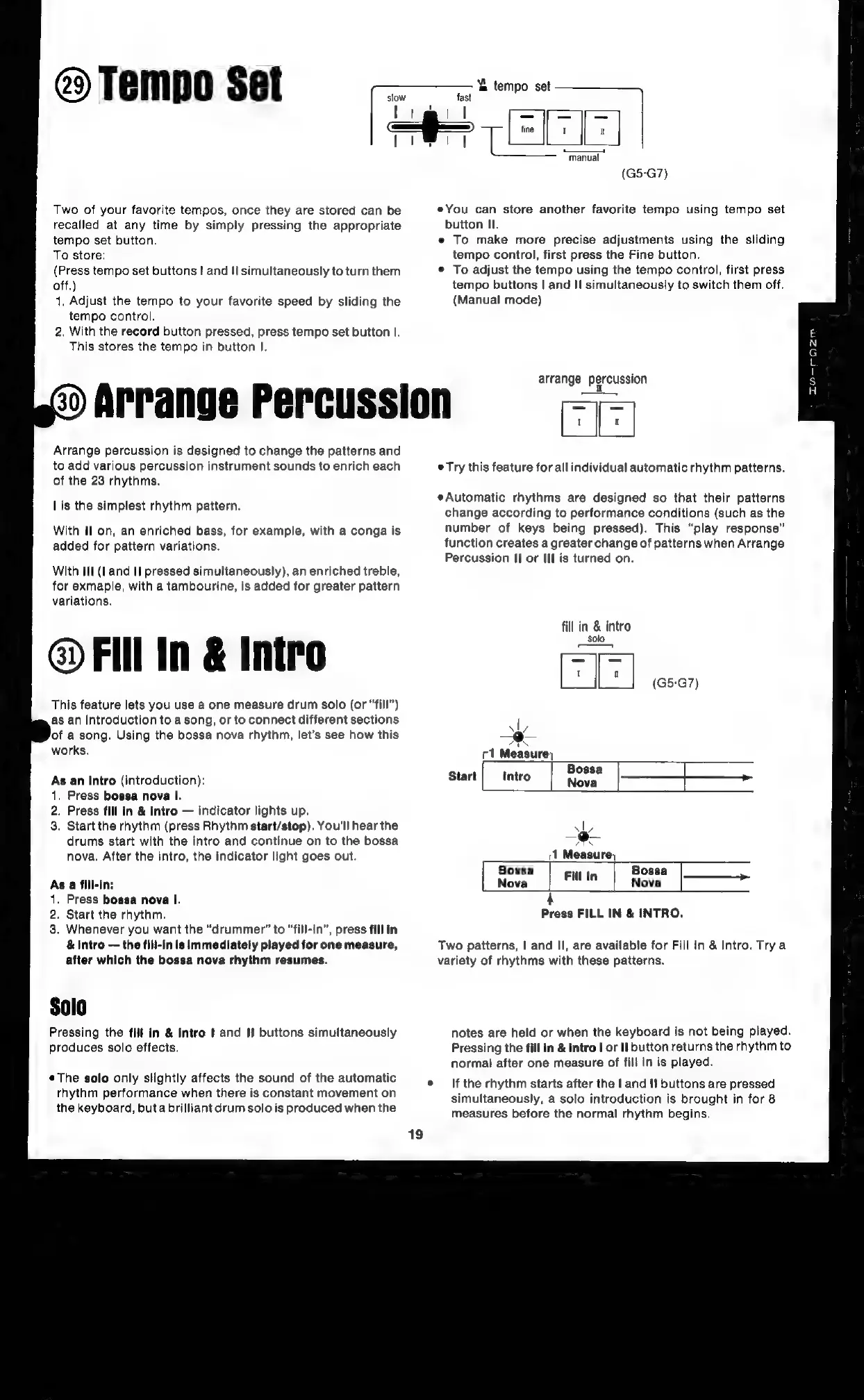
This
feature
lets
you
use
a
one
measure
drum
solo
(or
“fill”)
as
an
introduction
to
a
song,
or
to
connect
different
sections
of
a
song.
Using
the
bossa
nova
rhythm,
let’s
see
how
this
works.
As
an
intro
(introduction):
.
Press
bossa
nova
I.
.
Press
fill
in
&
intro
indicator
lights
up.
.
Start
the
rhythm
(press
Rhythm
start/stop).
You'll
hear
the
drums
start
with
the
intro
and
continue
on
to
the
bossa
nova.
After
the
intro,
the
indicator
light
goes
out.
As
a
fill-in:
.
Press
bossa
nova
I.
.
Start
the
rhythm.
.
Whenever
you
want
the
“drummer”
to
“fill-in”,
press
fill
in
&
intro
the
fili-in
is
Immediately
played
for
one
measure,
after
which
the
bossa
nova
rhythm
resumes.
Pressing
the
fill
in
&
intro
|
and
I]
buttons
simultaneously
produces
solo
effects.
¢The
solo
only
slightly
affects
the
sound
of
the
automatic
rhythm
performance
when
there
is
constant
movement
on
the
keyboard,
buta
brilliant
drum
solo
is
produced
when
the
(G5-G7)
eYou
can
store
another
favorite
tempo
using
tempo
set
button
II.
e
To
make
more
precise
adjustments
using
the
sliding
tempo
control,
first
press
the
Fine
button.
©
To
adjust
the
tempo
using
the
tempo
control,
first
press
tempo
buttons
|
and
II
simultaneously
to
switch
them
off.
(Manual
mode)
arrange
percussion
Hie
e
Try
this
feature
for
all
individual
automatic
rhythm
patterns.
Automatic
rhythms
are
designed
so
that
their
patterns
change
according
to
performance
conditions
(such
as
the
number
of
keys
being
pressed).
This
“play
response”
function
creates
a
greater
change
of
patterns
when
Arrange
Percussion
II
or
Ill
is
turned
on.
fill
in
&
intro
solo
1
Measure,
Fill
In
Bossa
Nova
Bossa
er,
Nova
4
Press
FILL
IN
&
INTRO.
Two
patterns,
|
and
Il,
are
available
for
Fill
In
&
Intro.
Trya
variety
of
rhythms
with
these
patterns.
notes
are
held
or
when
the
keyboard
is
not
being
played.
Pressing
the
fill
in
&
intro
|
or
Il
button
returns
the
rhythm
to
normal
after
one
measure
of
fill
in
is
played.
If
the
rhythm
starts
after
the
|
and
If
buttons
are
pressed
simultaneously,
a
solo
introduction
is
brought
in
for
8
measures
before
the
normal
rhythm
begins.
DIwH--ozm

Related product manuals