EasyManua.ls Logo

Technics SX-G5 - Page 22

Technics SX-G5
44 pages
Print Icon
To Next Page IconTo Next Page
To Previous Page IconTo Previous Page
Loading...
rhythmic
orchestra
mhythmio
melodie
ythmic
Orcnesira
we
These
controls
work
exclusively
in
conjunction
with
the
automatic
rhythms.
No
matter
which
drum
pattern
you
use,
the
rhythmic
voices(s)
provides
chords
that
are
perfectly
synchronized
with
the
automatic
rhythm.
Try
all
the
drum
patterns
on
your
model
and
listen
to
the
Rhythmic
Orchestra
voice
with
each.
Rhythmic
Orchestra
can
be
used
with
or
without
Auto
Play
Chord.
If
you
combine
Rhythmic
Orchestra
with
the
lower
keyboard
voices,
you
will
hear
a
combination
of
sustained
(continuous)
and
rhythmic
chord
accompaniment.
@
Auto
Play
Chord
Auto
Play
Chord
is
an
effective
musical
aid
AND
a
source
of
enjoyment
regardless
of
your
previous
musical
experience.
Combined
with
other
exciting
Technics
features
Automatic
Rhythm,
and
Techni-Chord
Auto
Play
Chord
can
help
you
create
orchestral
and
full
organ
sounds
using
only
one
finger
on
each
hand.
Further,
it
can
actually
help
you
learn
to
play
the
organ
in
the
traditional
manner.
Let's
see
how...
The
tingered
button,
if
pressed,
automatically
selects
the
One
Finger
mode
when
you
play
only
one
key
on
the
lower
keyboard
or
the
Fingered
mode
when
playing
3
or
more
keys.
One
finger
mode
allows
you
to
play
a
full
chord
and
a
bass
tone
by
pressing
any
single
key
on
your
lower
keyboard;
these
chords
are
called
major,
indicated
by
a
chord
symbol
letter
(C,
Eb,
etc.).
To
play
seventh
chords
(G7,
Bb7,
etc.),
press
any
long,
light-coloured
bass
pedal
as
you
play
the
appropriate
key.
To
play
minor
chords
(Am,
F#m,
etc.),
press
any
short,
black
bass
pedal
as
you
play
the
appropriate
key.
Occasionally
you'll
play
minor
seventh
chords
(Dm7,
Gm7,
etc.).
As
you
play
the
lower
manual
key
with
the
appropriate
letter-name,
press
any
long
and
short
bass
pedal,
at
the
same
time,
with
your
left
foot.
[cs
}
One-Finger:
[Fe
]
£.
Fingered:
i)
Pressing
the
rhythmic
button
allows
chordal
accompani-
ment.
Pressing
the
melodic
button allows
melodic
accompani-
ment.
Pressing
the
I/II
button
further
changes
the
accompani-
ment
pattern.
NOTE:
Pressing
the
lower
harmonic
coupler
button
(2’,
program)
enhances
the
sound
from
the
rhythmic
button.
Pogram
Chora
Computer
auto
play
chord?
Fingered
mode
also
allows
you
to
form
your
own
chords
on
the
lower
keyboard;
the
correct
bass
tone
is
automatically
provided.
If
you
press
any
bass
pedal
at
this
time,
the
sound
of
the
relevant
key
is
produced,
allowing
bass
playing
regardless
of
the
APC
system
status.
Memory
provides
the
sound
of
the
chord
and
bass
tone
even
if
you
release
the
lower
manual
key(s).
The
chord
and
bass
continue
to
sound
until
you
play
another
chord
or
stop
the
rhythm.
\n
addition
to
the
features
listed
above,
your
Technics
organ
has
a
walking
bass
feature
available
at
all
times.
This
allows
you
to
automatically
re-create
professional
bass
parts
when
you
use
either
pedal
voice
along
with
any
of
the
automatic
rhythms.
Cancel
shuts
off
the
Auto
Play
Chord
feature,
permitting
normal
playing.
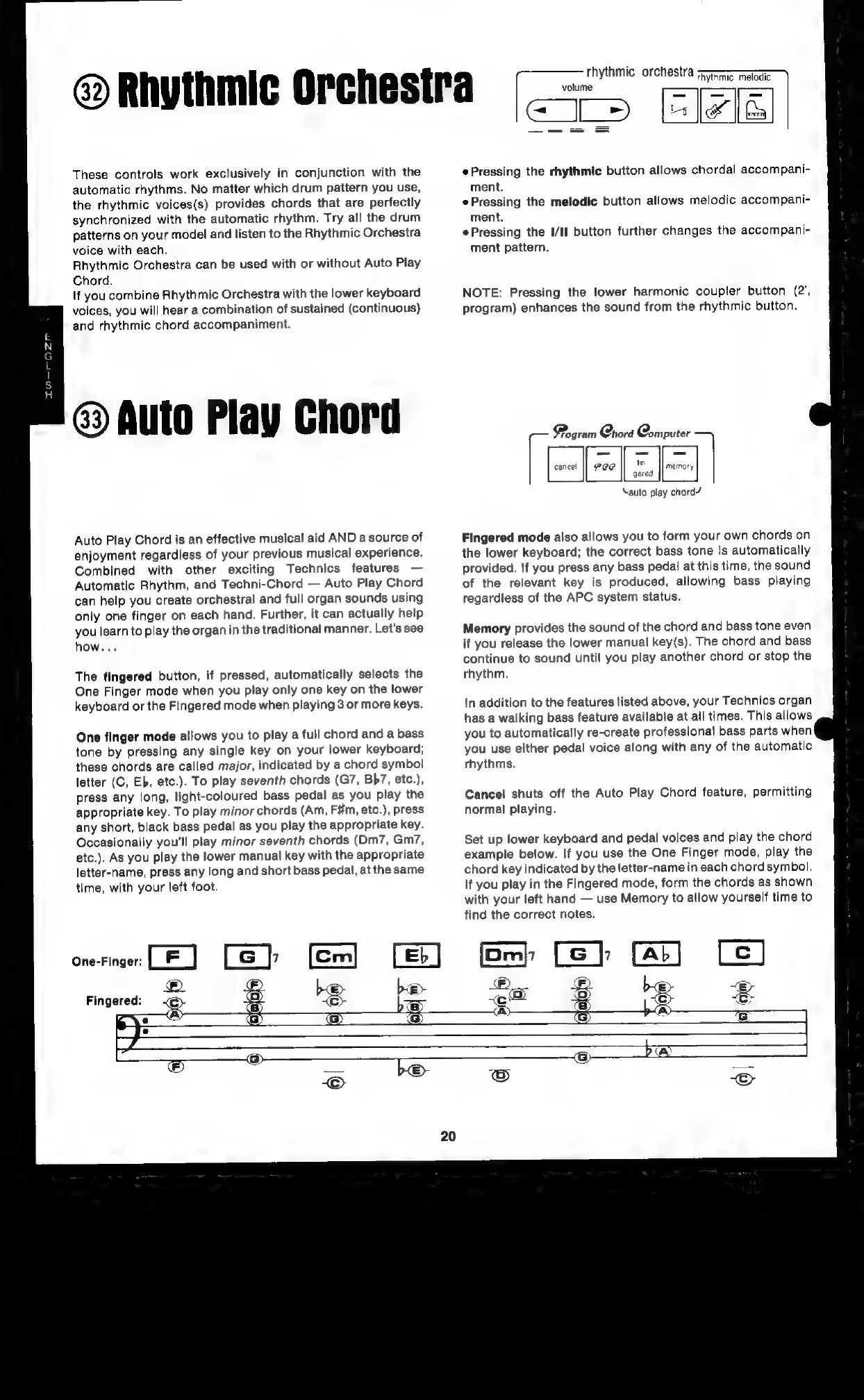
Set
up
lower
keyboard
and
pedal
voices
and
play
the
chord
example
below.
If
you
use
the
One
Finger
mode,
play
the
chord
key
indicated
by
the
letter-name
in
each
chord
symbol.
If
you
play
in
the
Fingered
mode,
form
the
chords
as
shown
with
your
left
hand
use
Memory
to
allow
yourself
time
to
find
the
correct
notes.

Related product manuals